Relumi AI Retake Photo Editor
Nano Banana Pro
Relumi AI Retake Photo Editor
Nano Banana Pro
Relumi AI Retake Photo EditorAI Photo Retake:
Skin Retouching for Smooth Natural Portraits


How Relumi Handles Skin Retouching and AI Smooth Skin Naturally
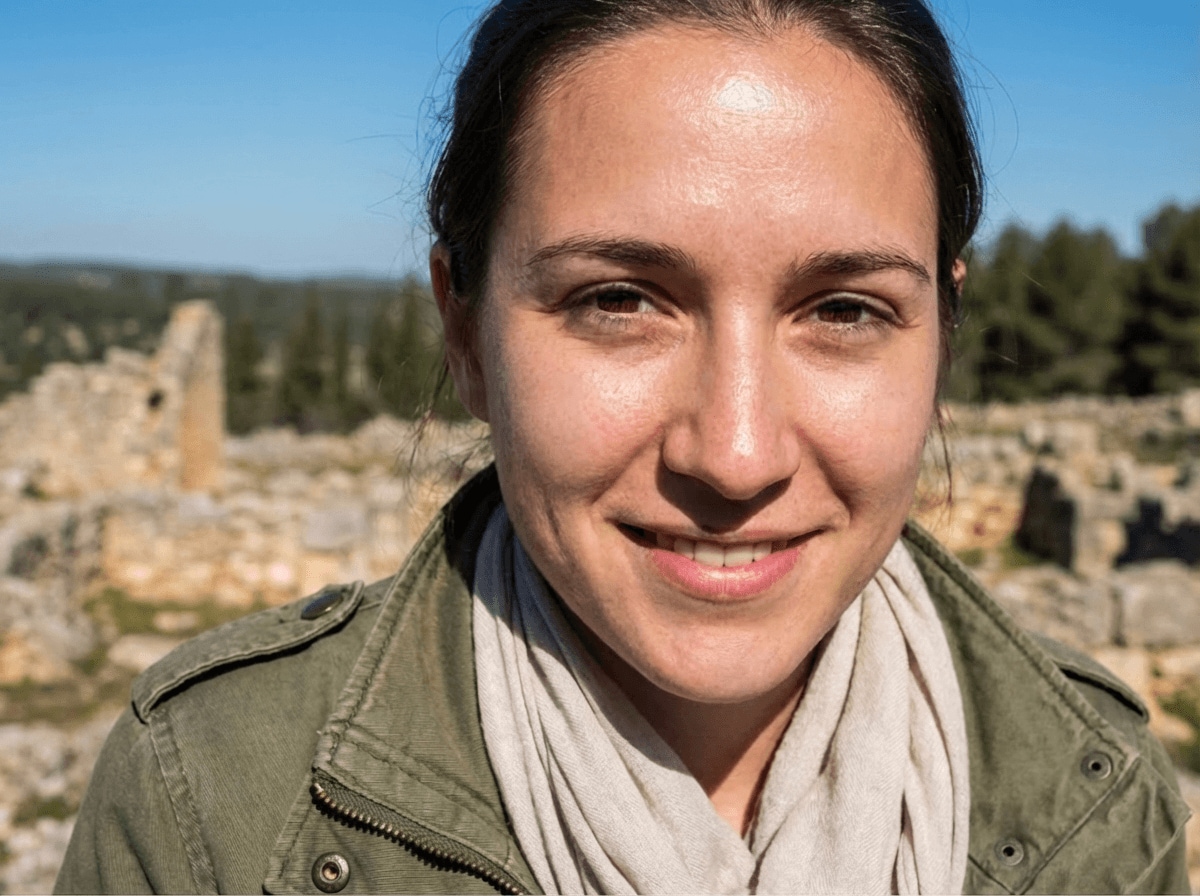
With Nano Banana Pro, Relumi's AI photo retake can smooth skin in photo while keeping your portrait natural and balanced. It reads skin texture, uneven tone, pores, small blemishes, and lighting conditions, so the final result feels like healthy skin under good light instead of a flat filter. From selfies to profile photos and event portraits, Relumi makes skin retouching simple and natural.
Smooth Everyday Selfies Without Losing Real Skin Texture
Sometimes the angle is perfect but a breakout, rough texture, or tired looking skin distracts from the photo.
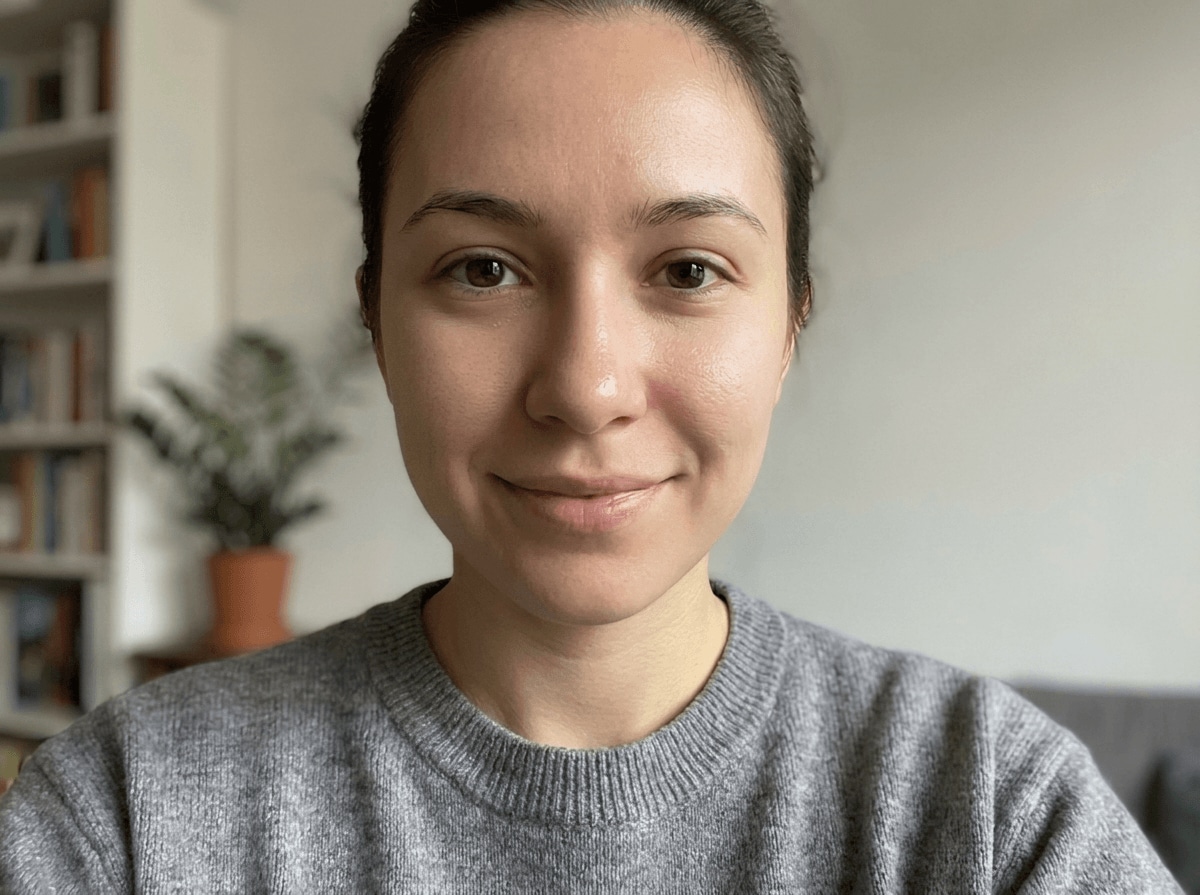
Relumi uses AI smooth skin to soften small imperfections in selfies and close up portraits while keeping your real texture, face shape, and natural expression.
Smooth Everyday Selfies Without Losing Real Skin Texture
Sometimes the angle is perfect but a breakout, rough texture, or tired looking skin distracts from the photo.
Relumi uses AI smooth skin to soften small imperfections in selfies and close up portraits while keeping your real texture, face shape, and natural expression.
- Smooth skin in photo without turning your face blurry or overly polished.
- Reduce small acne marks, visible pores, and uneven texture while keeping skin believable.
- Make casual selfies look cleaner and more flattering without looking heavily edited.
 Try It free
 Try It free
Polish Social and Professional Portraits for a Better First Impression
Profile photos, creator portraits, and personal branding images often need cleaner skin under close framing and strong light.
Relumi handles skin retouching across the forehead, cheeks, and under eye area, helping your portrait look fresher, smoother, and more put together without losing important facial details.
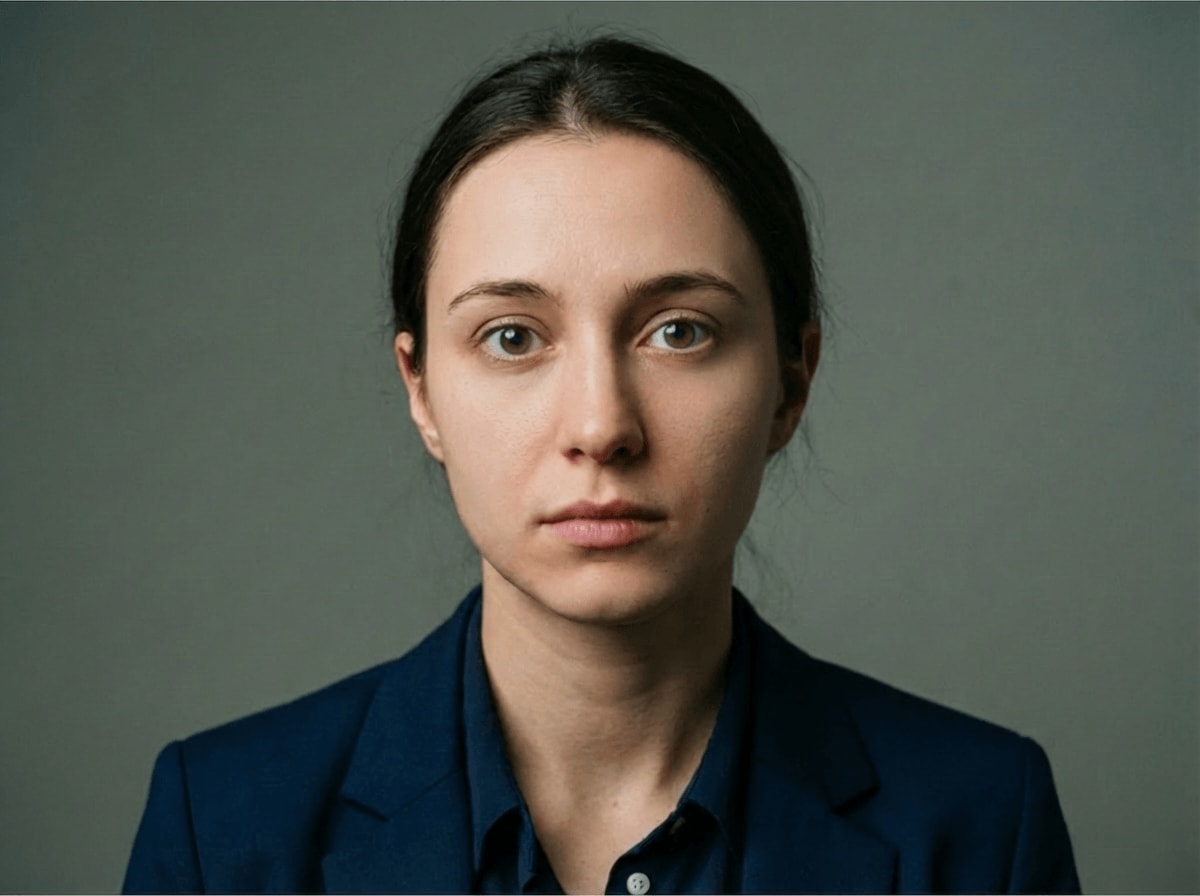
Polish Social and Professional Portraits for a Better First Impression
Profile photos, creator portraits, and personal branding images often need cleaner skin under close framing and strong light.
Relumi handles skin retouching across the forehead, cheeks, and under eye area, helping your portrait look fresher, smoother, and more put together without losing important facial details.
- Reduce shine, patchy texture, and small distractions that stand out in headshots and profile photos.
- Keep eyes, brows, lips, and hairline sharp while skin looks more balanced and refined.
- Create a cleaner first impression for LinkedIn, resumes, creator covers, and social profiles.
Rescue Event and Special Occasion Photos Taken in Tough Lighting
Wedding portraits, party photos, date night shots, and travel close ups cannot always be retaken when flash or harsh light makes texture stand out more than usual.
Relumi helps retouch skin gently under the original lighting, so your best memories still look polished, natural, and ready to keep or share.

Rescue Event and Special Occasion Photos Taken in Tough Lighting
Wedding portraits, party photos, date night shots, and travel close ups cannot always be retaken when flash or harsh light makes texture stand out more than usual.
Relumi helps retouch skin gently under the original lighting, so your best memories still look polished, natural, and ready to keep or share.
- Soften texture made harsher by flash, direct sunlight, or late night lighting.
- Keep original skin tone, makeup, and background mood consistent in the final photo.
- Make event portraits look clean enough for posting, printing, or saving as favorite memories.
Go Beyond Skin Retouching with AI Retake
Polish every portrait detail with related AI tools for wrinkles, face shape, smiles, teeth, and eye corrections.
When to Use Skin Retouching with Relumi
Any time you like the photo but the skin looks rougher, shinier, or more uneven than it did in real life, Relumi can help clean it up naturally.
Step by Step Guide to Skin Retouching in Photo
No editing skills required, just three simple steps in Relumi.

Add Photos into Relumi
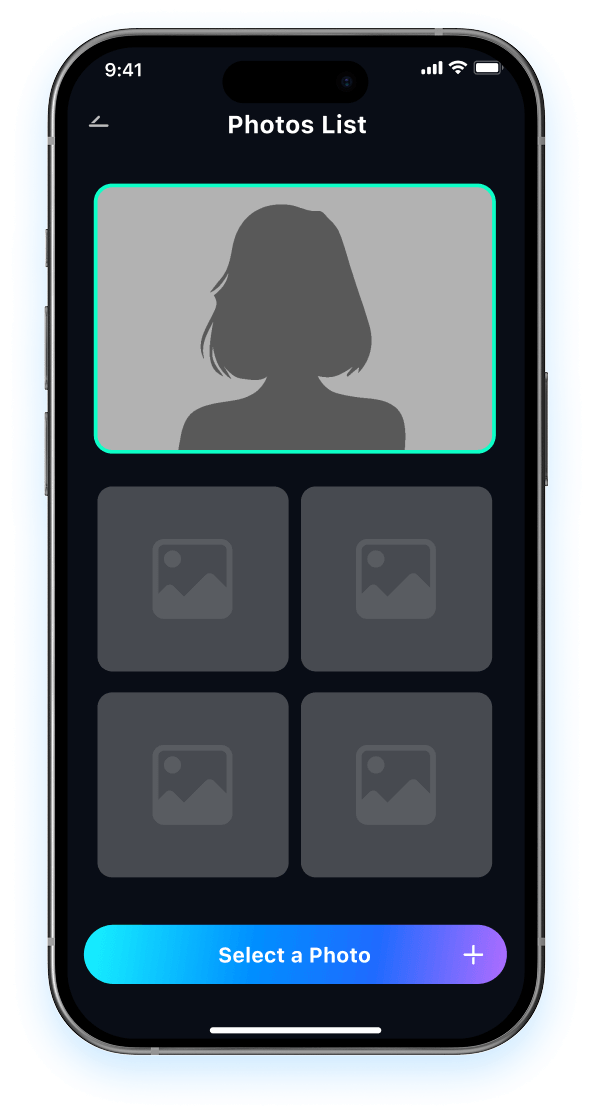
Open Relumi and select a selfie or portrait where you want skin retouching, smoother texture, or a cleaner overall face finish.

Choose AI Skin Retouching Mode
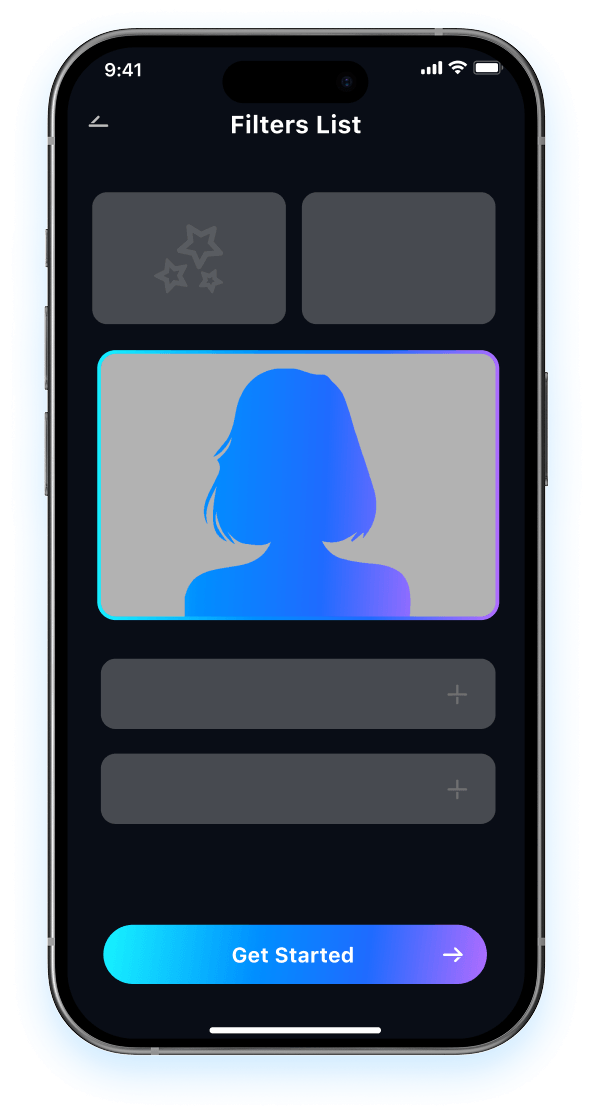
Relumi analyzes skin texture, small blemishes, pores, shine, and lighting to create AI smooth skin that still looks natural and true to your face.

Preview and Save
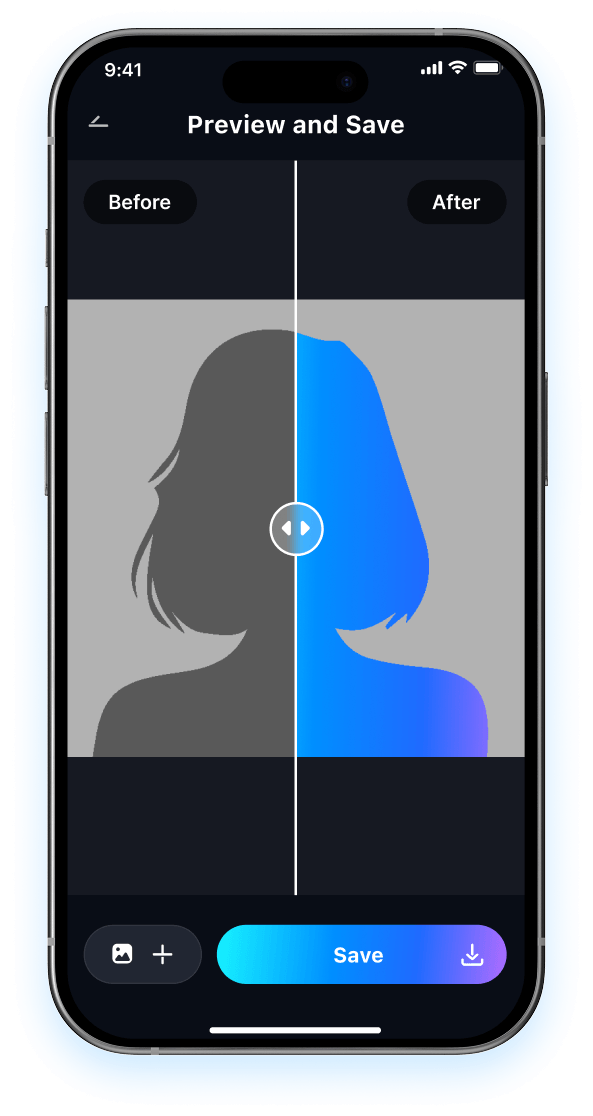
Preview the result and compare it to the original photo. Then save your clean natural portrait in high resolution, ready for sharing, profile use, or printing.

FAQ About Skin Retouching with Relumi
1 Will skin retouching make my face look fake or over edited?
2 Can Relumi do AI smooth skin while keeping natural texture?
3 What kinds of photos work best for skin retouching?
4Can Relumi reduce acne marks, pores, and uneven tone in one edit?
5Is Relumi beginner friendly and safe for skin retouching?
Explore More AI Portrait Fix Tools in Relumi
Relumi is more than a AI tool to fix closed eyes in photo, it's a full photo enhancement toolkit for your portraits.