
 TL;DR:
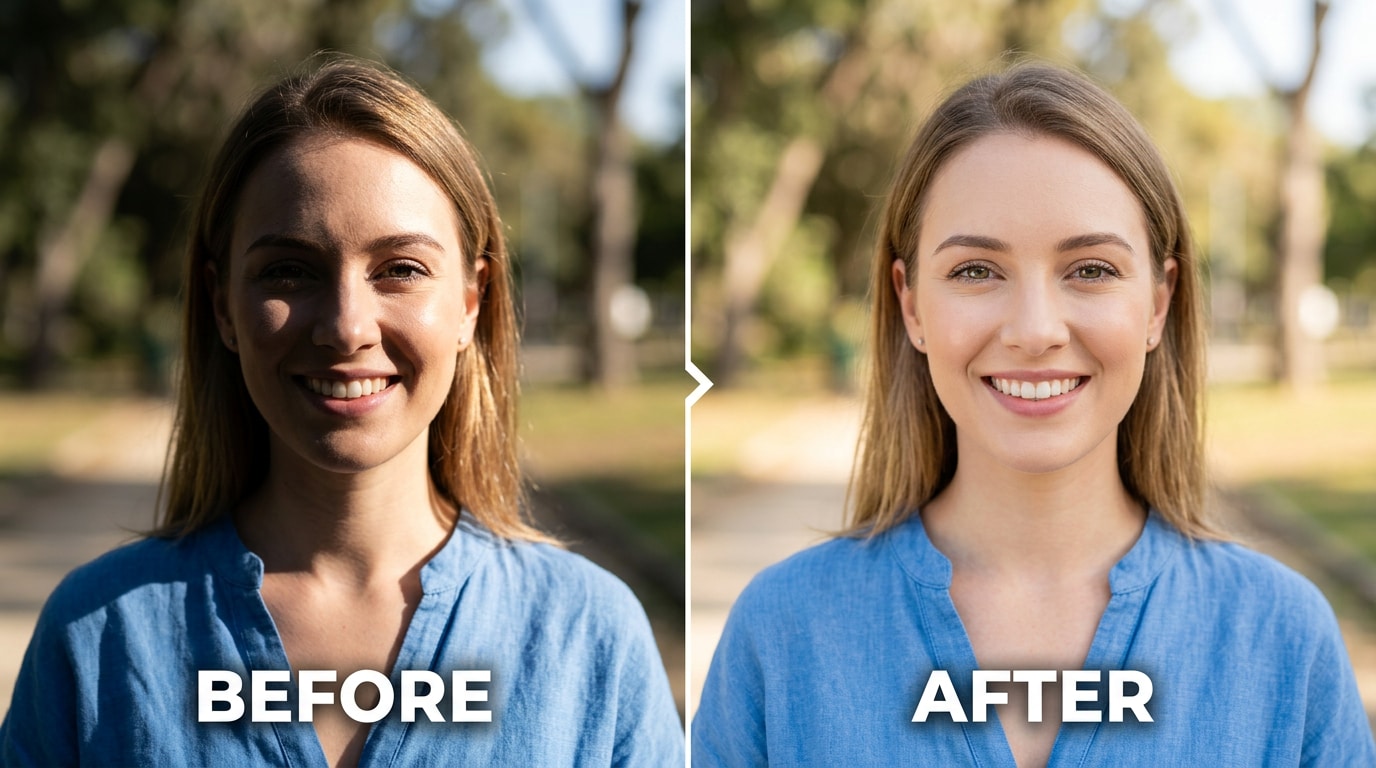
Relumi AI Retake offers a free Facial Shadow Repair tool for iOS and Android that fixes harsh split sunlight, overhead hollows, and backlit underexposure by identifying and correcting only problem shadows while preserving natural facial depth.
● Unlike global shadow sliders in Lightroom or Snapseed that lift all dark areas equally and introduce noise, Relumi semantically differentiates between bad lighting and the natural contour shadows required for a three-dimensional face.
● The correction is applied via an intensity slider that should initially be set at 50%, with the limitation that partial shadows recover much better than completely blacked-out faces, which can look over-processed at higher 65-80% settings.
● The automated feature requires no manual masking, independently detects and corrects varying lighting conditions on multiple faces within a single group photo, and permits full-resolution, watermark-free exports without a subscription.
Ask AI for a summary
 ChatGPT
 Perplexity
 Gemini
 Claude
 Grok
Grok
Four words. That's the whole post. The situation is obvious enough that nothing else needs explaining: the photo looks wrong, the face is half in shadow, and there's no practical way to go back and reshoot with better light.
Bad facial lighting is one of the most common and most frustrating photo problems. It doesn't happen because you did anything wrong. It happens because the sun was behind a building, or overhead at the wrong angle, or because the window in the room was behind you instead of in front of you. The light was bad. The photo captured it exactly. And now the photo — which might otherwise be great — has a face that's half-dark, shadowed under the eyes, or underexposed in a way that makes the person look nothing like they actually did that day.
Relumi AI Retake — Facial Shadow Repair fixes the lighting problem after the fact. It analyzes the face in the photo, identifies where the light fell incorrectly, and redistributes it to produce natural, even illumination — the way the photo would have looked if the light had been right when the shot was taken. Free on iOS and Android.
In this article
Part 1: Why Lighting Goes Wrong in Photos — And Why It's So Hard to Fix
Facial shadows in photos come from a small set of predictable causes. Each one produces a different kind of problem in the image — and a different level of difficulty to fix after the fact.
Strong directional light from one side. When the sun, a window, or any strong light source hits the face from one side only, you get split lighting: one side of the face is correctly exposed, the other is significantly darker. In person, your eyes adjust. In the photo, the camera picks one exposure for the whole frame and everything outside that range looks either blown out or completely dark. As one Photoshop user put it after wrestling with this exact situation:
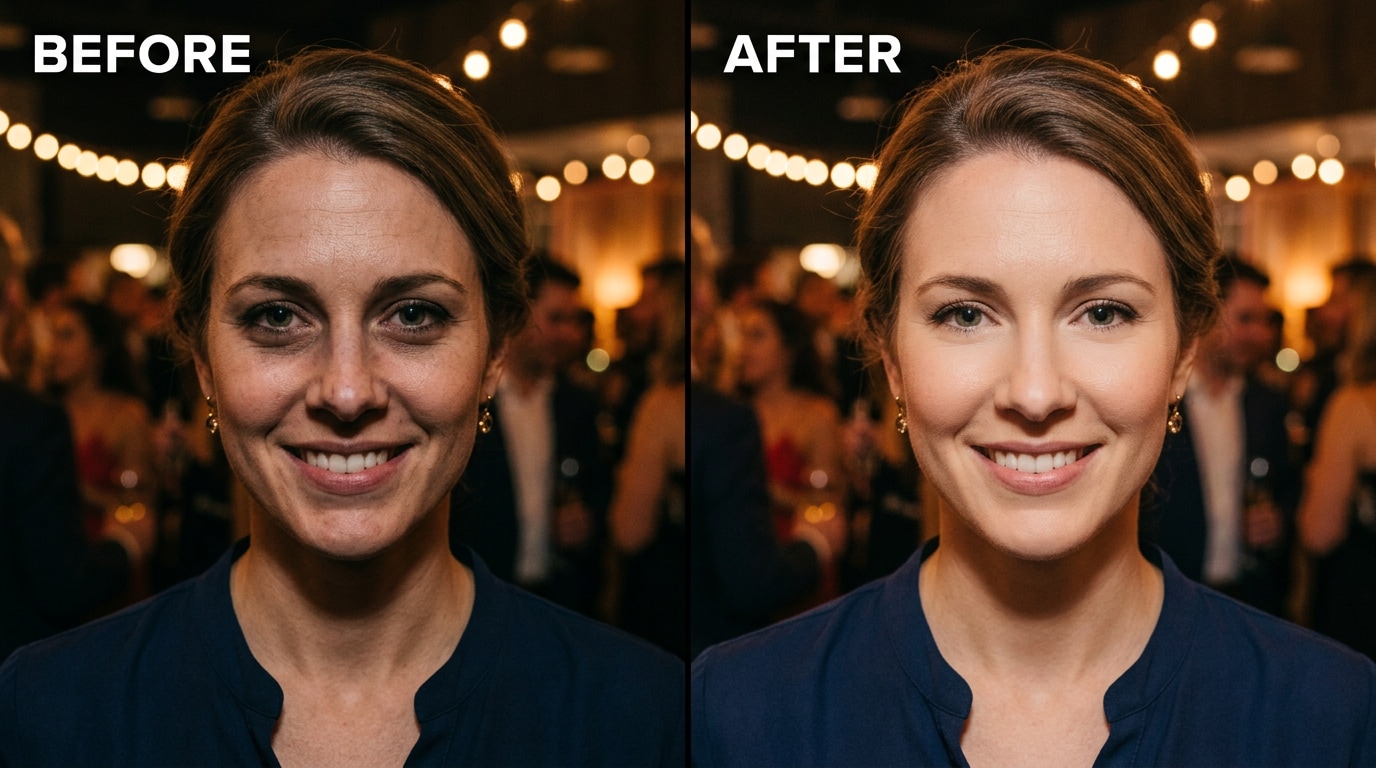
Overhead or downward-angled light. Ceiling lights, midday sun directly above, or a flash positioned too high all create the same shadow pattern: dark under the eyes, heavy nose shadow extending downward, chin shadow, and a slightly hollow, fatigued look to the whole face. It's the opposite of flattering, and it's extremely common in indoor event photos and casual shots taken outside at the wrong time of day.
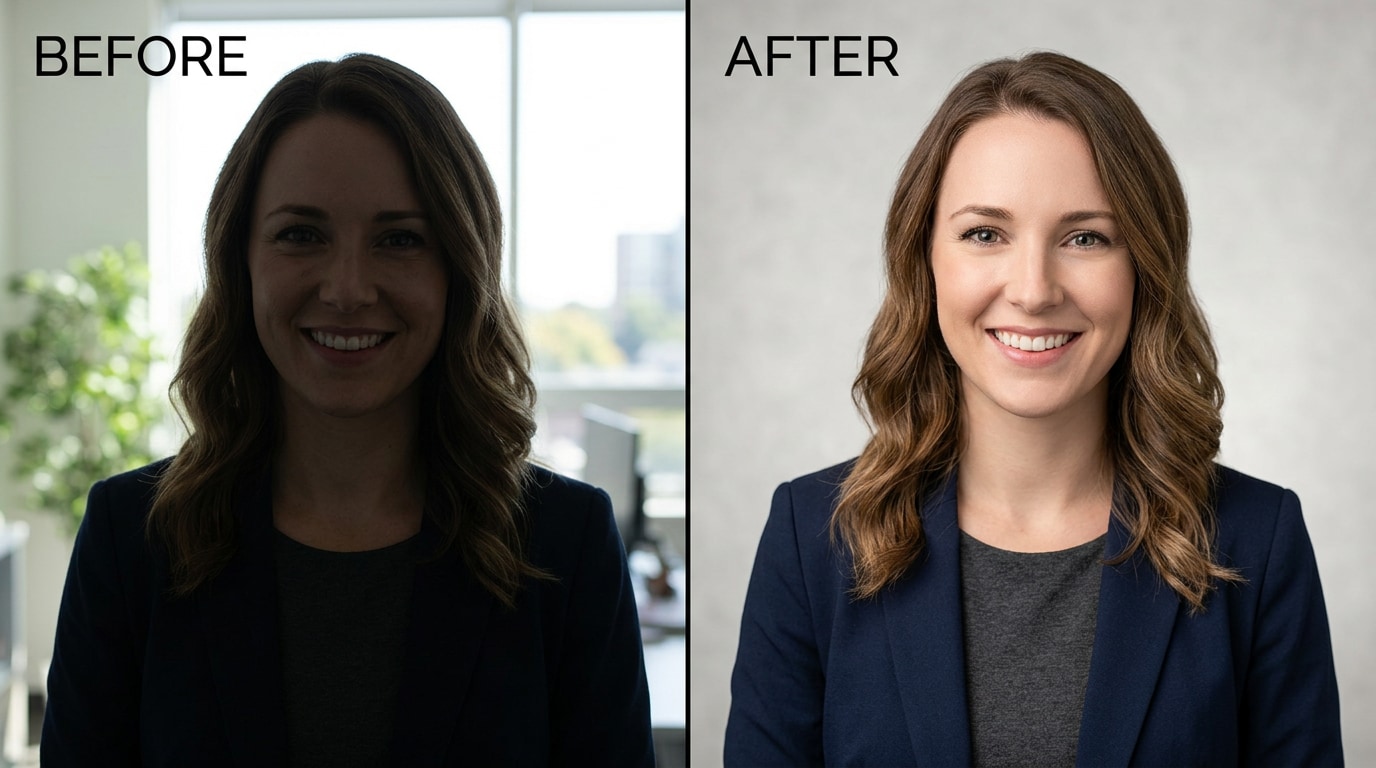
Backlit shots. When the main light source is behind the subject — a window, a bright outdoor background, a setting sun — the camera's auto-exposure meters off the bright background and the face ends up underexposed. The subject is there, but their face is dark, details are lost in shadow, and the photo looks like a silhouette attempt that didn't quite work.
The standard post-processing advice — raise shadows, drop highlights, use Curves, mask the face, adjust exposure selectively — works partially, but it has hard limits. Raising a shadow in Lightroom brightens the dark area, but it also shifts the color, introduces noise, and doesn't understand what the face is supposed to look like in that light. As one retoucher noted bluntly:
The sliders in Lightroom or Snapseed aren't wrong — they just work on the whole image or broad tonal ranges. They can't distinguish the shadow under an eye from the natural shadow that gives a nose its dimension. Relumi's Facial Shadow Repair works at the semantic level: it understands which parts of the face are in incorrect shadow versus natural contour, and corrects only what needs correcting.
Part 2: How Relumi AI Retake Repairs Facial Shadows — And How to Use It


Relumi AI Photo Enhancer
AI Retake — Facial Shadow Repair That Fixes the Light After the Shot

 Face-aware light analysis: The AI maps the face in the photo, identifies the actual light direction, and detects where shadow falls incorrectly — distinguishing between undesirable lighting shadows and natural facial contour.
-
Split-face shadow correction: Fixes photos where one side of the face is significantly darker than the other — the most common result of directional outdoor light or a single window source.
-
Under-eye and overhead shadow removal: Softens the hollow shadows under the eyes, nose, and chin created by overhead ceiling lights or harsh midday sun — without flattening the face or removing natural depth.
-
Backlit portrait recovery: Brightens and corrects faces that were underexposed because the light source was behind the subject — restoring skin tone, facial detail, and natural color balance.
The critical difference from a global shadows slider: Lightroom's Shadow slider lifts every dark area in the image equally — the shadow under the eye, the intentional shadow that gives a nose its shape, the dark areas in the background. It doesn't know which shadows are problems and which are part of a correctly-lit face. Relumi's AI reads the face specifically — it maps facial geometry, identifies the light direction, and adjusts only the incorrectly-lit zones, preserving the natural depth and contour that makes a face look three-dimensional rather than flat.
How to Use Relumi AI Retake — Facial Shadow Repair on iPhone
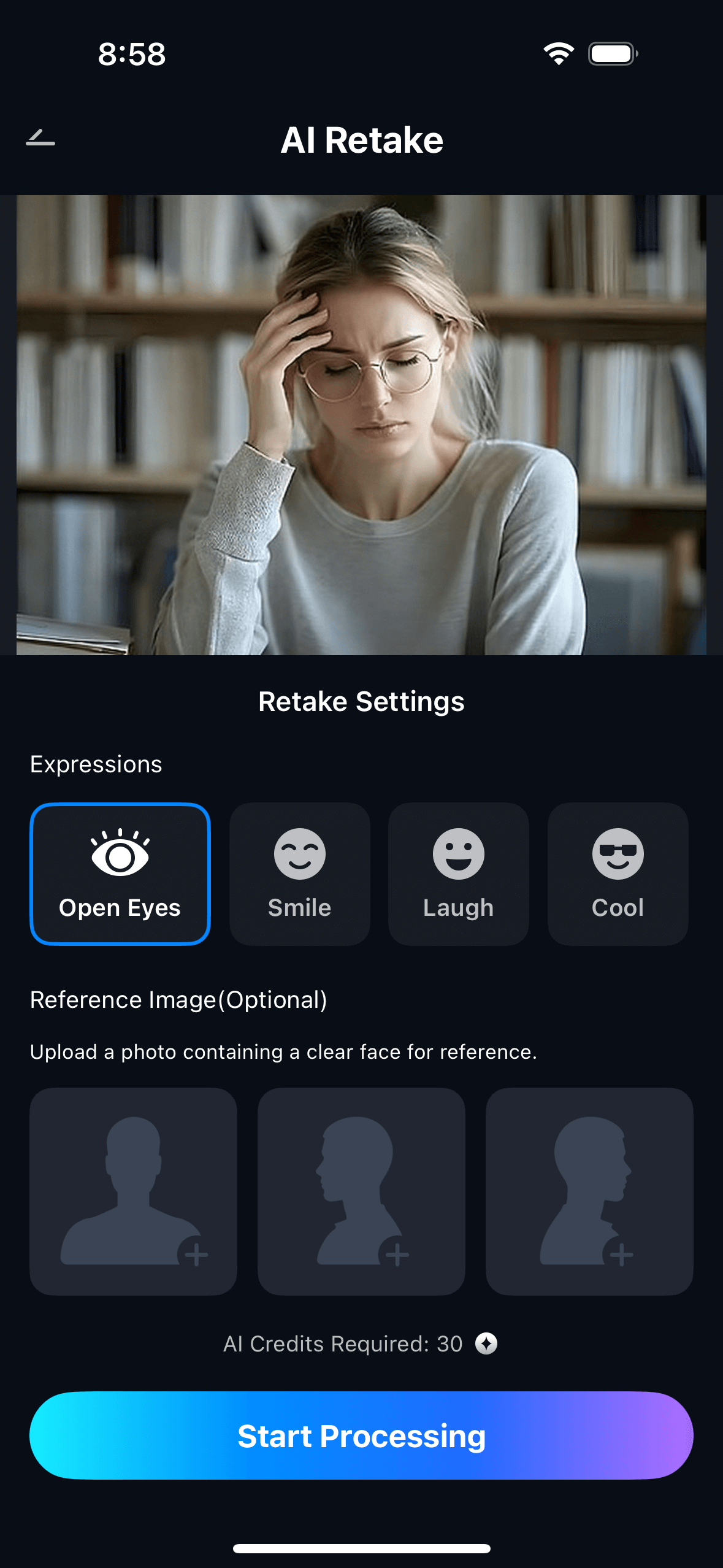
Step 1. Upload Your Photo & Select Facial Shadow Repair
- Open the AI Retake feature from the Relumi homepage.
- Upload the photo with the lighting problem — outdoor shot, indoor event photo, backlit portrait, or any image where the face looks shadowed or unevenly lit.
- From the AI Retake menu, tap Facial Shadow Repair to activate the feature.
- Use the Intensity slider to set your preferred level — start at 50% for moderate shadow correction and adjust from there based on how severe the lighting issue is.
Step 2. Start AI Retake Processing
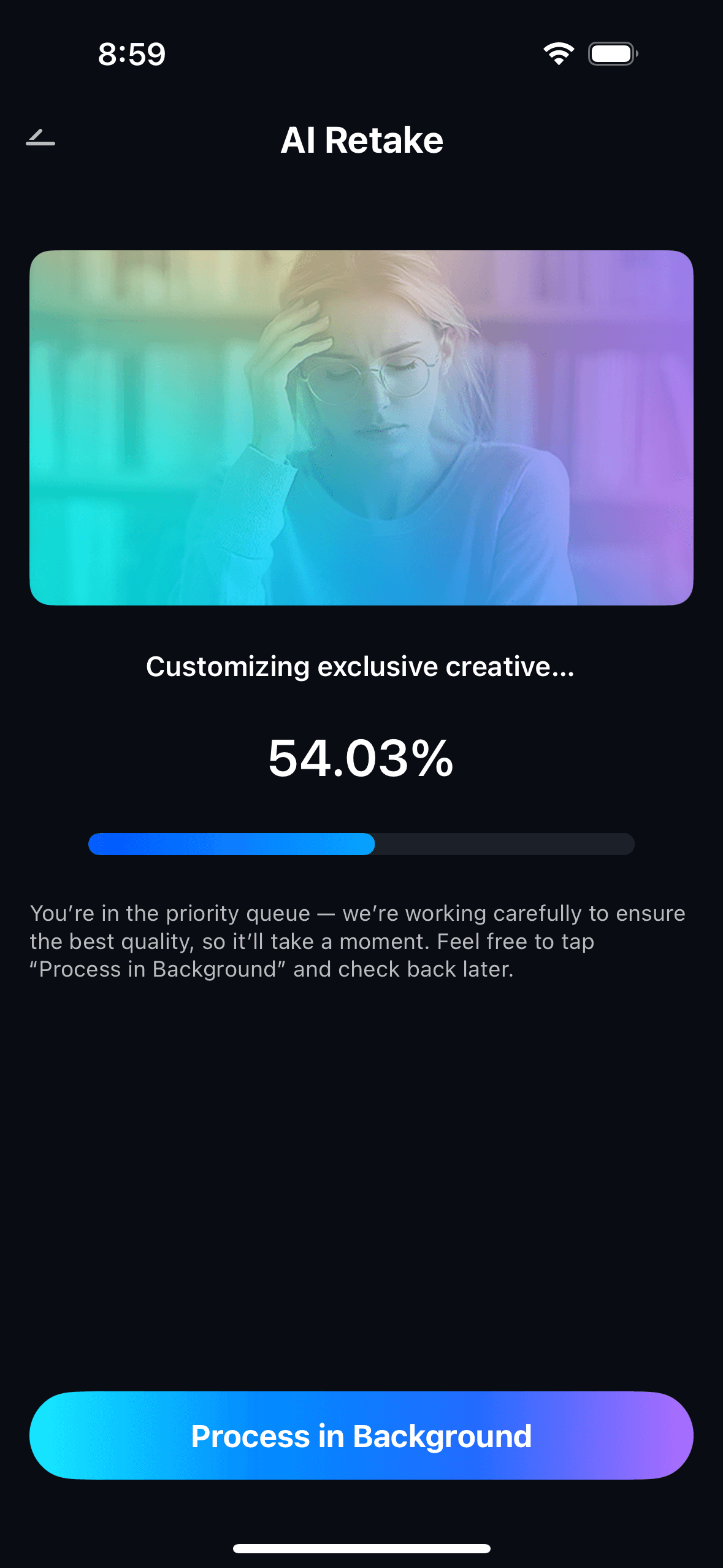
- The AI scans the face in the photo, maps the lighting direction, and identifies areas where shadow falls in a way that is unflattering or incorrect.
- It distinguishes between lighting-problem shadows (the ones to fix) and natural facial contour shadows (the ones that should stay).
- Processing runs automatically in the background — no manual masking, no brush work, no zone-by-zone adjustment needed.
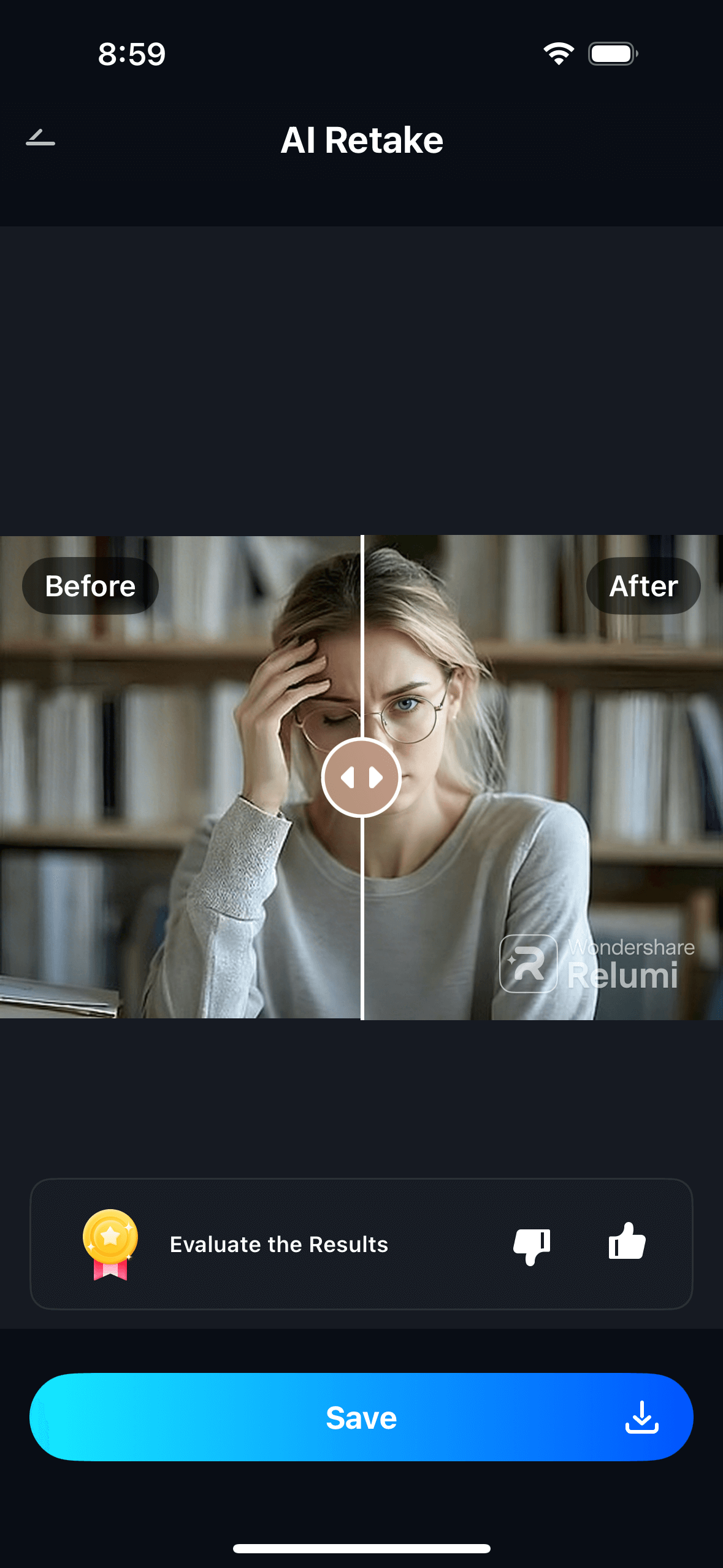
Step 3. Preview, Compare & Save
- Use the before/after toggle to compare the original and the corrected version side by side.
- Adjust the intensity slider if needed — go higher for severe split-face shadows or deep backlighting, lower for subtle overhead shadows where you want a light correction rather than a full relight.
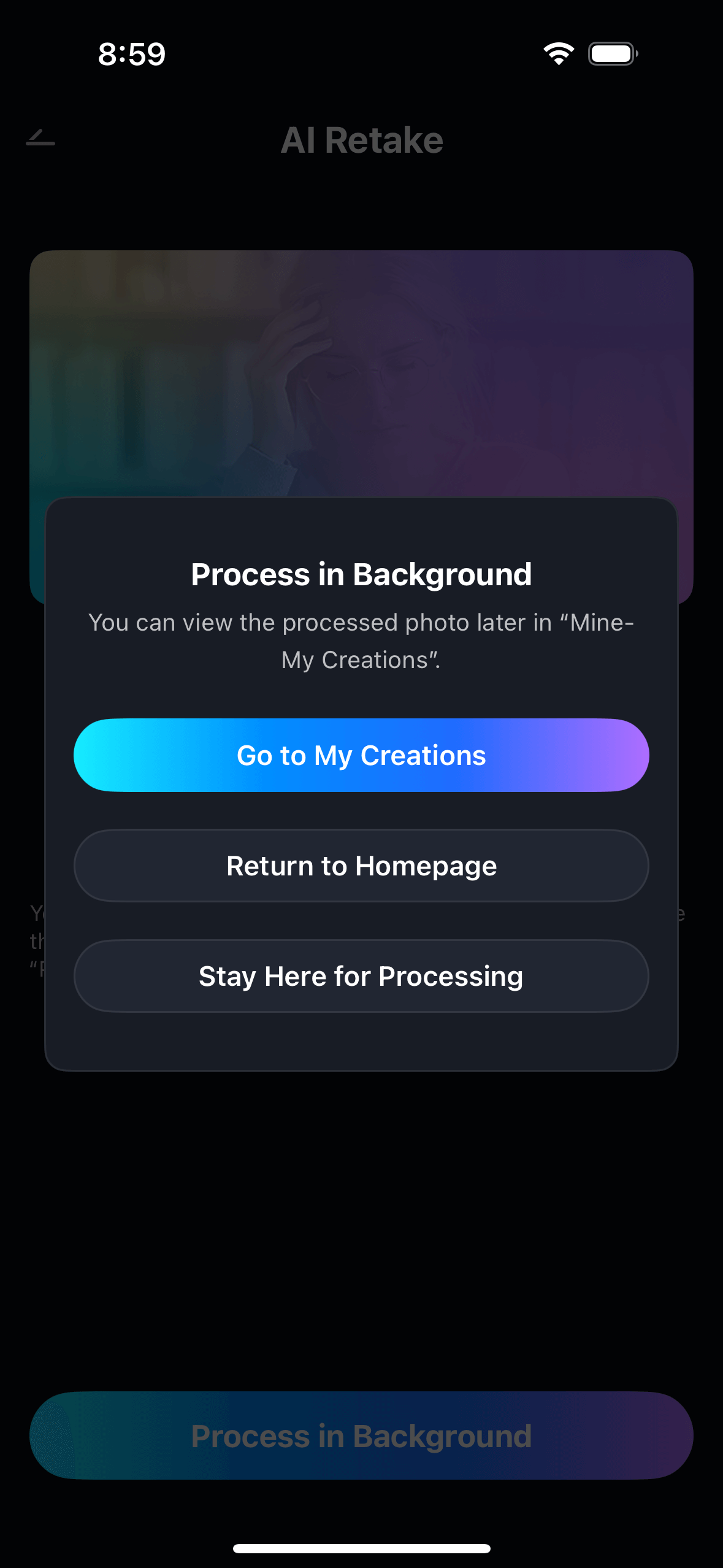
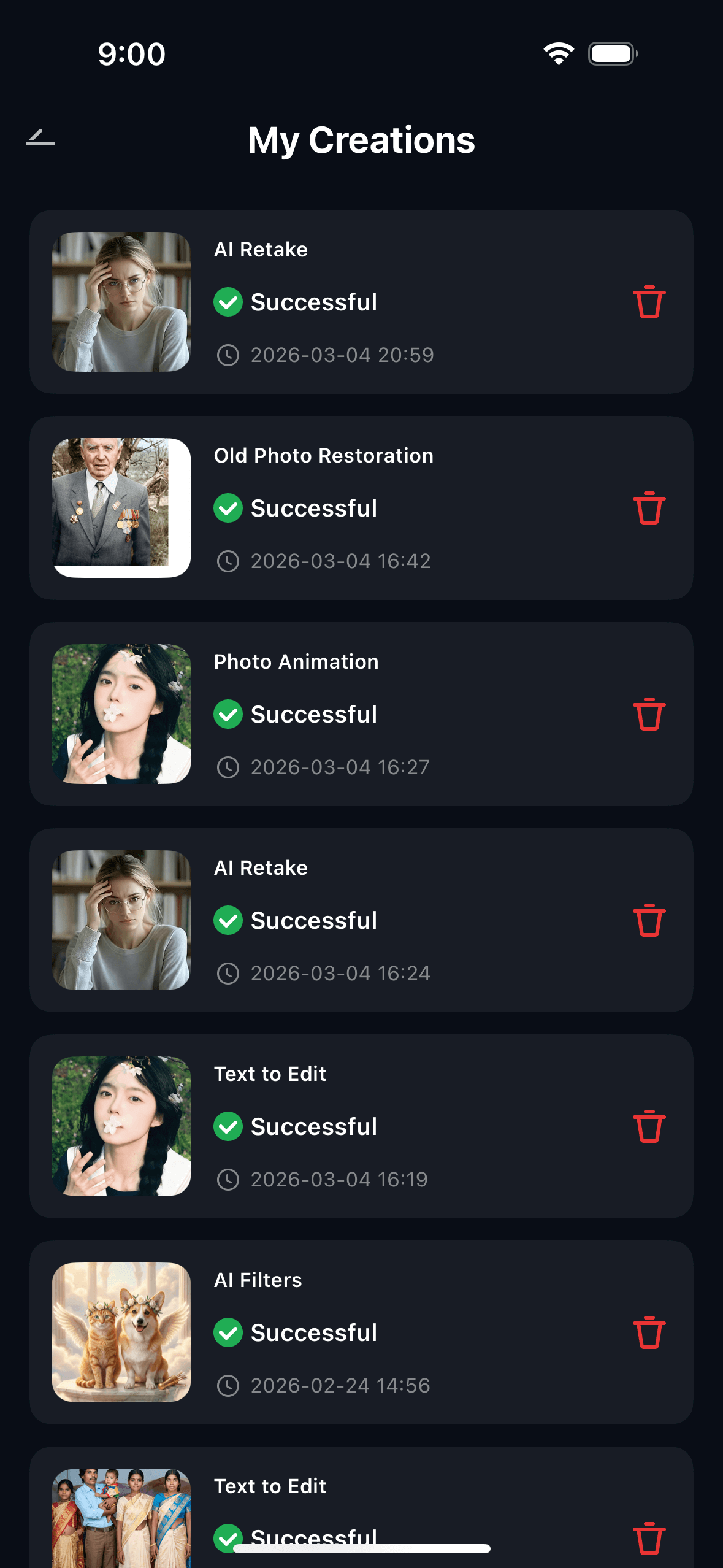
- Tap Save to export in full resolution, or share directly. View all corrected photos in My Creations.
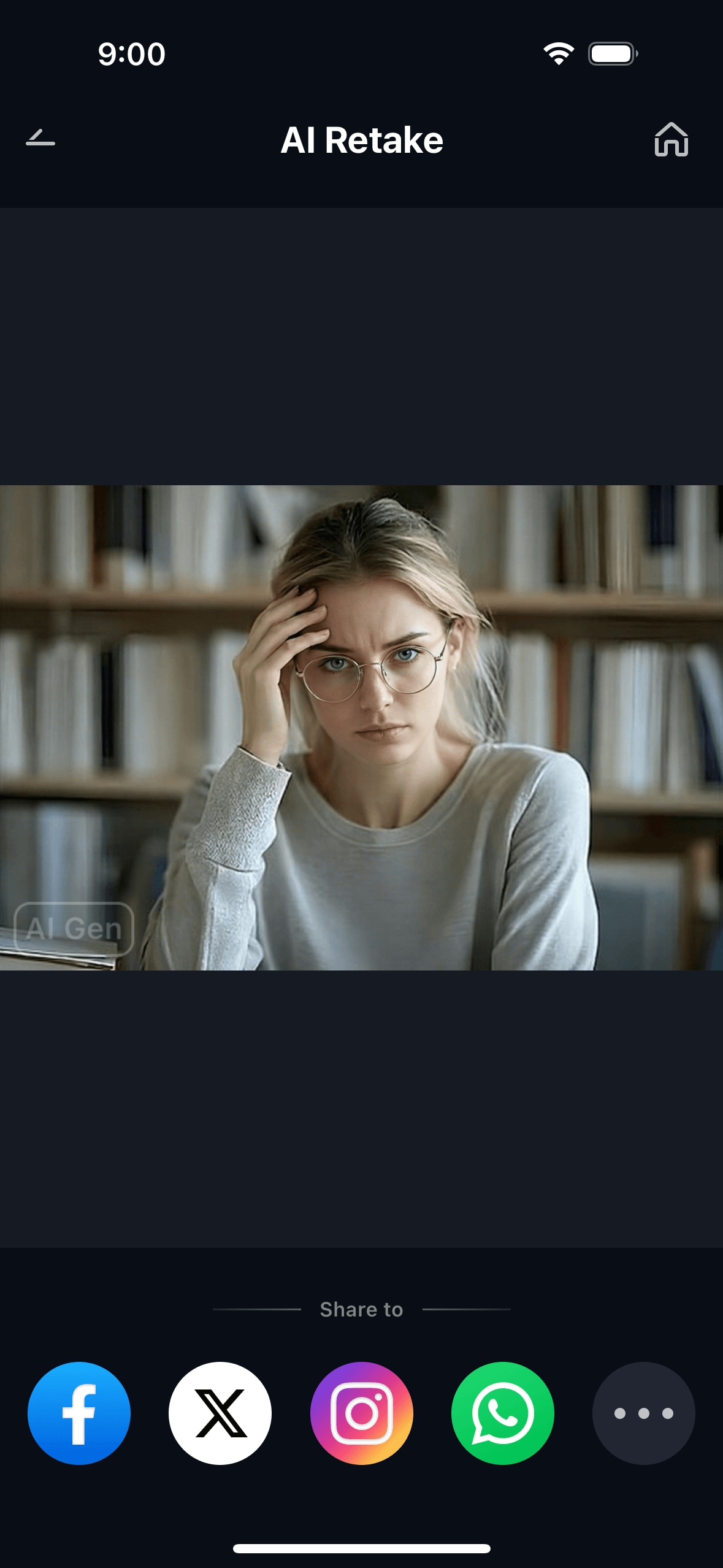
The result is a photo where the face looks like it was shot in good light — not like the shadows were lifted in post. The face retains depth and dimension; it just no longer has the unflattering lighting problem that made it unusable.
Part 3: Three Lighting Situations Where Facial Shadow Repair Makes the Difference
These are the three most common real-world lighting mistakes — the situations that produce a photo where the face looks wrong through no fault of the person in it.
☀️ 1. Harsh Outdoor Sunlight — Half the Face in Shadow
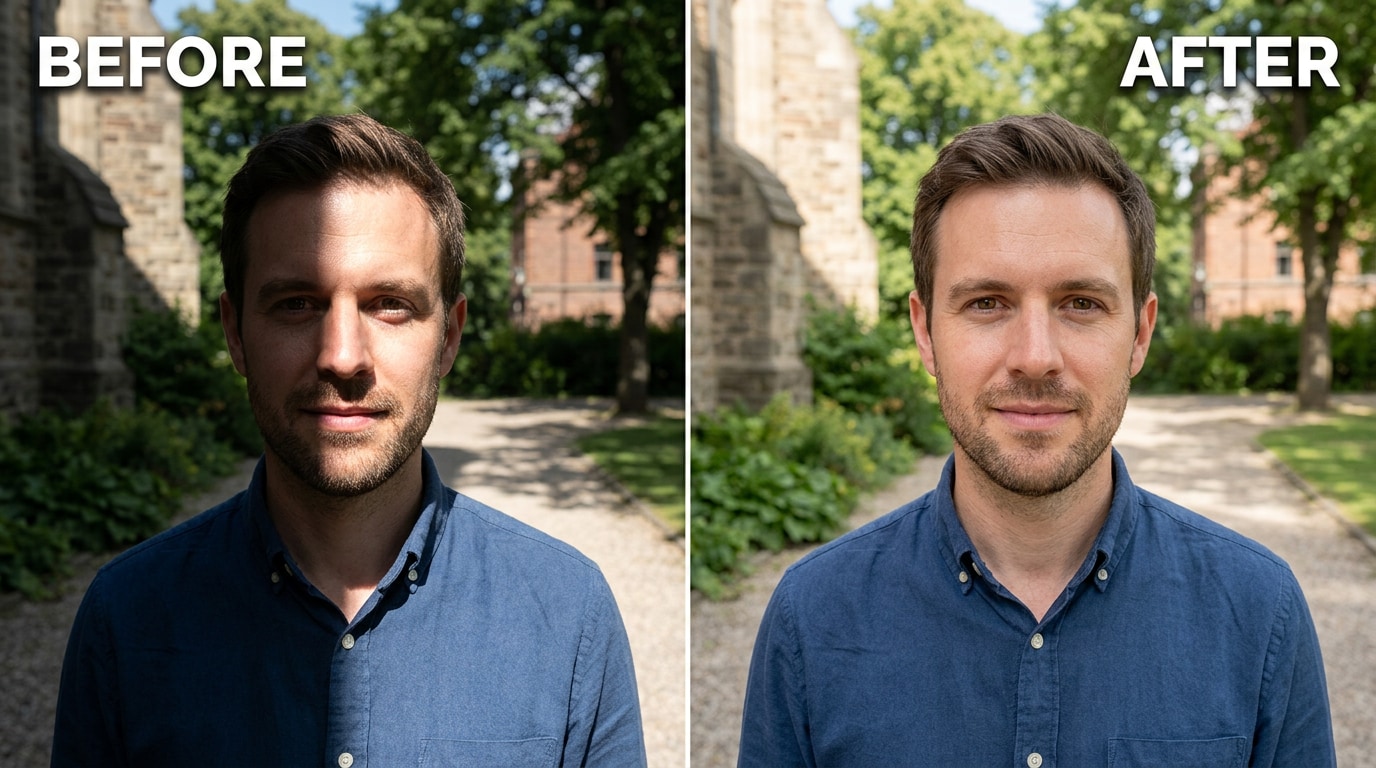
Outdoor photos in direct sunlight are the most common source of the half-dark-face problem. A building, a tree, a hat brim, or simply the angle of the sun at that time of day puts one side of the face in shadow while the other side is normally lit. The camera meters the bright side and the dark side goes even darker. The result: a photo that makes the person look like they're half in frame and half not.
The standard advice — find shade next time, use a reflector — is correct but useless once the photo already exists. Relumi AI Retake Facial Shadow Repair reads the lit side of the face, understands what the correct skin tone and detail should be, and recovers the shadowed side to match. The face comes out with the kind of balanced light you'd get from a well-positioned reflector — even though you didn't have one.
💡 2. Overhead Indoor Lighting — Hollow, Tired-Looking Shadows
Ceiling lights are everywhere. They're also one of the worst possible light sources for portrait photography. Light that comes from directly above creates a very specific and very unflattering shadow pattern: deep under-eye shadows, a strong downward nose shadow, and dark areas under the chin and jaw. The face looks like it's lit for a horror film rather than a social event.
This is the problem with global editing tools: adjusting HSL or lifting shadows globally affects the whole photo and still doesn't address where the shadow actually falls on the face. Relumi's face-aware processing identifies the overhead-shadow pattern specifically — the under-eye hollows, the nose shadow, the chin darkness — and lifts them selectively, leaving the rest of the image and the natural structure of the face intact.
🪟 3. Backlit Portraits — Face Too Dark, Background Too Bright
Standing in front of a window or shooting with a bright outdoor background behind the subject is one of the most common portrait mistakes, and one of the hardest to fix after the fact. The camera's autoexposure meters the bright background and sets the exposure accordingly — which means the face is significantly underexposed. You can see the person, but their face is dark, details are lost, and skin tones are off.
The advice to "invest in a reflector" is good for future shoots. It doesn't help with the photo you already have. Relumi's Facial Shadow Repair handles backlit portraits by analyzing the face region independently of the background exposure, recovering the facial detail and skin tone from the underexposed shadow data, and producing a corrected version where the face is properly lit — without blowing out the background or introducing the unnatural look that comes from simply cranking the exposure up globally.
Conclusion
Bad lighting on a face in a photo isn't an artistic choice. It's a technical accident — the result of the sun being in the wrong position, the ceiling lights being the only option, or the background being brighter than the subject. In every case, the person in the photo looked fine in person. The camera just didn't capture it that way.
Relumi AI Retake Facial Shadow Repair fixes the light that should have been there. It doesn't lift shadows globally and call it done. It reads the face — maps where the light fell, identifies what's incorrect, and corrects only the problem areas while preserving the natural depth and dimension that makes a face look real. The result is a photo that looks like it was shot in good light, not a photo that looks like someone pushed the shadows slider until the noise came out.
Free to try on iOS and Android. Load any photo with a lighting problem on the face. Tap Facial Shadow Repair. The before/after is immediate.
FAQ
-
What's the difference between Facial Shadow Repair and just raising the shadows slider in Lightroom?
A shadows slider raises all dark areas in the image equally — the shadow under an eye, the shadow that gives a nose its shape, the dark areas in the background, and the intentional shadows that make the face look three-dimensional. It doesn't know which shadows are lighting problems and which are correct. Relumi's Facial Shadow Repair maps the face specifically, identifies where the light fell incorrectly, and corrects only those areas — leaving natural facial contour and depth intact, and not affecting the background or correctly-lit parts of the image. -
Can it fix a photo where one side of my face is completely dark?
Yes — split-face shadow is one of the core use cases for Facial Shadow Repair. The AI analyzes the lit side of the face to understand the correct skin tone and facial detail, then reconstructs the shadowed side to match. For very severe cases where one side of the face is almost completely black (deeply underexposed), set the intensity higher (65–80%) and use the before/after toggle to find the right level. Partial shadows respond better than complete blackouts. -
Will it make my face look flat or over-brightened?
At moderate settings, no. The AI preserves natural facial depth — it lifts only the incorrect shadows while keeping the contour shadows that give the face dimension. At very high intensity settings, or on photos where the shadow was intentional (like deliberate dramatic lighting), the result can look over-processed. Start at 50% and adjust upward only as needed. The before/after toggle makes it easy to check before saving. -
Does it work on backlit photos where the whole face is underexposed?
Yes. Backlit portrait recovery is one of the three main scenarios the feature handles. It analyzes the face region independently of the background, recovers facial detail and skin tone from the shadow data, and corrects the face exposure without blowing out the background. The result is more natural than simply raising the overall image exposure, which would both overexpose the background and introduce significant noise in the facial shadows. -
Is Facial Shadow Repair free?
Yes. The Facial Shadow Repair feature is available on Relumi's free tier for both iOS and Android. You can correct lighting on any portrait and export the result in full resolution without a watermark. No subscription required to use the core feature. -
Does it work on group photos where multiple people have different lighting?
Yes. Relumi AI Retake processes all faces in the image. For a group photo where different people are lit differently — one person in shade, another in direct sun — the AI detects each face individually and applies the appropriate correction for each one. The result is a group shot where everyone's face looks correctly lit, even if the original lighting was uneven across the group.



