
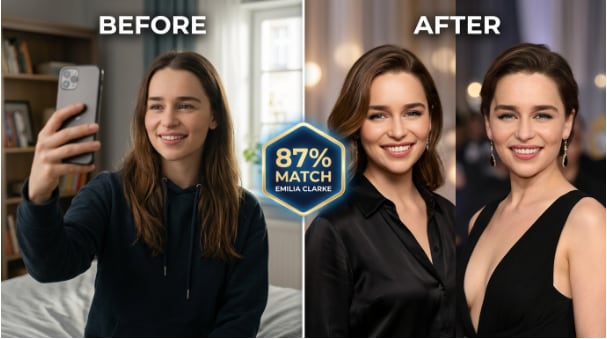
 TL;DR:
Relumi’s Combine Photo replaces unverified, auto-generated celebrity look-alike names by letting you manually upload any two face photos to create a visually verifiable, proportionally blended image controlled by an adjustable ratio slider.
● Requires clear, front-facing photos without heavy shadow or hats to accurately identify 68+ facial anchor points, as the system does not auto-match faces from a fixed database.
● Functions as a proportional blend rather than a full face-swap, using automatic skin-tone interpolation to merge both faces without creating harsh digital seams.
● Permits standard-resolution, watermark-free image saves at zero cost, but restricts high-resolution exports and advanced features to the paid subscription plan.
Ask AI for a summary
 ChatGPT
 Perplexity
 Gemini
 Claude
 Grok
Grok
You’ve probably wondered it at some point — your friends keep telling you that you look like a certain actor, or maybe you just want to see which celebrity shares your face shape. The trouble is, most “celebrity look-alike” apps are either behind a paywall, wildly inaccurate, or they just pick a random famous face from their database and make you take their word for it.
Relumi’s Combine Photo feature takes a different approach. Instead of naming a celebrity and expecting you to believe it, it puts both faces side by side in a single blended image and shows you exactly where the similarity comes from — and you can adjust the blend ratio to see more of you or more of the star. Here’s everything you need to know.
In this article
Part 1: Why Most Celebrity Look-Alike Apps Get It Wrong
If you’ve already tried a few tools before landing here, you’ve probably run into at least one of these frustrations.
1. The result looks nothing like you
Most look-alike engines rely on a simple embedding distance in a celebrity database. They pick whoever is numerically “closest” — but they never show you why or let you verify the match visually. You’re just handed a name and expected to believe it.
2. Face-compare sites go down or get paywalled
Free tools get acquired, taken down, or suddenly require a subscription right when you want to share a result. That kills the fun.
3. The “merge” output looks like a deepfake, not a fun comparison
Fun gimmicks are fine, but when users want a realistic visual comparison — not a comedy roast — most apps fall short. The blended output either looks garish, loses skin-tone accuracy, or produces visible seam lines that make it obviously fake.
4. No way to bring your own celebrity photo
What if the celebrity you want to compare isn’t in the app’s database? Or you want to compare yourself to a musician, an athlete, a fictional character, or a historical figure? Closed databases don’t let you do that.
Relumi’s Combine Photo solves all four problems. You bring both photos. The AI does the rest.
Part 2: How Relumi Combine Photo Works


Relumi AI Photo Enhancer
Combine Photo — AI Celebrity Look-Alike Comparison With Facial Landmark Mapping and Adjustable Blend Ratio

 Facial landmark mapping: Identifies 68+ anchor points on each face — eyes, nose tip, jaw line, mouth corners — and aligns them before blending. The output preserves the real proportions of both faces rather than distorting one to fit the other.
-
Adjustable blend-ratio slider: Drag toward your photo to see a result that’s mostly you with a hint of the star. Drag toward the celebrity side to see what you’d look like with their jaw line or eye shape. You control the comparison, not the algorithm.
-
Works with any two face photos: No celebrity database, no restrictions. Upload your selfie and any celebrity photo — a magazine cover, a movie still, a screenshot from social media — and the AI compares the faces you choose, not the faces it selects for you.
Relumi doesn’t maintain a celebrity database. Instead, it uses facial landmark mapping to identify 68+ anchor points on each face and align them before blending. That means the output preserves the proportions of both faces rather than distorting one to fit the other. The blend-ratio slider then lets you explore the similarity spectrum — it’s a visual comparison tool, not just a name generator.
How to Use Relumi Combine Photo — Celebrity Look-Alike on iPhone
Step 1. Open Combine Photo & Upload Your Selfie
Open Relumi, tap Combine Photo from the home screen, then tap the first photo slot and select your selfie from your camera roll. Use a clear, front-facing shot in decent lighting for the best result — the AI needs to detect your facial landmarks cleanly.

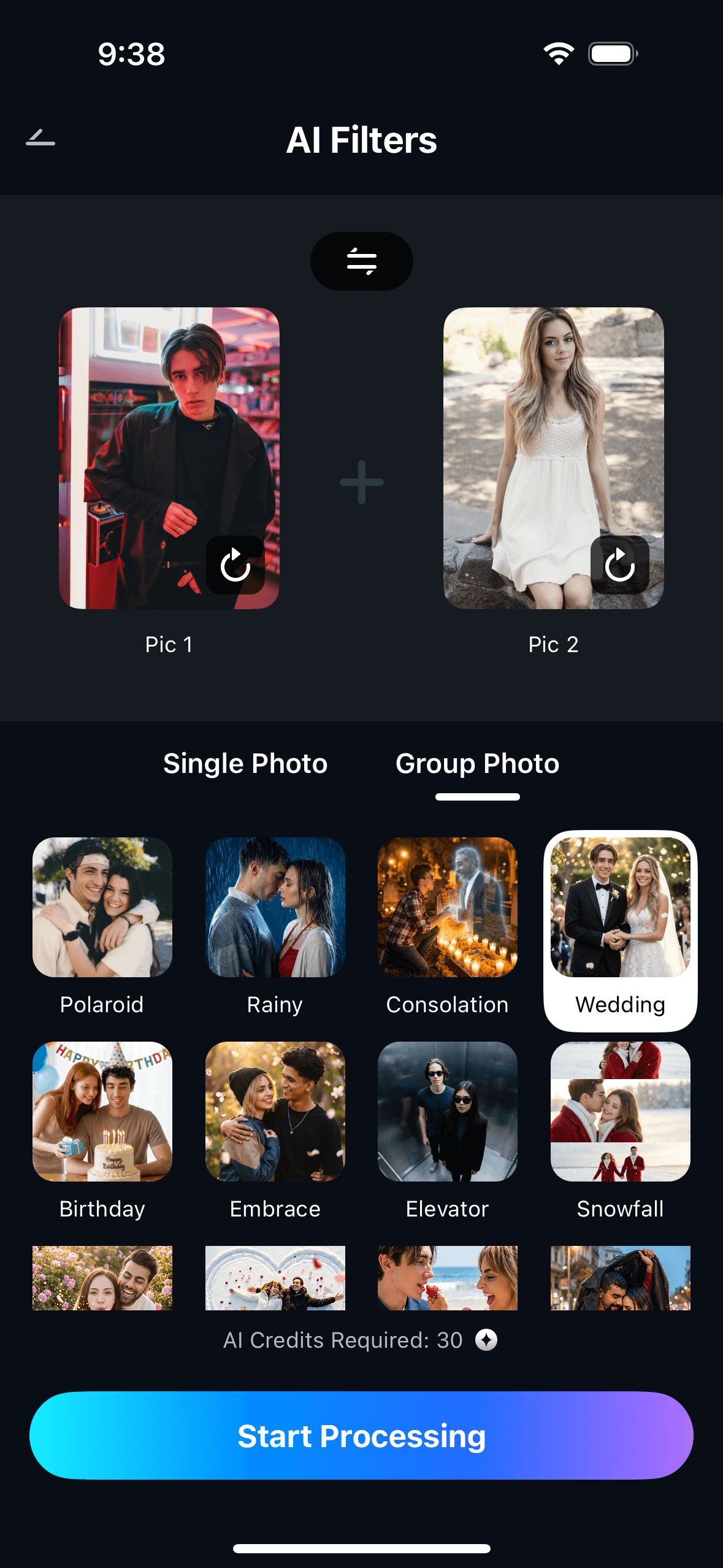
Step 2. Add the Celebrity Photo & Set Your Blend Ratio
Tap the second slot and upload any celebrity photo — a magazine cover, a movie still, a screenshot from social media. Then drag the blend slider to choose how much of each face appears in the final image. Try 50/50 first to see the full comparison, then adjust to taste.
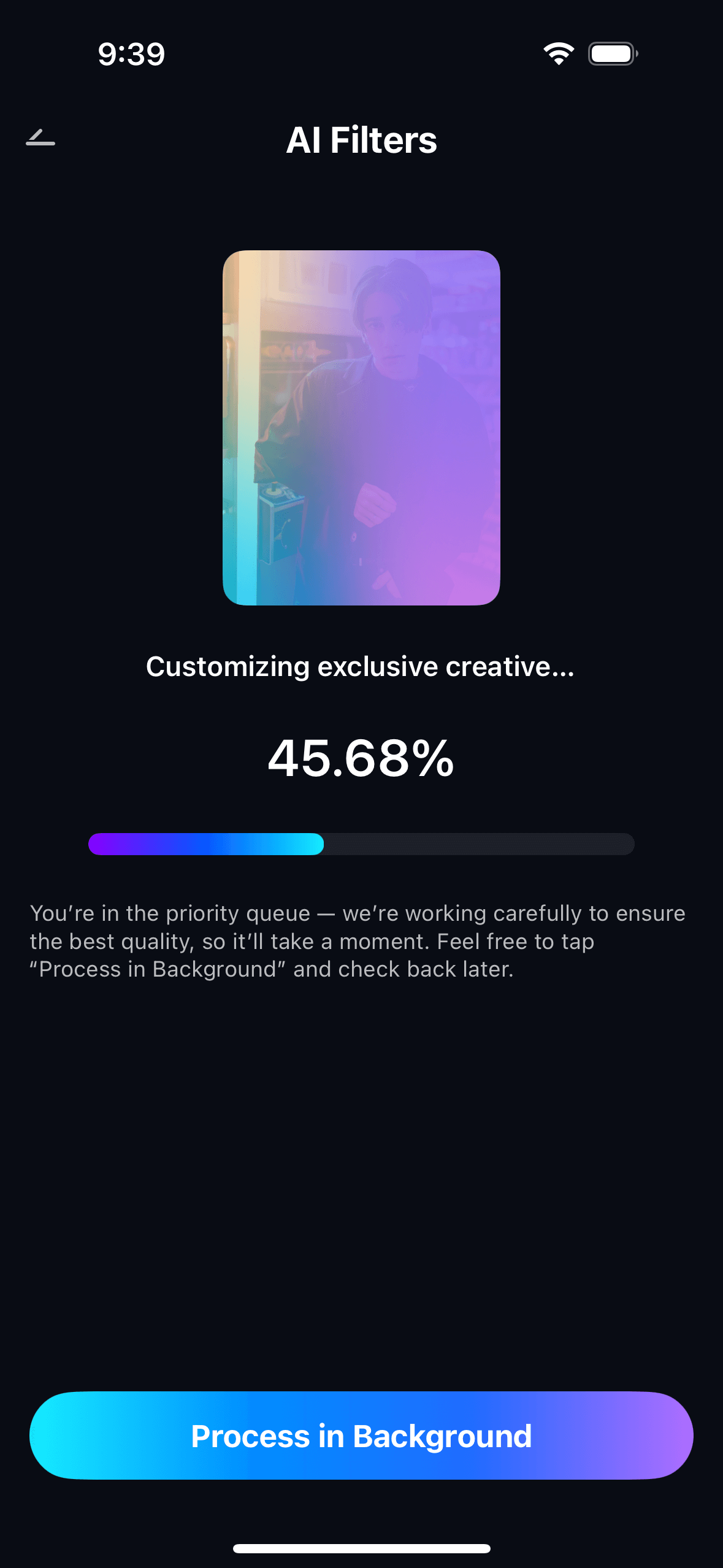
Step 3. Preview, Save & Share Your Look-Alike Result
Tap Start. The AI takes about 10–15 seconds to align the facial landmarks and generate the blend. Preview the result, adjust the ratio if you want, then tap Save. The image lands in your camera roll watermark-free on the free tier — ready to post or share.
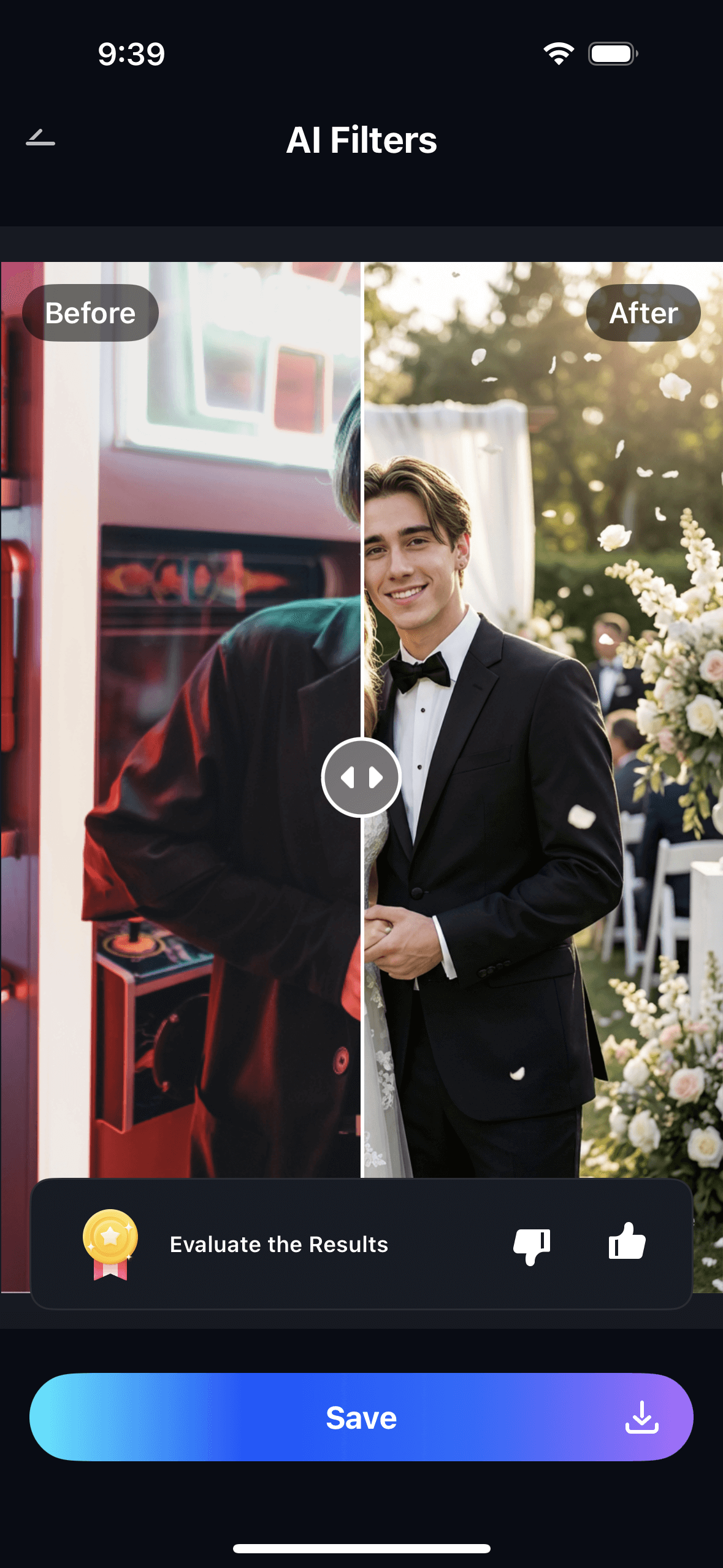
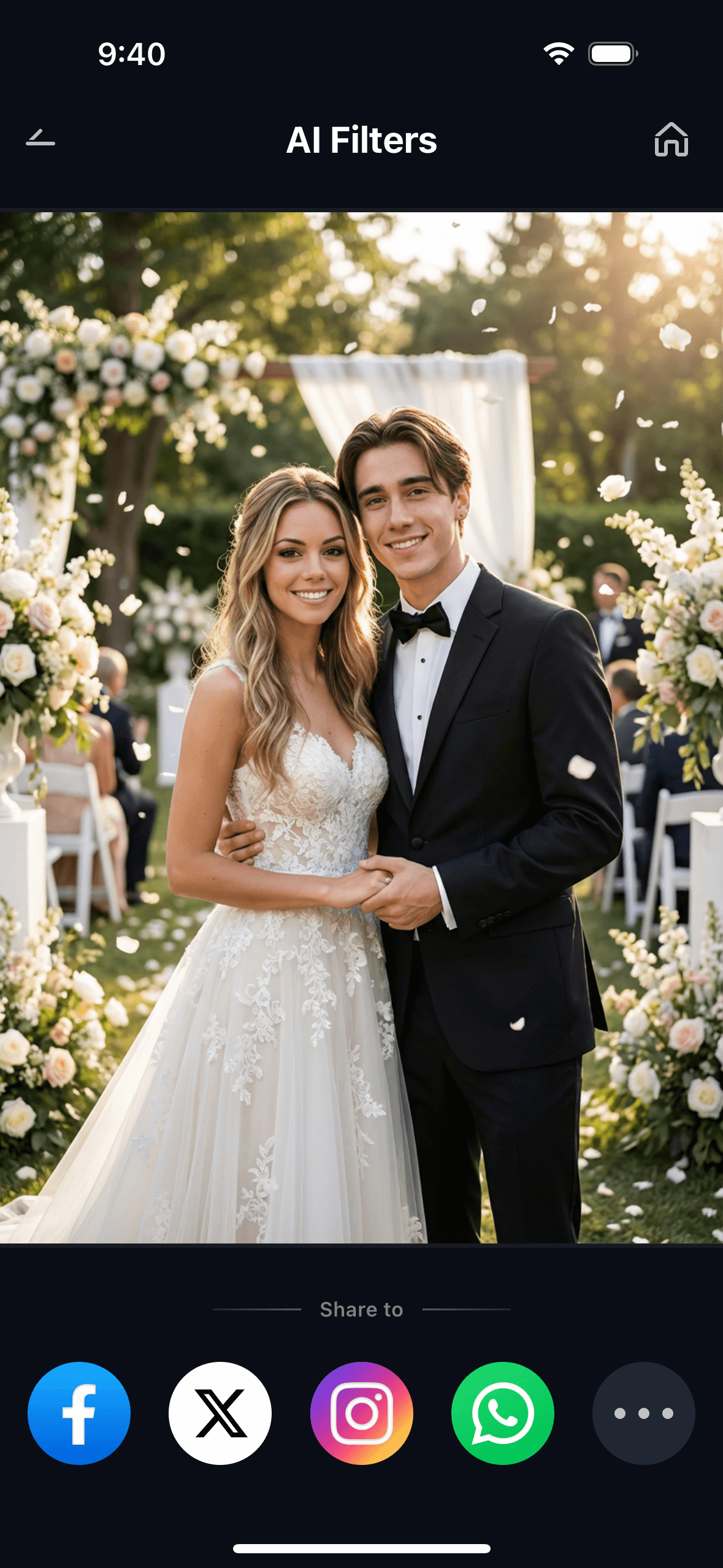
The blend ratio is where you do the real exploring. Run the same two portraits at 30/70, 50/50, and 70/30 to generate three different comparisons in under a minute. Post all three on your Stories and let your followers vote on which ratio reveals the resemblance most clearly.
Part 3: Three Real Ways People Use Celebrity Combine Photo
The same feature works differently depending on what you’re trying to find out. Here are the three most common uses — each one benefits from a slightly different approach to the blend slider.
🥇 1. The “Which Celebrity Do I Look Like?” Selfie Challenge
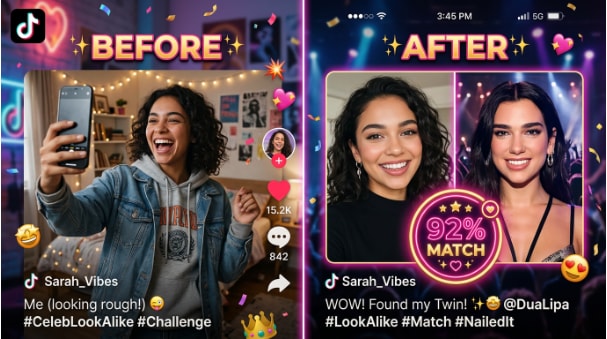
This is the most straightforward use — and the most shareable. Upload your best selfie in one slot, drop in a photo of whoever your friends keep saying you resemble, and let the blend do the talking. The side-by-side output makes it immediately obvious where the similarity is: the same jaw angle, the same eye spacing, the same nose bridge.
Because Relumi aligns facial landmarks before blending, the comparison stays geometrically accurate. The output doesn’t just slap two faces together — it maps your cheekbone position to the celebrity’s cheekbone position, so the resemblance (or the difference) is easy to read at a glance. Set the slider to 50/50, post it on Instagram Stories with the poll sticker: “Do I actually look like them? Yes / No way.”
🎉 2. The Group Look-Alike Game (Great for Parties)

Here’s a game that’s guaranteed to keep a group entertained for an hour: everyone picks the celebrity they think they most resemble, runs the comparison in Relumi, and shares the result on the group chat. Then the group votes on whose match is the most convincing.
Because Relumi works with any two photos you provide — not a fixed celebrity database — every person in the group can choose someone from their own cultural background or genre: athletes, musicians, actors, K-pop idols, anime characters. The AI doesn’t pick for you; it compares the faces you decide to compare. That makes the results far more personal and far more debatable.
⭐ 3. “What Would I Look Like as a Celebrity?” — The Blend Portrait
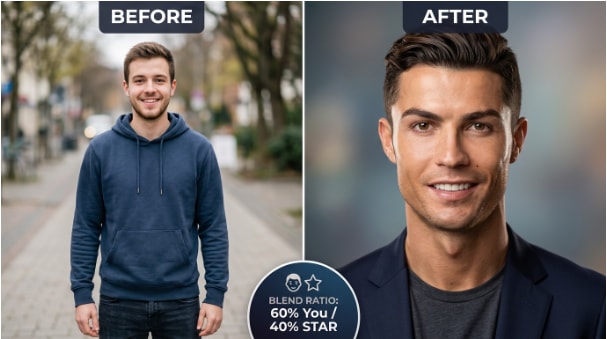
This use case flips the comparison into a creative portrait. Instead of a 50/50 blend, drag the slider to something like 70% you / 30% celebrity — just enough of their bone structure to give your portrait that extra polish without making it look like a mask. The result is a unique photo that’s unmistakably you, but with a subtle star quality.
Skin-tone blending is handled automatically. Relumi samples the dominant skin tone from each photo and interpolates them proportionally — so if your complexion and the celebrity’s are different, the output doesn’t develop a harsh tonal seam down the center. The blend looks like a real human face, not a composite paste-up. Use the result as a profile photo, a fun TikTok thumbnail, or just keep it as a conversation starter.
Conclusion
Most celebrity look-alike tools give you a name and make you take their word for it. Relumi Combine Photo gives you a visual — both faces aligned side by side, blended at a ratio you control, with natural skin-tone output that actually looks believable. No fixed database, no paywall on the core feature, no account required to get started.
Upload your selfie, drop in a celebrity photo, and find out once and for all whether your friends are right. Run it at 50/50 to see the pure comparison. Drag to 30/70 to see what you’d look like with their features. Drag to 70/30 to see the star’s face lit up by your proportions. Three results, one 15-second process, zero cost.
The comparison is yours to make. The AI just makes it visible.
FAQ
-
Does Relumi tell me which celebrity I look like automatically?
No — and that’s a deliberate design choice. Instead of picking a celebrity for you from a fixed database (which is where most apps go wrong), Relumi lets you provide both photos. You choose who to compare. The AI then blends the faces and shows the visual similarity, so you can see the match with your own eyes rather than trusting an algorithm’s name suggestion. -
What kind of celebrity photo should I use?
Any clear, front-facing photo works best — a promotional headshot, a magazine cover crop, or a clean screenshot from an interview. Avoid side profiles, heavy hats, or photos where the face is partly in shadow. The more clearly the AI can detect both sets of facial landmarks, the more accurate and natural the blended comparison will look. -
Can I compare myself to someone who isn’t a Hollywood celebrity?
Absolutely. Because you supply both photos yourself, you can compare any two faces: a musician, an athlete, an anime character, a historical figure in a painting, or even a friend. The feature is called Combine Photo, not “Celebrity Finder” — it compares any two face photos you give it. -
Will the skin-tone blending look natural if we have very different complexions?
Yes. Relumi samples the dominant tone from each photo and interpolates them according to your chosen blend ratio. If you set the slider to 60% you / 40% celebrity, the output skin tone reflects that 60/40 mix. There’s no harsh dividing line or color-band artifact — the result looks like a real person’s face, not a digital composite. -
Is the Combine Photo feature free?
Yes. Relumi has a free tier that covers the core Combine Photo feature. You can generate and save a blended image without paying anything. There’s no last-step paywall that unlocks only after you’ve already spent 10 minutes setting up your comparison. Advanced features and higher-resolution exports are available on the paid plan. -
How is this different from a face-swap app?
A face-swap replaces one person’s face entirely with another’s — the output face belongs to one person only, placed on the other’s body. Combine Photo is a blend: both faces coexist in the output at whatever ratio you choose. The goal isn’t to make you look like the celebrity; it’s to show the proportional similarity between both faces in a single, readable image.



