
 TL;DR:
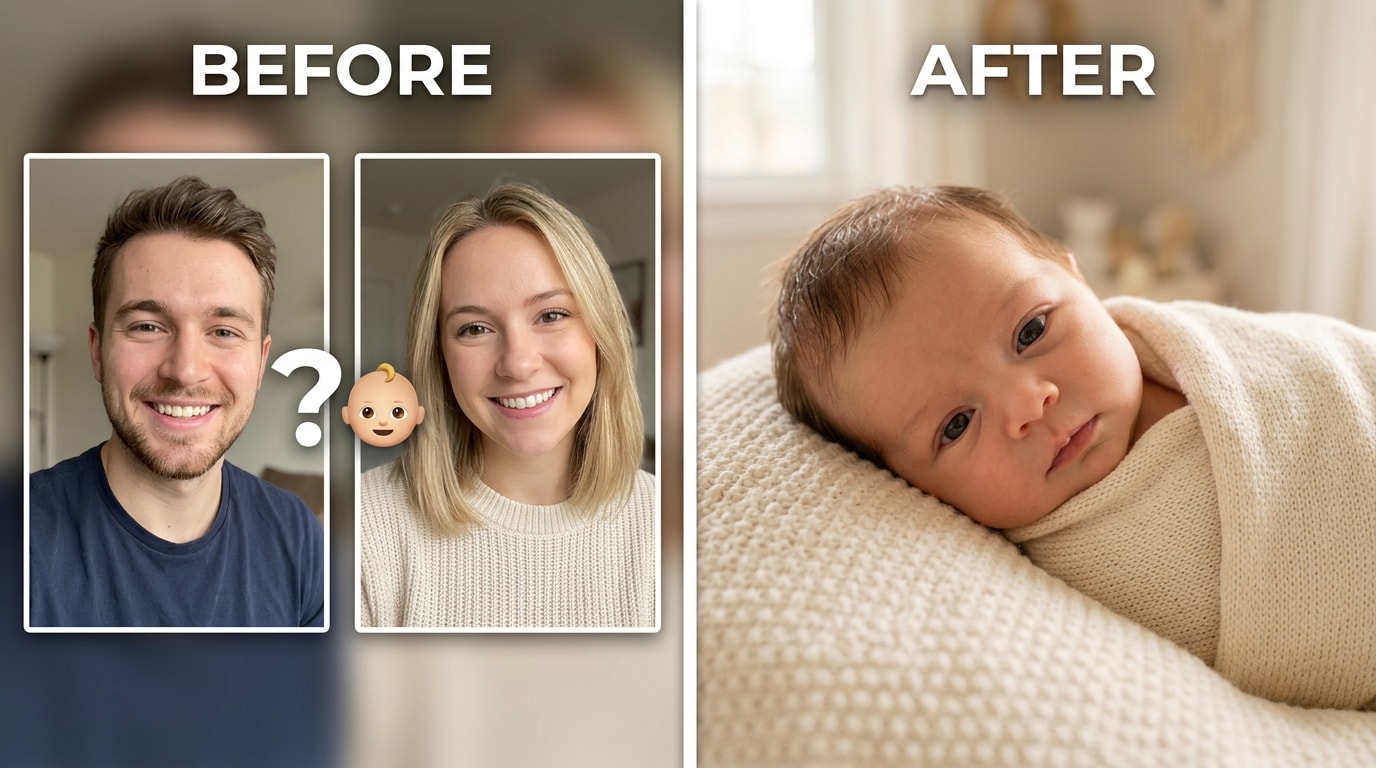
Relumi Combine Photo replaces generic AI baby templates with landmark-based facial synthesis, reading specific geometric coordinates from both parents to generate a realistic, structurally accurate face.
● The tool calculates a proportional midpoint for skin tones instead of defaulting to a single ethnicity, resolving the primary failure point for interracial couples.
● Users can dynamically adjust a blend ratio slider to shift the structural dominance from an equal 50/50 merge to a 60/40 or 30/70 split, regenerating new variations in seconds.
● Accessing the Dual Face Fusion feature requires two clear, front-facing photos uploaded to the iOS or Android app, allowing users to process and save full-resolution, watermark-free results without encountering a final-step paywall.
Ask AI for a summary
 ChatGPT
 Perplexity
 Gemini
 Claude
 Grok
Grok
That one comment captures the whole problem. Every couple eventually asks the question — what will our baby look like? — and reaches for an AI tool to find out. What they get back is usually a hyper-cute illustration that looks nothing like either of them, a result that defaults to one parent’s ethnicity while ignoring the other, or a paywall that appears the moment they try to save. The curiosity is completely natural. The tools are mostly terrible.
The reason existing apps fail isn’t that the question is unanswerable — it’s that most of them use the wrong approach. Pixel averaging, stock-photo filters, and random face generation all produce outputs that technically look like “a baby” but share nothing with the two specific people in the photos. Relumi Combine Photo works differently: it reads facial landmarks from both parent portraits and synthesizes a blended face from the actual geometry of those two people. The result looks like a real face that genuinely belongs to both of them.
In this article
Part 1: Why Most AI Baby Face Generators Fail to Deliver
Type “what will my baby look like” into any app store and you’ll get dozens of results. Most of them share the same core problem: they’re not actually using your photos to generate a face. They’re using your photos as a trigger to display a pre-generated cute-baby output that could have been produced for anyone. The complaints on Reddit are remarkably consistent.
The paywall problem is widespread. Upload your photos, wait for the app to “analyze” them, and hit a subscription screen just before the result appears. Some apps are more transparent about it than others, but the pattern — free to upload, paid to see — is common enough to have its own complaint threads across r/pregnant, r/BabyBumps, and r/ArtificialIntelligence.
Then there’s the quality problem, which is separate from the paywall issue. Even on apps that do show a result, the output often looks like a generic stock-photo baby with no visible connection to either parent.
The ethnicity issue is the most specific and most frequently cited complaint. For interracial couples, the failure is stark: the generated baby defaults to one parent’s skin tone and facial features while barely representing the other. Couples that come from different ethnic backgrounds — the exact people most curious about how their child might blend both appearances — get the worst results from generic tools.
Platform compatibility is another recurring issue. Several of the more sophisticated tools are iOS-only or behave poorly on Android browsers. The Mixmatch AI tool — one of the more technically capable options — received consistent complaints about Android incompatibility, uploads that processed without producing a result, and a UI that made it difficult to even find the relevant feature. These aren’t edge cases. They’re the central experience for a large portion of users who try these tools.
The gap between what people want — an accurate, realistic preview of their future baby, based on both parents’ actual faces — and what they get from existing tools is what Relumi Combine Photo is designed to close.
Part 2: How Relumi Combine Photo Predicts Your Baby’s Face


Relumi AI Photo Enhancer
Combine Photo — Predict Your Baby’s Face by Blending Both Parents’ Portraits Into One Realistic Result

 Landmark-based face synthesis: Reads specific facial coordinates from both parents — eye corners, nose bridge, lip curves, jawline — and builds the blended face from those spatial points. The result inherits actual features from both people, not a pixel-average blur.
-
Adjustable blend ratio: Set a 50/50 split for an equal mix, or shift the slider to explore what a child might look like with more of one parent’s features. Real-time regeneration lets you compare ratios before saving.
-
Accurate skin tone blending: Produces a natural proportional midpoint between two skin tones instead of defaulting to the lighter or darker input. Handles interracial couples accurately — the most consistent failure point in competing apps.
The reason Relumi produces a face that looks like both parents — rather than a generic pretty-baby template — comes down to what it actually reads from your photos. Most baby prediction apps treat your portraits as a signal to trigger a pre-trained “cute baby” output. Relumi treats them as structural data. It extracts the precise coordinates of key facial points from each parent: where your eye corners sit, the width of your nose bridge, the exact curve of your lip line, the angle of your jawline. It normalizes both faces into the same spatial framework, then synthesizes a new face that inherits specific features from each input. The nose from one parent and the eyes from the other are placed at the right proportional distances from each other because they’re built from real geometry — not guessed.
How to Use Relumi Combine Photo for Baby Face Prediction on iPhone
Step 1. Open Combine Photo & Upload Both Parent Portraits
Open Relumi and tap Combine Photo on the home screen, then select Dual Face Fusion. Upload one clear, front-facing photo of each parent from your camera roll.

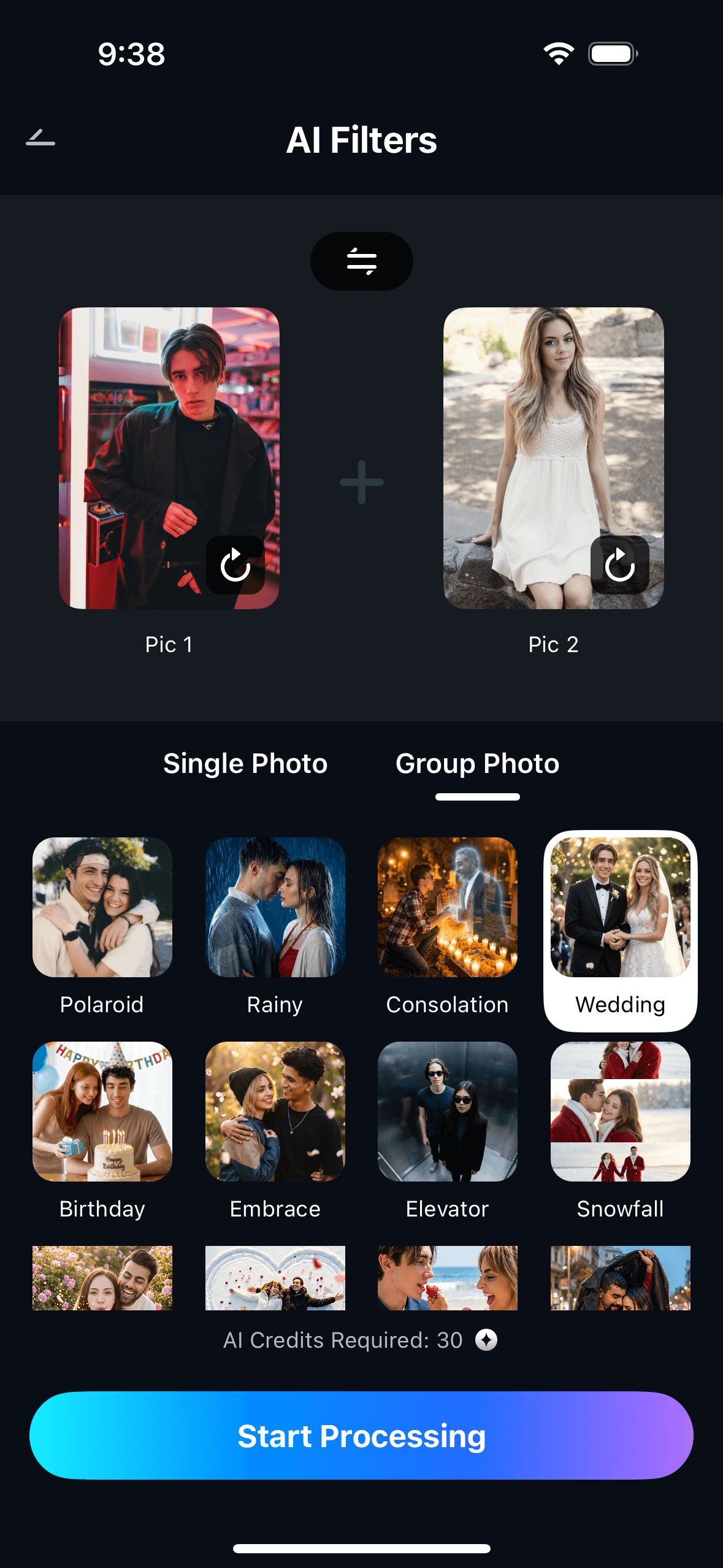
Step 2. Set the Blend Ratio & Start Processing
Use the Blend Ratio slider to choose how much of each parent’s features appear in the result (default is 50/50), then tap Start Processing and let the AI synthesize the baby face.
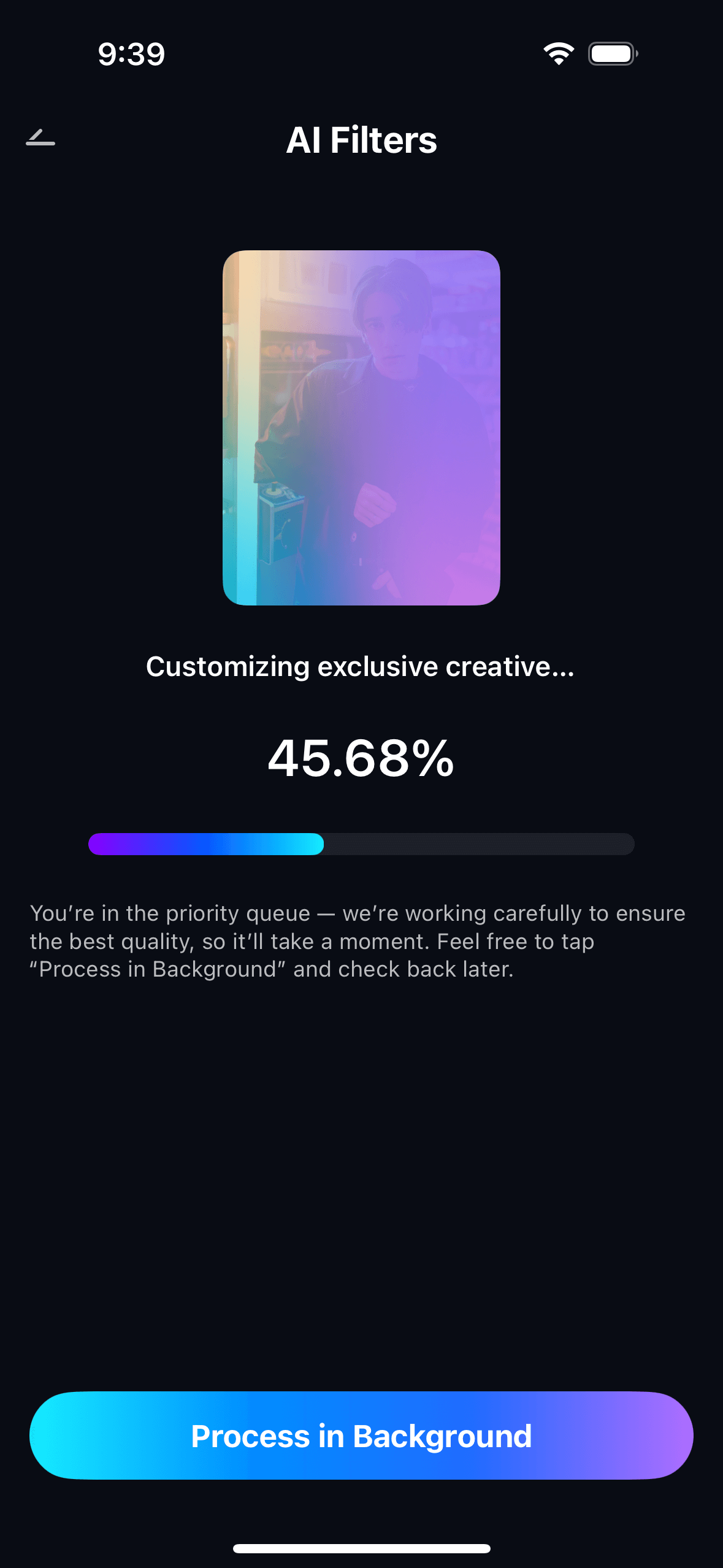
Step 3. Preview, Save & View Your Creations
Preview the predicted baby portrait. Tap Save to export to your photo gallery. You may see a prompt to earn AI credits. All generated predictions are saved in My Creations for easy access later.
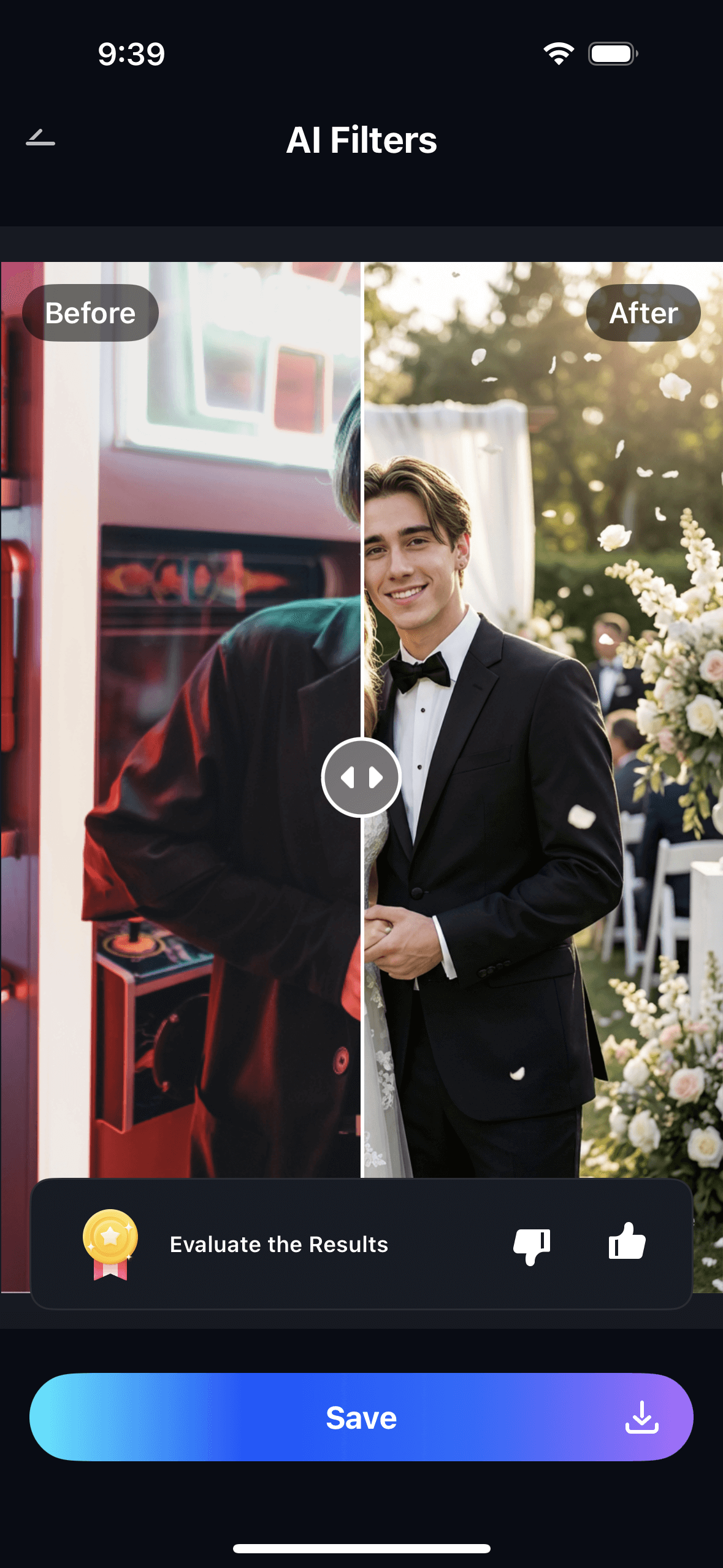

The output is a clean portrait of a face that looks like it actually belongs to both parents — not a random baby face, not a filtered illustration. Once you have the result, you can move the blend slider and regenerate to explore different ratios: what the child might look like with more of mom’s features at 60/40, or more of dad’s at 40/60. Each slider position gives you a new output in seconds.
Part 3: Three Ways People Are Using Baby Face Prediction Right Now
The same feature gets used for different reasons by different people — and the emotional stakes behind each are different enough to be worth separating out.
💕 1. Pregnant Couples — Getting a Realistic First Peek
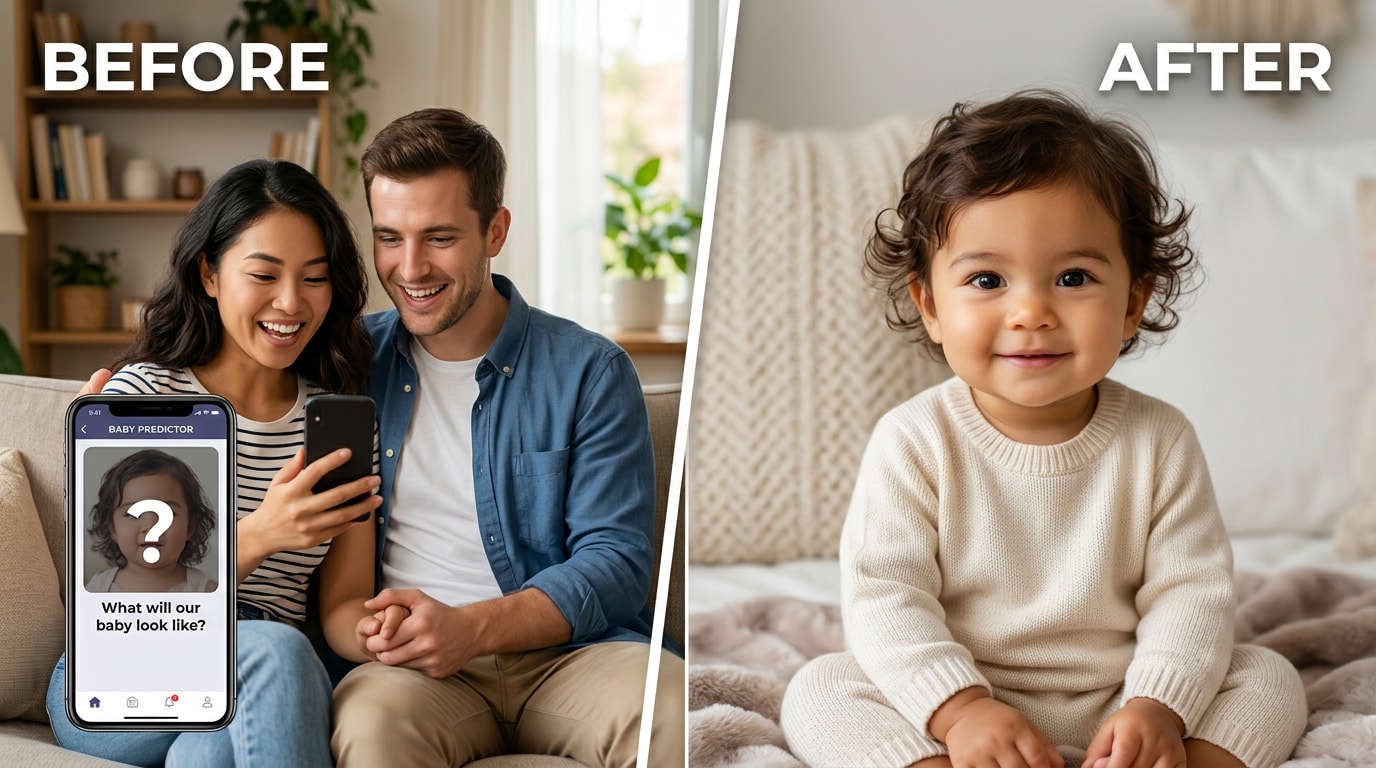
The most emotionally charged use case. When you’re already pregnant, the question of what your baby will look like isn’t idle curiosity — it’s one of the first things on your mind at every scan. Apps that produce an obviously generic result feel like a letdown. You want to see something that actually looks like your baby, made from the two of you.
Relumi’s landmark-based synthesis means the output is built from both of your actual facial structures — not a random template. The nose, eyes, and jaw position are derived from the spatial data in your photos. Parents who run the prediction often find themselves debating which features came from which side, which is exactly the reaction that tells you the result actually looks like both people.
The adjustable blend slider adds a layer to the experience. Run it at 50/50 first, then push it to 60/40 and 40/60. Each ratio gives you a slightly different face — a small way of imagining which features might dominate. It turns a single static result into an exploration, which is a better fit for how people actually think about this question: not “what will the baby look like?” but “what are the different ways the baby might look?”
🌐 2. Interracial Couples — Finally, Accurate Mixed Results
For interracial couples, the failure of generic baby prediction apps is especially stark. The entire point of the exercise is to see how two different appearances might combine in a child. When the output defaults to one parent’s ethnicity and ignores the other, it’s not just disappointing — it defeats the purpose entirely.
Relumi handles this accurately because skin tone blending is derived from the blend ratio, not defaulted. A 50/50 merge between a parent with darker skin and a parent with lighter skin produces a proportional midpoint — not a result that looks like one of them with slightly different lighting. The facial structure synthesis works the same way: it draws specific features from each person’s landmarks and places them in a shared proportional framework, so the result looks mixed in a realistic way rather than looking like one parent with the other’s features awkwardly placed over the top.

This is the use case where the difference between landmark-based synthesis and pixel averaging is most visible. Pixel averaging of two very different skin tones produces a flat, washed-out mid-tone that looks neither natural nor accurate. Landmark-based synthesis produces a face that actually looks like a mixed-heritage person — one where you can point to specific features and trace which parent they came from.
🎉 3. Social Fun — The Baby Challenge That Keeps Going Viral
Not everyone using baby face prediction is pregnant or planning. A significant portion of the people doing this are doing it purely for fun — two friends, two colleagues, or a couple who isn’t thinking about children right now but still wants to know what the result would look like. The format travels well on social media: post the two source photos, post the baby result, and ask your followers whose features they see.
The blend slider gives you variation without effort. Three posts from one pair of photos: the 50/50 result, the 70/30 result, the 30/70 result. Each one is a slightly different answer to the same question. Followers engage because everyone has an opinion about which features dominate — and the combination of recognizable inputs and a surprising output is exactly the format that generates comments.
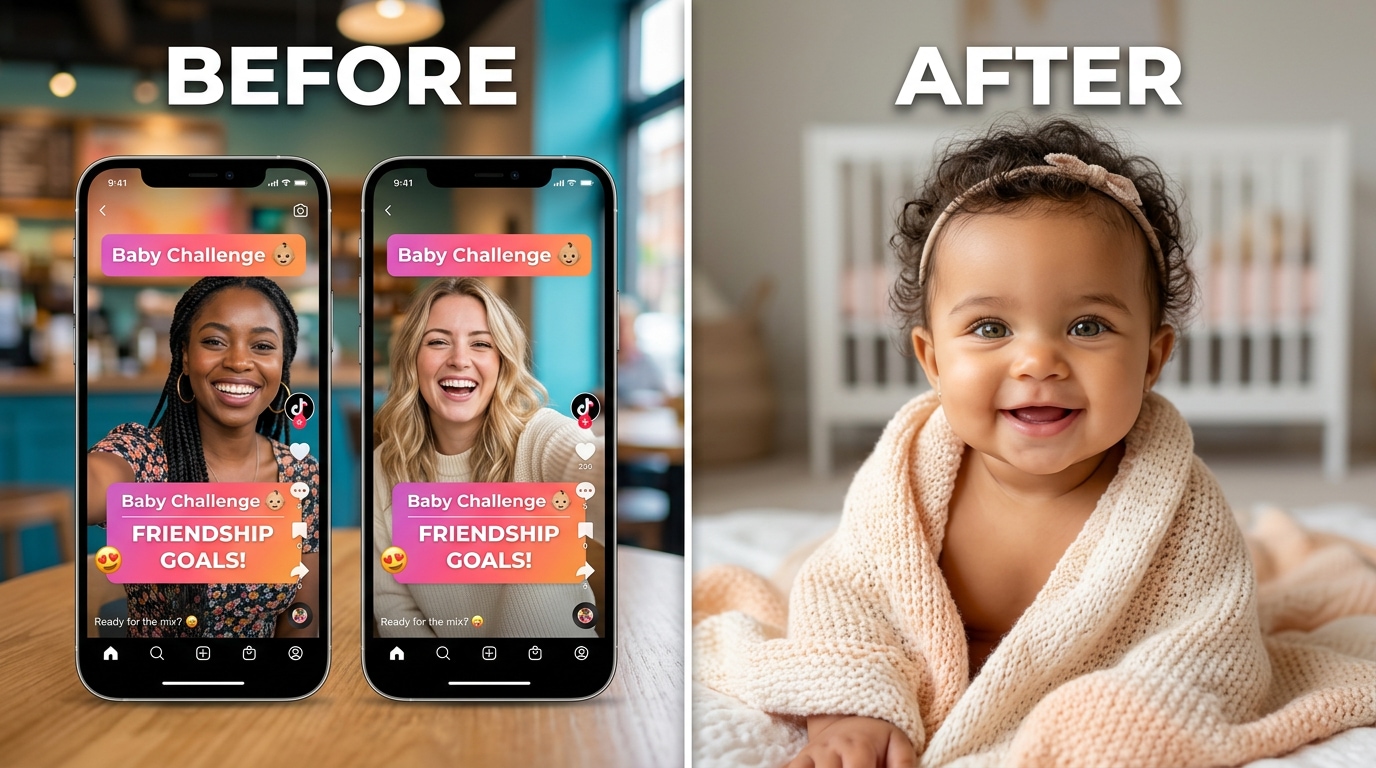
Because Relumi exports at full resolution with no watermark, the output is clean enough to post directly. No cropping out a brand name, no visible processing badge, no “made with X” text that makes the image look like an ad. The result looks like a real portrait — which is what makes people look twice and actually engage with it.
Conclusion
The question “what will our baby look like?” is one every couple asks. The tools that exist to answer it mostly disappoint: generic outputs that look nothing like the parents, paywalls at the last step, ethnicity blending that defaults to one side, and Android incompatibility that locks out half of potential users. These aren’t minor complaints — they’re the central experience for most people who try these apps.
Relumi Combine Photo solves the actual problem. It reads facial landmarks from both parent portraits, synthesizes a new face from the real geometry of those two people, handles skin tone proportionally rather than by defaulting to one input, and gives you a blend slider to explore different ratios before saving. The result looks like a face that actually belongs to both parents — not a random pretty baby, not a stock-photo filter, not a double exposure. A face. Clean, realistic, exportable without a watermark, free on iOS and Android.
Upload two photos, set the ratio, tap Start Processing. See what comes back. Then move the slider and see it again.
FAQ
-
Will the predicted baby face actually look like both parents, or just a generic cute baby?
Most AI baby generators produce a generic output that could be anyone’s baby. Relumi works differently — it reads facial landmarks (eye corners, nose bridge, lip curves, jawline) from both parent photos and synthesizes the baby face from those specific coordinates. Features sit in the right proportional positions relative to each other because they’re derived from the actual geometry of both parents, not from a stock baby template. -
Does it handle interracial couples accurately?
Yes — and this is where Relumi differs most noticeably from competing apps. Skin tone blending is tied to the blend ratio slider: a 50/50 merge produces a proportional midpoint between the two skin tones rather than defaulting to the lighter or darker parent. Facial structure synthesis draws from both sets of landmarks, so the result looks like a genuine mix rather than one parent’s face with slightly adjusted coloring. -
Is there a paywall at the last step?
No. This is one of the most common complaints about baby prediction apps — free to upload, paid to see the result. Relumi’s baby face prediction via Combine Photo is available on the free tier for iOS and Android. You can upload photos, run the fusion, adjust the blend slider, preview the result, and export in full resolution without a watermark, all for free. No subscription prompt appears at the final step. -
Can I try different ratios — like more of mom’s features vs. more of dad’s?
Yes. After the initial result, the blend ratio slider lets you push the prediction anywhere between the two parents. Set it to 50/50 for an equal merge, shift to 60/40 or 70/30 to see a result that skews toward one parent, or go further in either direction. Each slider position regenerates the output in real time, so you can compare different versions before saving the one you like. -
What kind of photos give the best results?
Clear, front-facing portraits with decent lighting work best — the same kind of photo you’d use for a nice selfie. Both faces should be reasonably in focus and not heavily obscured by sunglasses, extreme angles, or deep shadows. The two photos don’t need to match in terms of background, lighting, or image size — Relumi normalizes both inputs before processing. -
Is this a baby face swap, or something different?
Different. A face swap replaces one face with another on an existing image. Combine Photo — Dual Face Fusion synthesizes an entirely new face that blends both inputs. There’s no source body or existing photo being modified — just two parent portraits going in and one blended baby portrait coming out.



