
 TL;DR:
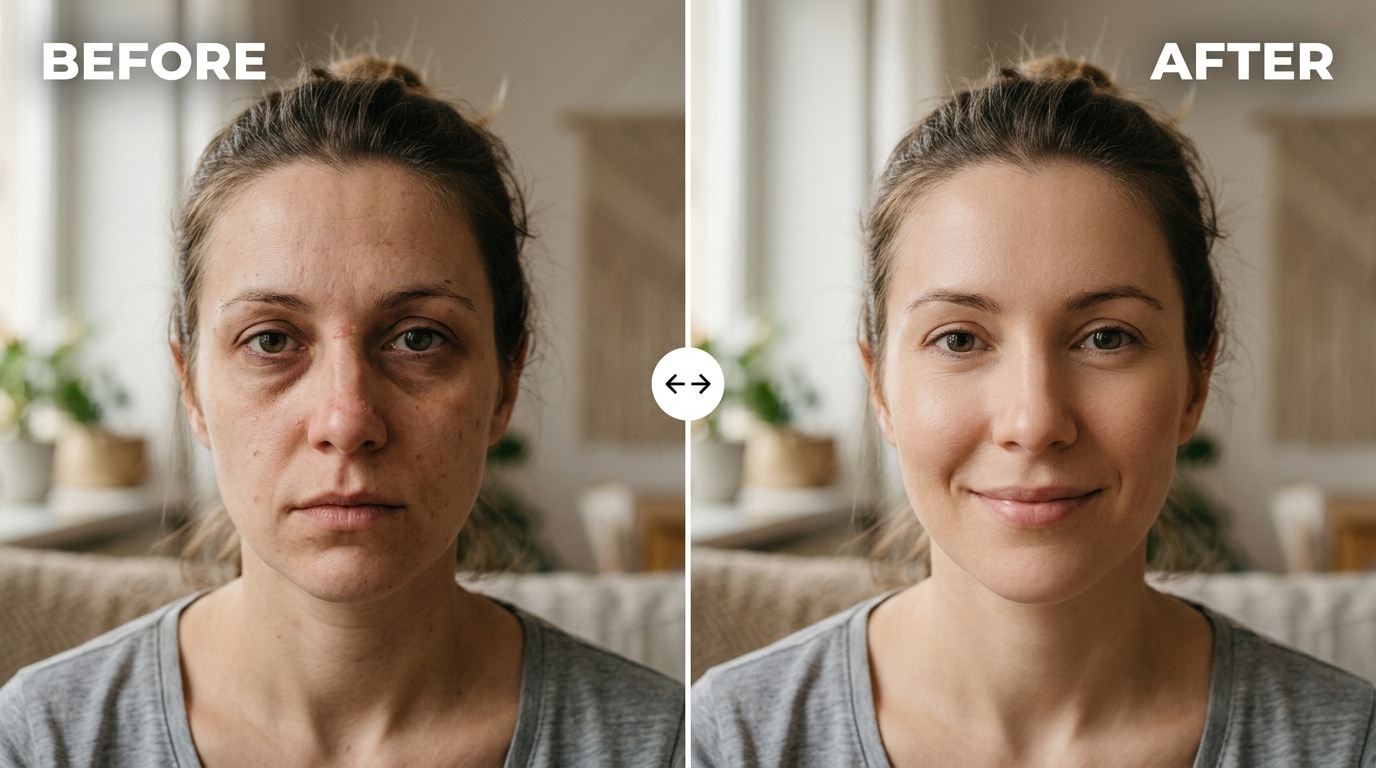
Relumi AI Retake provides a free iOS and Android tool that corrects camera-exaggerated dark circles, eye bag shadows, and temporary blemishes without requiring manual masking or brush work.
● Unlike basic beauty filters that uniformly blur the entire face, Minor Blemish Repair exclusively targets specific discoloration and shadow lines to preserve natural pores, fine lines, and eye socket contours.
● Users control the adjustment through an Intensity slider, with a recommended starting point of 50% for subtle touch-ups and up to 75% for prominent hereditary dark circles or post-blemish marks.
● The automated algorithm detects and individually corrects multiple faces within group photos, allowing users to export full-resolution, watermark-free images on the free tier.
Ask AI for a summary
 ChatGPT
 Perplexity
 Gemini
 Claude
 Grok
Grok
Everyone has had this moment. You look fine in the mirror before you leave the house. You take a photo at an event, or someone tags you on Instagram, and suddenly there are dark circles you don't remember seeing, eye bags that look puffy, and a small blemish on your nose that looks three times bigger than it felt. The photo is technically correct — but it doesn't look like you.
This isn't your imagination. Phone cameras increase local contrast to sharpen images, which makes any shadow or discoloration on the face stand out harder than the human eye ever sees them. The under-eye area — which is slightly concave — catches a tiny shadow that the camera then renders as a dark ring. A small pimple becomes a visible bump. A minor redness gets pushed into the warm-red range by the camera's automatic color balance. The photo captures it all, and it all looks worse than reality.
Relumi AI Retake — Minor Blemish Repair fixes these small but frustrating facial imperfections. It targets dark circles, eye bags, minor skin blemishes, and localized redness — removing them naturally without over-smoothing the skin or producing a plastic, over-retouched look. Free on iOS and Android.
In this article
Part 1: Why Small Blemishes Look So Much Worse in Photos
There are three real, technical reasons why a minor blemish or dark circle looks dramatically worse in a photo than in a mirror — and none of them have anything to do with how you actually look.
Camera contrast boosting. Smartphone cameras, especially front cameras, push up local contrast to compensate for lower sensor resolution. This makes edges crisper — but it also makes any existing shadow or discoloration on the face look significantly darker and more defined. The under-eye area has a slight natural concavity that creates a subtle shadow in person; the camera's contrast algorithm renders that subtle shadow as a visibly dark ring. As one Reddit user explained: "I suspect that to compensate for low resolution, phone cameras push up the contrast to make the image seem crisper which would make marks on your skin stand out."
Color sensor bias. Camera sensors capture a narrower color range than the human eye and tend to boost reds and warm tones. A small patch of redness — a minor pimple, slight irritation, or dry skin — that reads as nearly skin-toned to the eye gets pushed toward a noticeably warm red in the photo. The camera doesn't lie, but it doesn't see what your eye sees either.
Frozen moment vs. living face. In person, your face is constantly moving — slight changes in expression, head angle, and ambient light mean any blemish is never fully "displayed" at any given moment. A photo freezes the single least-flattering frame. As another user noted: "in real life your face is constantly moving so blemishes don't stand out as much." The photo captures the one angle where the under-eye shadow is deepest, the one frame where the blemish catches the light directly.
The result: a photo that is technically accurate but doesn't represent the person — and can't be unseen once it's shared, posted, or printed.
Part 2: How Relumi AI Retake Fixes Minor Facial Blemishes — And How to Use It


Relumi AI Photo Enhancer
AI Retake — Minor Blemish Repair That Fixes What the Camera Exaggerated

 Dark circle reduction: The AI detects the under-eye region, identifies abnormal shadow accumulation caused by camera contrast boosting, and lightens only those dark areas — preserving the natural contour of the eye socket without flattening the face.
-
Eye bag smoothing: Reduces the appearance of puffiness under the eyes by softening the shadow line that creates the bag effect in photos — without erasing the natural volume that's part of a realistic face.
-
Minor blemish and redness removal: Targets localized skin imperfections — small pimples, temporary redness, minor dark spots — and blends them into the surrounding skin tone while maintaining natural skin texture and pore structure.
The key difference from a basic beauty filter: beauty filters on phone cameras blur the entire face evenly — which removes pores and skin texture and makes the skin look smooth but artificial. Relumi's AI works differently: it locates specific problem areas (a dark circle, a blemish, an eye bag's shadow line), corrects only those targeted zones, and leaves the rest of the skin completely untouched. The result looks like a photo taken on a better day — not a photo that was processed.
How to Use Relumi AI Retake — Minor Blemish Repair on iPhone
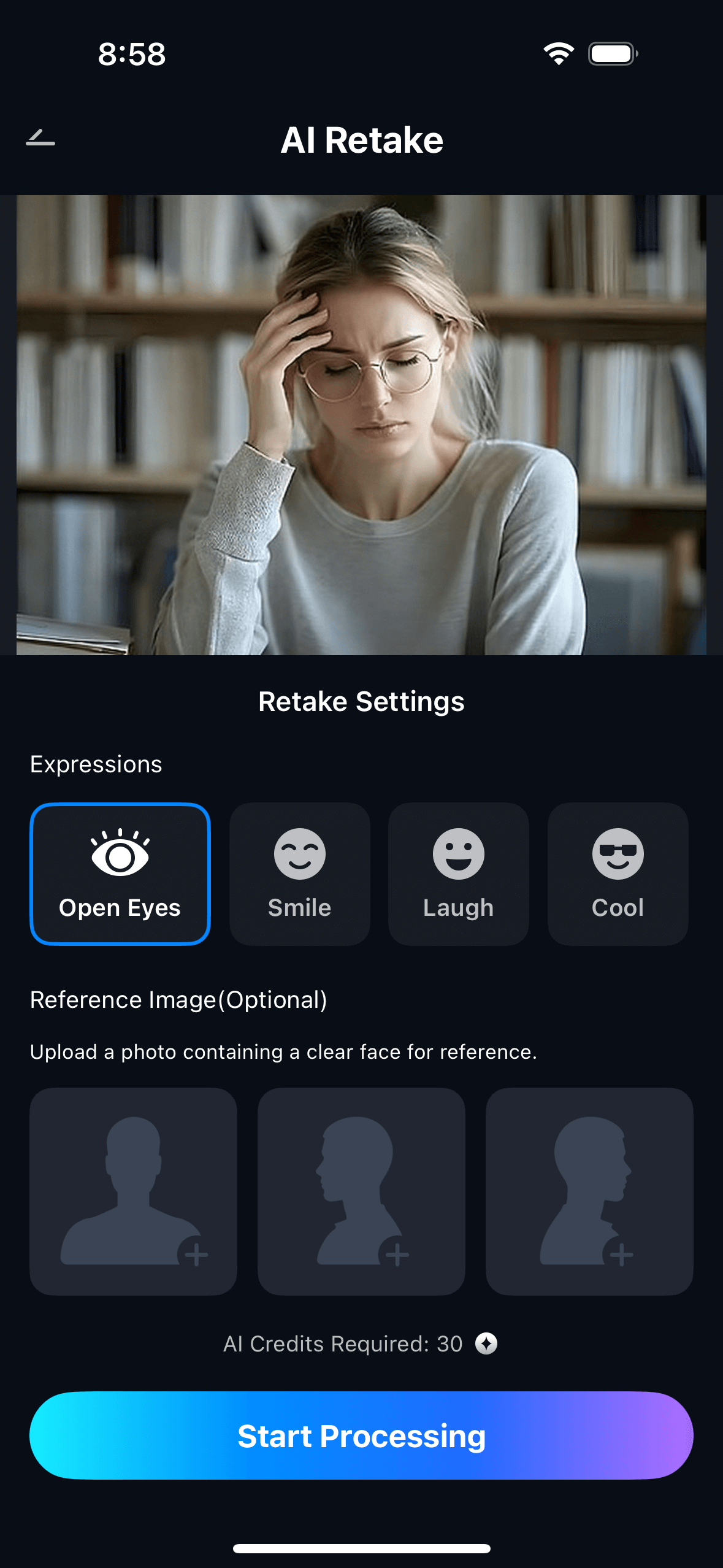
Step 1. Upload Your Photo & Select Minor Blemish Repair
- Open the AI Retake feature from the Relumi homepage.
- Upload the portrait you want to fix — a headshot, event photo, family shot, or any image where dark circles, eye bags, or minor blemishes are more visible than you'd like.
- From the AI Retake menu, tap Minor Blemish Repair to activate the feature.
- Use the Intensity slider to set your preferred level — start at 50% and adjust based on how visible the blemishes are.
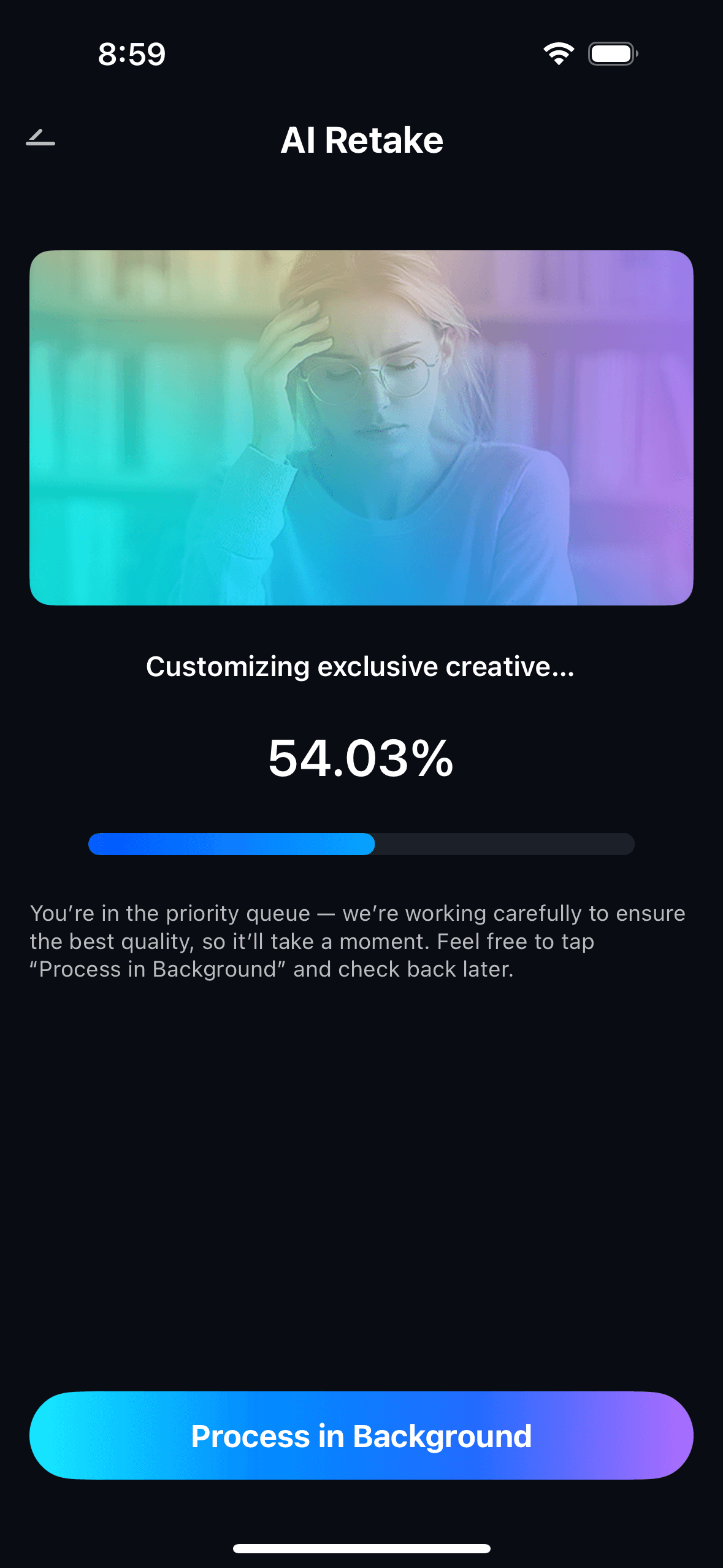
Step 2. Start AI Retake Processing
- The AI scans the face and maps the under-eye area, nose bridge, cheeks, and forehead — identifying dark circles, eye bag shadow lines, and localized blemishes.
- It targets only the problem areas and leaves surrounding skin texture untouched — no global smoothing, no blur pass across the whole face.
- Processing runs automatically in the background — no manual masking or brush work needed.
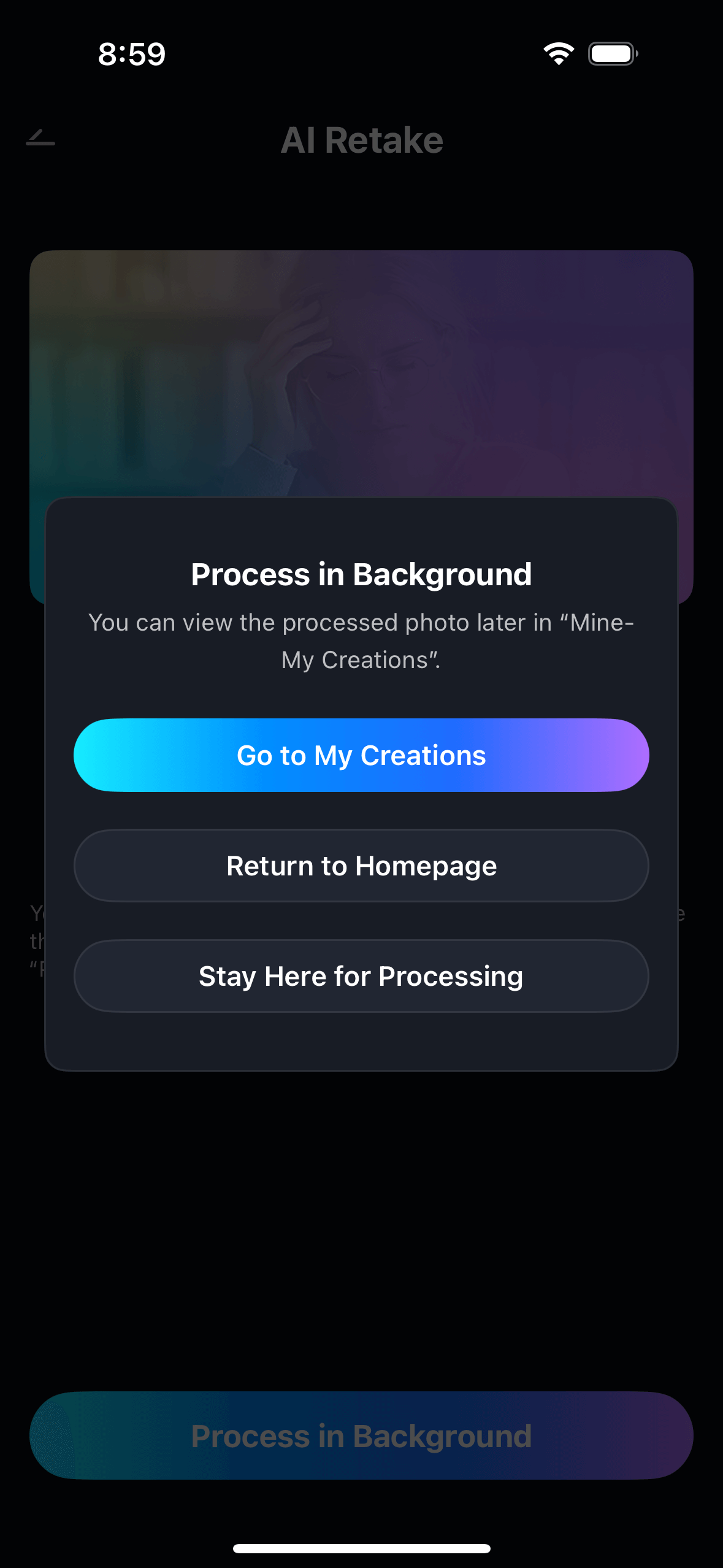
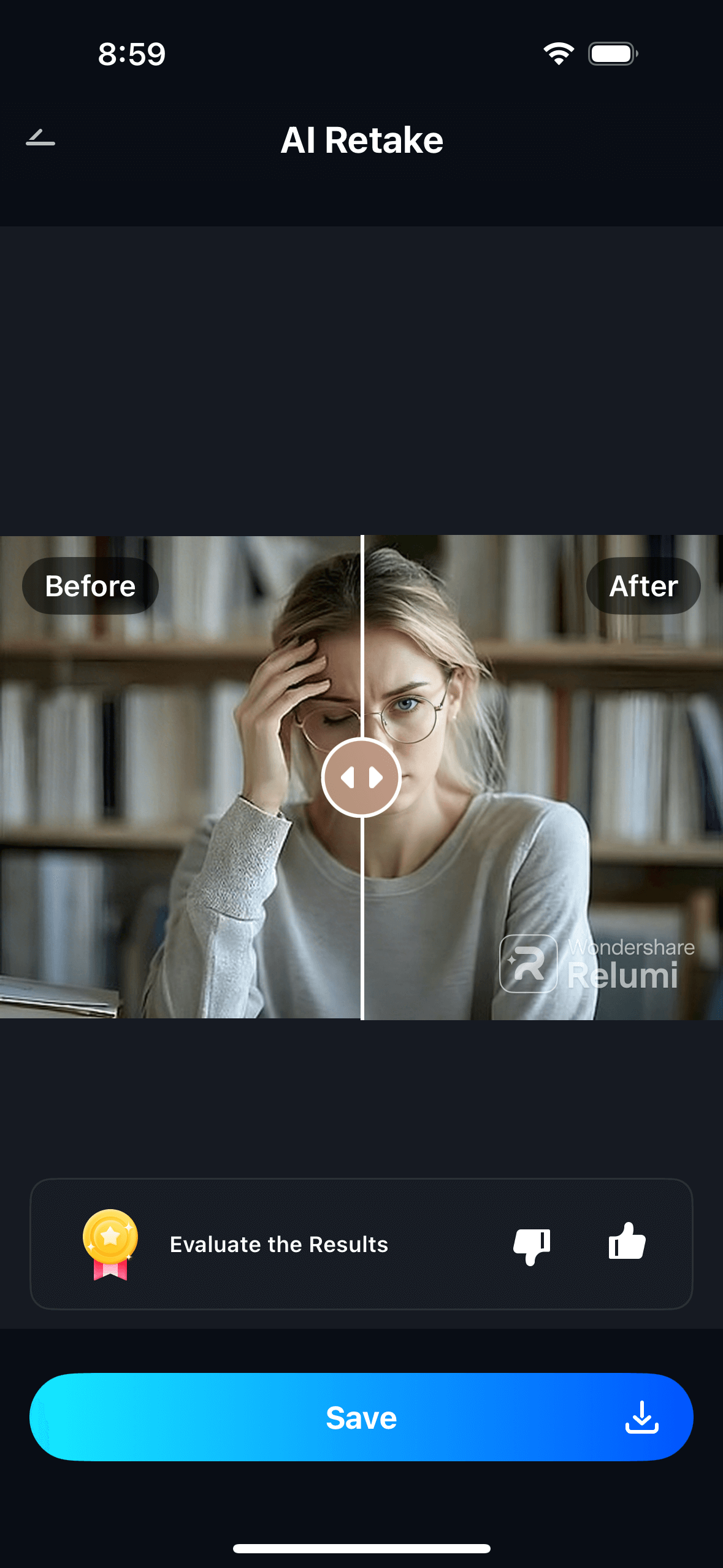
Step 3. Preview, Compare & Save
- Use the before/after toggle to compare the original and repaired versions side by side.
- Adjust the intensity slider if needed — lower for a subtle touch-up, higher for more significant dark circles or blemishes.
- Tap Save to export in full resolution without a watermark, or share directly. View all repaired photos in My Creations.
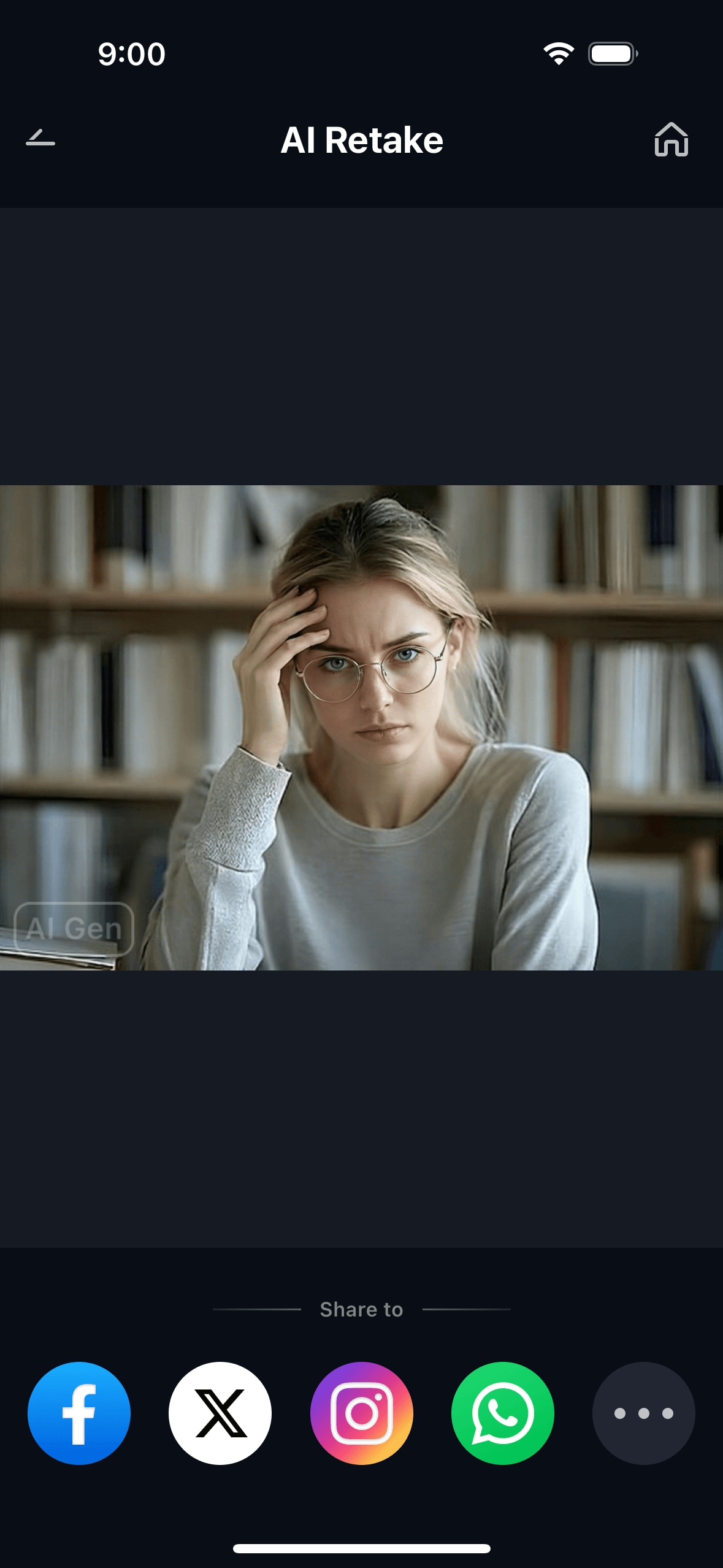
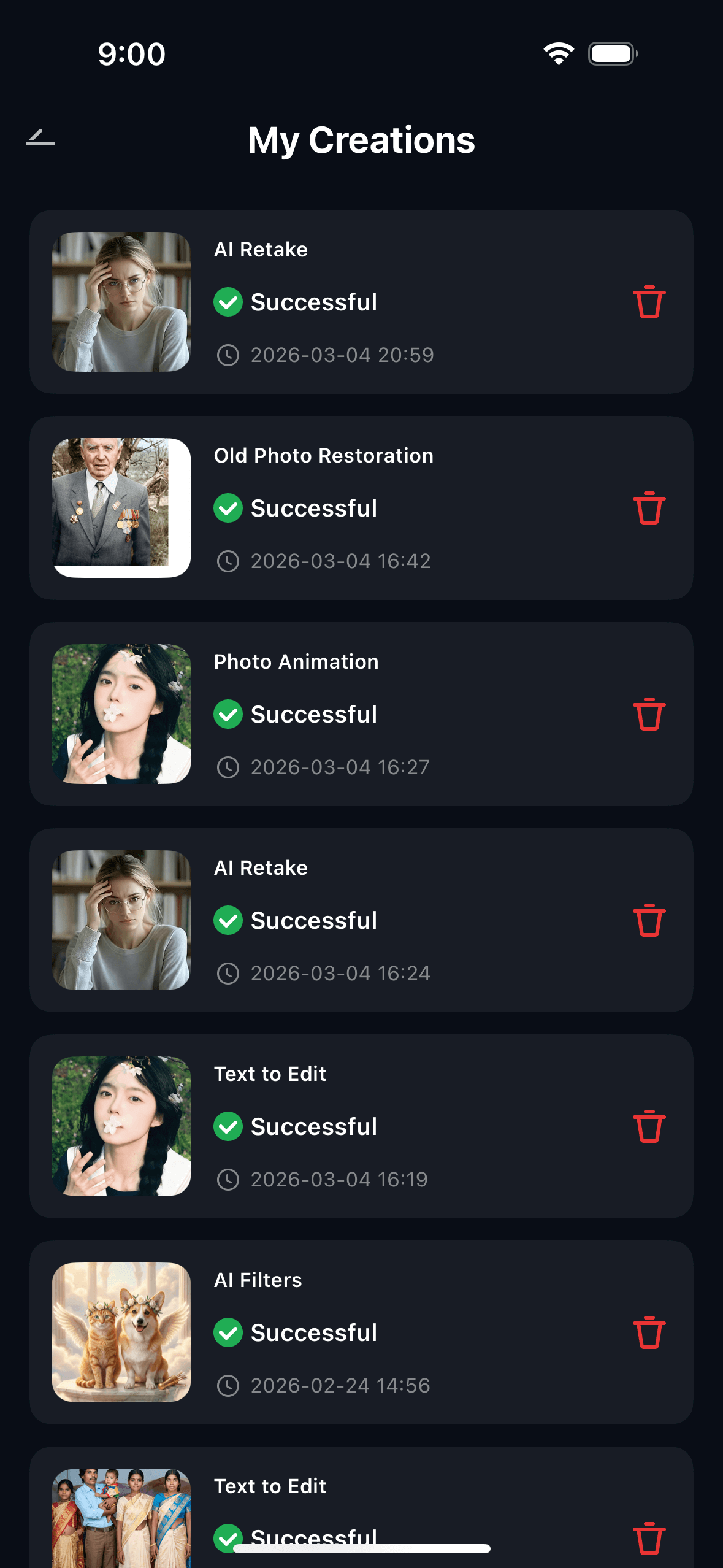
The result is a photo where the face looks like it was taken on a good day — not like the blemishes were edited out. The skin texture stays intact; the dark circles and eye bags are simply gone.
Part 3: Three Real Situations Where Minor Blemish Repair Makes the Difference
👤 1. LinkedIn and Professional Headshots — Dark Circles From a Bad Night
Professional headshots are supposed to represent you at your best — but the shoot day rarely cooperates. A late night before, a stressful morning, or simply the harsh studio lighting that the photographer sets for maximum sharpness can all make the under-eye area look significantly worse in the final images than it ever does in person. One photographer on Reddit ended up refunding a client entirely after the client complained that the photos had given them "bags under their eyes" — that's how dramatic the camera effect can be on someone who simply had an off day.
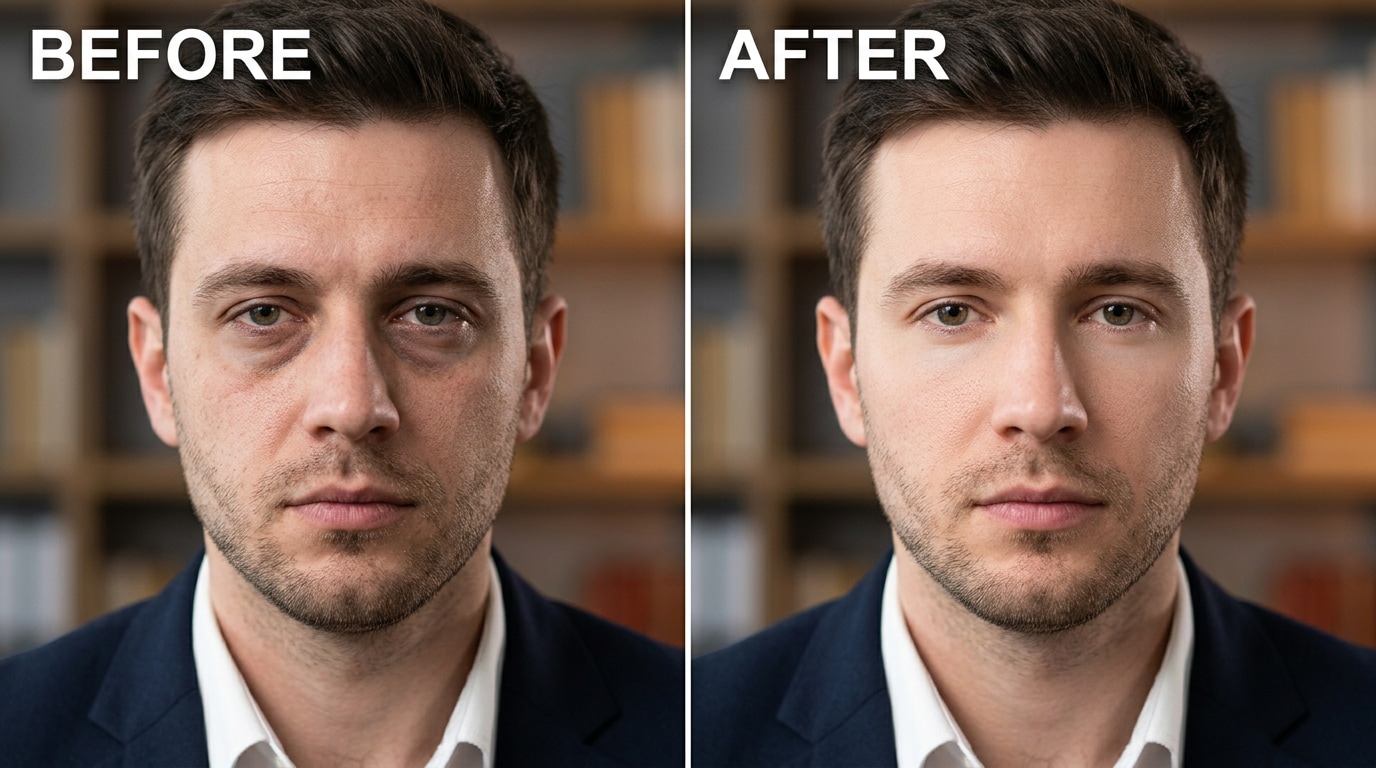
Relumi's Minor Blemish Repair handles this in seconds. Upload the headshot, select the feature, and the AI identifies the dark rings under both eyes and the puffy shadow line that defines the eye bag. It lightens the dark areas using tonal correction matched to the surrounding skin — the same approach a professional retoucher uses in Lightroom, done automatically. The result is a headshot where the eyes look rested and alert, without any obvious editing.
📸 2. Event and Party Photos — A Blemish That Wasn't There Yesterday
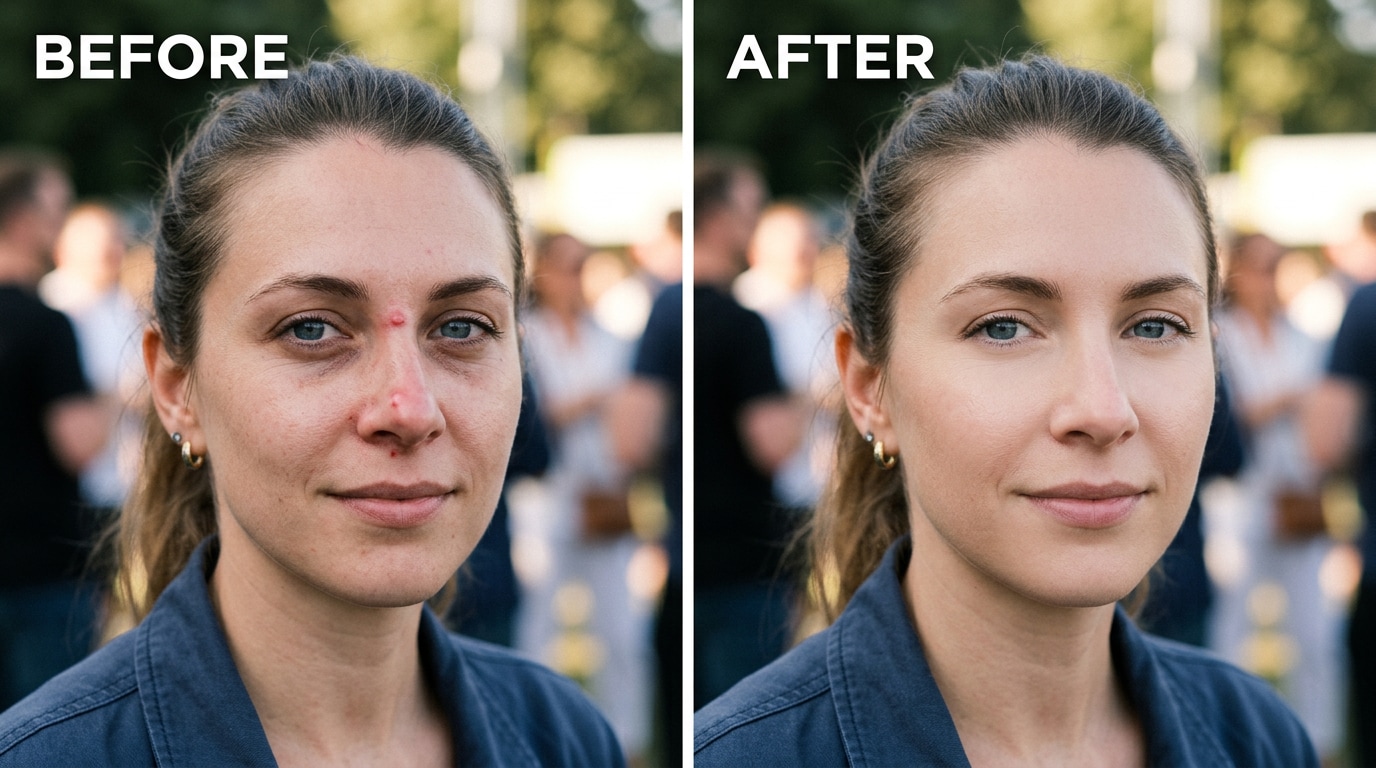
A blemish that appeared the night before a birthday dinner, a work event, or a family gathering is one of the most common reasons people want to edit a photo after the fact. The blemish itself may be minor — barely noticeable in person, covered with a little makeup — but in photos taken under flash or direct indoor lighting, the combination of local contrast boosting and color sensor bias makes it stand out clearly against surrounding skin.
Minor Blemish Repair handles this by identifying the localized discoloration and texture irregularity at the blemish site, blending it into the natural surrounding skin tone and pore structure. The adjustment is targeted — only the problem area is changed. The rest of the skin, including its natural texture and imperfections, stays exactly as it was. Start the intensity at 50%; increase for more prominent blemishes, keep it lower for subtle redness or post-blemish marks.
👨👩👧 3. Family and Travel Photos — Eye Bags That Make You Look More Tired Than You Were
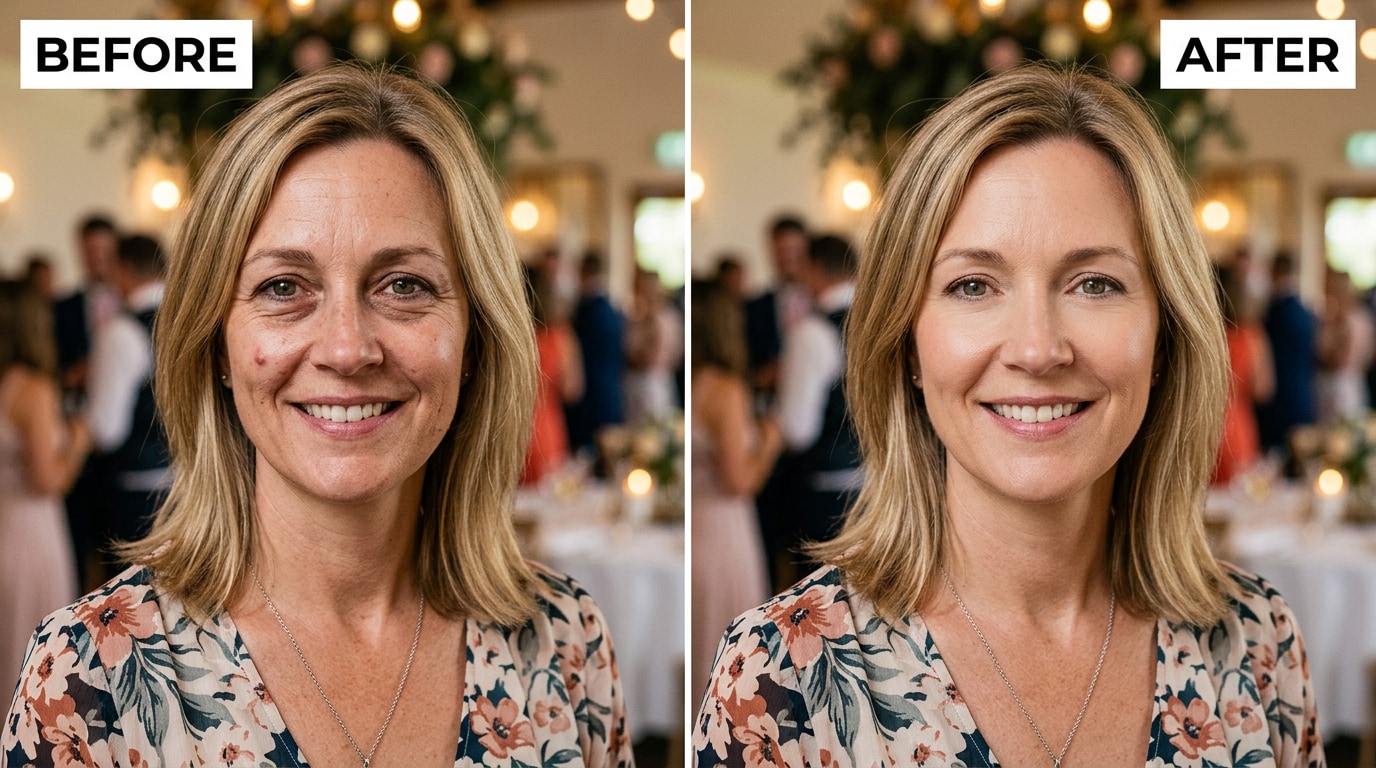
Family vacations, travel photos, holiday gatherings — these are the photos that get printed, framed, and kept. They're also often taken on busy days when everyone is a little tired, in lighting conditions nobody had control over. Eye bags look particularly prominent in photos taken in outdoor shade, under fluorescent lighting, or with phone flash — because all of these light sources hit the face from above or directly, creating exactly the shadow geometry that reads as puffiness under the eyes.
In these situations, the photo doesn't reflect the actual memory of the day — it reflects one unflattering frozen moment. Minor Blemish Repair corrects the eye bags by softening the shadow definition that makes them look puffy, and reduces any dark circles the camera's contrast algorithm exaggerated. On a group family photo where multiple people have the same issue, the AI detects and corrects each face individually, so the result looks consistent across everyone in the frame.
Conclusion
Dark circles, eye bags, and minor skin blemishes look worse in photos than in real life for specific, technical reasons — not because that's how you actually look. Camera contrast boosting, color sensor bias, and the frozen-frame effect all work together to exaggerate imperfections that are barely visible in person. The photo doesn't lie, but it also doesn't see what you see.
Relumi AI Retake — Minor Blemish Repair corrects these specific issues: it identifies dark circles, softens eye bag shadows, and removes localized blemishes, using targeted AI correction that leaves the rest of the skin untouched and natural. The result is a photo that looks like you on a good day — not a filtered version that nobody believes.
Free on iOS and Android. No subscription required for the core feature.
FAQ
-
What's the difference between Minor Blemish Repair and a regular beauty filter?
A beauty filter applies a uniform blur or smoothing pass across the entire face — which removes pores, softens all skin texture, and often produces a flat, plastic-looking result. Relumi's Minor Blemish Repair is targeted: it identifies specific problem areas (a dark circle, an eye bag shadow, a localized blemish) and corrects only those zones, leaving the surrounding skin completely untouched. The rest of the face — pores, skin texture, natural variation — stays exactly as it was. The result looks natural because most of the face actually is natural and unedited. -
Can it fix hereditary dark circles or just camera-exaggerated ones?
Minor Blemish Repair reduces the visible appearance of dark circles in photos regardless of their cause. Whether the circles are hereditary (genetic pigmentation under the eyes), fatigue-related, or exaggerated by camera contrast processing, the AI lightens the dark areas and corrects the tonal irregularity. For hereditary circles that appear very dark, use a higher intensity setting (60–75%). The feature works on the photo result — it doesn't distinguish what caused the circles, only what they look like. -
Will it remove skin texture under my eyes or just the dark circles?
Just the dark circles and shadow. The AI targets discoloration and shadow accumulation specifically — it does not smooth or blur the skin texture in the under-eye area. The fine texture of the skin, any small natural lines, and the natural contour of the eye socket are all preserved. If you notice over-smoothing, reduce the intensity slider: the lower the setting, the more targeted the correction and the more natural texture is retained. -
Does it work on pimples that have already healed but left a dark mark?
Yes. Post-inflammatory hyperpigmentation — the dark spot left after a pimple heals — is one of the types of localized discoloration that Minor Blemish Repair handles. The AI identifies the area where the skin tone deviates from the surrounding skin, and blends it toward the natural surrounding color. Results are typically good for mild to moderate post-blemish marks; very dark or large patches may benefit from a higher intensity setting. -
Does Minor Blemish Repair work on group photos?
Yes. Relumi AI Retake detects all faces in the image and applies the correction to each one individually. In a group photo where one person has dark circles and another has a visible blemish, the AI handles each face based on what it finds — it doesn't apply a uniform fix to all faces. The result is consistent natural correction across the whole group. -
Is Minor Blemish Repair free?
Yes. The Minor Blemish Repair feature is available on Relumi's free tier for both iOS and Android. You can correct dark circles, eye bags, and minor blemishes on any portrait and export the result in full resolution without a watermark. No subscription is required to use the core feature.



