
 TL;DR:
Educators can increase student engagement in history lessons by using Relumi's AI-powered "Salute" preset to gently animate static, public-domain portraits of soldiers into looping video clips.
● The animation effect works best on clear, close-up portraits of a single soldier rather than large groups, requiring distinct facial details to function properly.
● Relumi generates standard MP4 video files that do not require advanced editing skills and can be directly embedded into presentation software like PowerPoint or Google Slides.
● To avoid copyright and ethical issues, teachers must source images from government or university archives that explicitly allow educational use and apply only respectful, subtle motion presets.
Ask AI for a summary
 ChatGPT
 Perplexity
 Gemini
 Claude
 Grok
Grok
Every history teacher knows the challenge: you're teaching a unit on World War I or II, and you show a photo of a soldier. To your students, it's just an old picture of a stranger. It's history—distant, abstract, and hard to connect with. How do you make them see the person behind the uniform, the humanity behind the history?
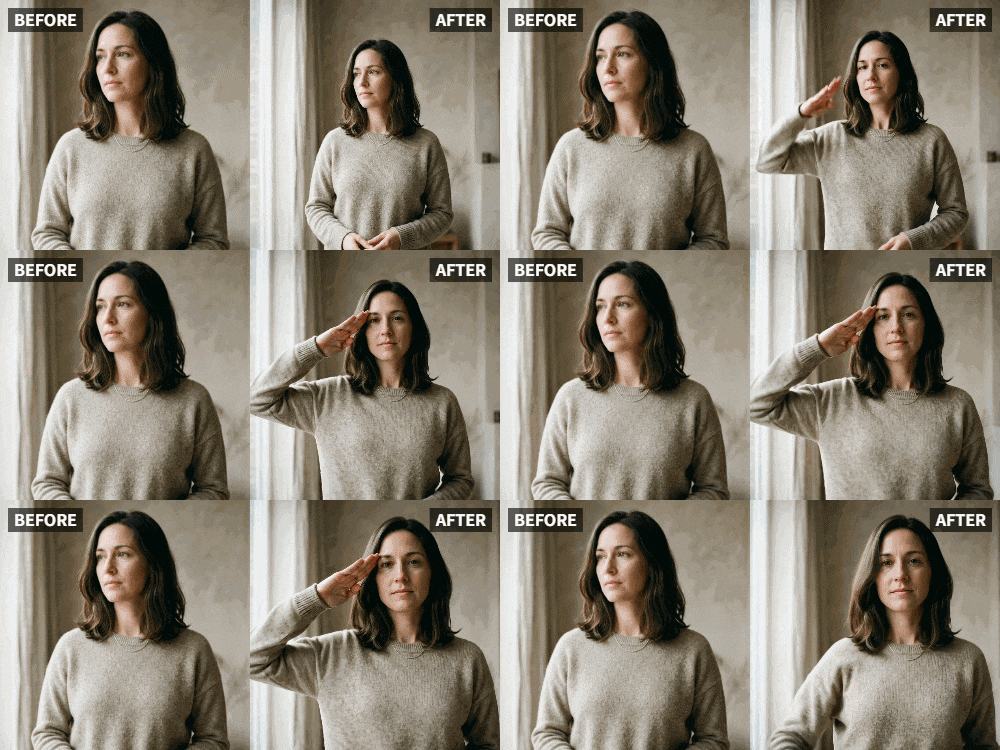
Relumi's "Salute" feature offers a powerful solution. By gently animating a historical photo of a soldier to salute, you can bridge the gap between past and present. The soldier ceases to be a static artifact and becomes a living person, making history feel immediate, personal, and deeply human .
In this article
Part 1: The Engagement Gap in Teaching History
In education forums, teachers constantly seek new ways to capture students' attention and foster empathy for historical figures. A primary source photo is a valuable tool, but for a generation raised on video, a static image can struggle to compete .
The gesture of a salute is loaded with meaning. It speaks of duty, respect, and sacrifice. When students see a soldier from 1917 slowly raise their hand in a salute, that figure is neurologically re-classified from an "object" to a "person." This instant shift in perception opens the door to genuine curiosity and a deeper understanding of the human cost of history .
Part 2: How to Integrate Animated Historical Photos into Your Lesson


Relumi AI Photo Animation
Bring old photos to life with AI-powered animation.

 Preset motion styles — Wave, Dance, Clap, Cheers & more
-
Works on old, faded, and black-and-white photos
-
No editing skills required — generate in seconds
-
One tap turns any still image into a moving memory.
Using this tool in the classroom is simple and requires no advanced tech skills.
Step 1: Source a High-Quality Historical Image
Find a clear, public domain portrait of a soldier from the era you're studying. Excellent sources include the Library of Congress, national archives, and university digital collections. Focus on portraits where the face is visible.

Step 2: Animate with Relumi's "Salute" Preset
Upload the image to Relumi and select the "Salute" animation mode. This will add a slow, respectful salute. The goal is not to make the soldier move in a jarring way, but to gently remind students that this was a living, breathing person who made a choice to serve.

Step 3: Embed the Animated Clip in Your Presentation
Insert the short, looping video clip into your PowerPoint, Google Slides, or other presentation software. When you reach the part of your lesson about that soldier's unit or battle, let the animated image play. Ask your students: "What do you think he was thinking? What was he fighting for?" The animation makes the question feel real.

Part 3: Powerful Classroom Applications Across History Lessons
This technique can be used across a wide range of historical topics.
- World War I and II: Animate portraits of soldiers from both sides of the conflict to humanize "the enemy" and foster a discussion about shared humanity in times of war.
- Civil War History: Animate a photo of a Union or Confederate soldier. Discuss how the salute was a sign of respect even among adversaries, and what that tells us about the code of conduct during that time .
- Women's History: Animate a photo of a woman in uniform, such as a nurse from the Vietnam War or a member of the Women's Army Corps. Broaden the discussion of who "serves" in a conflict.
- Veterans Day and Memorial Day Lessons: Use a series of animated soldier portraits from different eras as a powerful visual centerpiece for a lesson on the meaning of these holidays.
Conclusion
History is not just a collection of dates and events; it's the story of people. By using Relumi's "Salute" feature to animate historical photos of soldiers, you can help your students connect with those people on a human level. You turn a stranger in a uniform into someone real, fostering empathy and a deeper, more lasting understanding of the past.
Frequently Asked Questions
-
Is it ethical to animate historical figures?
When done with respect and for educational purposes, it is a powerful tool for fostering connection and empathy. The key is subtlety. Relumi's "Salute" mode is designed for gentle, respectful motion. -
Are there copyright issues with using historical photos?
Most photos from the 19th and early 20th centuries are in the public domain, especially those held by government archives. Always check the source website for usage rights. Many archives explicitly allow educational use. -
Can I animate a photo of a large group of soldiers?
For a classroom presentation, it's often more impactful to focus on a close-up portrait of a single soldier where the facial details are clear. This creates a more personal connection for students. -
What tech do I need in the classroom to show these?
Any standard classroom projector or smartboard will display the animated clips perfectly. The files are standard video formats like MP4.



