
 TL;DR:
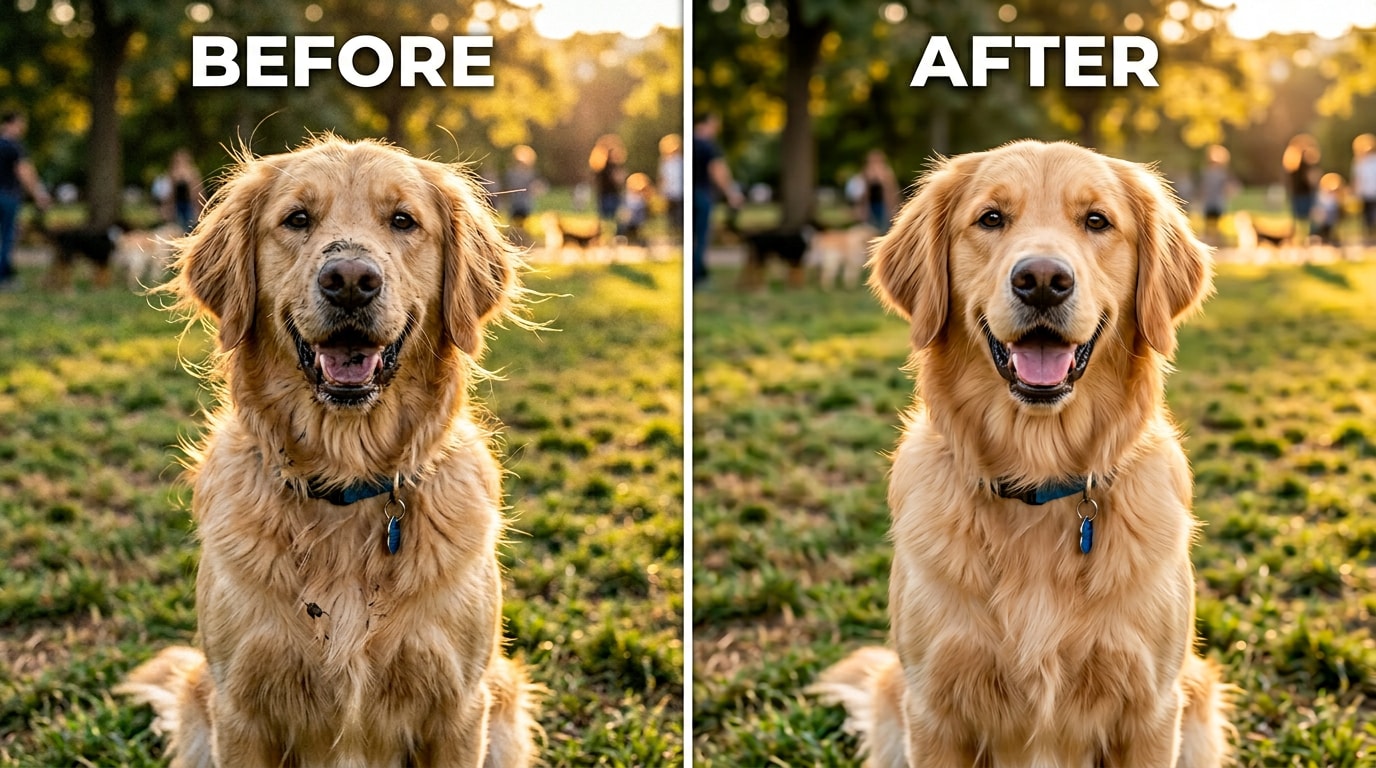
Relumi AI Retake is a free iOS and Android app that removes mud, food spots, and stray fur from pet photos by using fur-aware technology that preserves the animal's natural coat patterns and expressions.
● Unlike generic spot-removal tools that create visible patches, the AI maps the specific direction, texture depth, and color of the fur to seamlessly blend corrections on long, short, curly, or wire-haired animals.
● Users apply the Pet Photo Blemish Repair tool via a single tap and adjust an intensity slider, starting at 50% for minor wisps and up to 80% for widespread mud, though the underlying coat structure must remain visible for accurate reconstruction.
● The correction safely removes dirt from white or pale coats without shifting the natural fur tone and cleans up age-related marks on elderly pets, but applying very high intensity settings to fine, complex textures may result in a slightly processed appearance.
Ask AI for a summary
 ChatGPT
 Perplexity
 Gemini
 Claude
 Grok
Grok
The title says everything. It wasn’t posted as a casual edit request. It was the last photo. The dog had dirt on his fur. And the person posting it needed it to be clean — not just to have a nice photo, but to have a photo worth keeping forever.
Pet photography has a specific and very real problem. Pets don’t pose. They don’t wait. They look perfect for a half-second and then move, scratch, shake, or bolt. When you finally get the shot — the one where the eyes are right and the expression is exactly what you wanted — it’s often the same shot where the fur is wild from a run, there’s a mud smear from ten minutes earlier, a bit of food on the chin, or a messy tuft of fur that catches the light in an unflattering way. The moment was real. The photo has distracting imperfections in the fur. And you can’t go back and reshoot it.
Relumi AI Retake — Pet Photo Blemish Repair fixes the specific imperfections that appear in pet photos: stray fur wisps, mud and dirt stains, food spots, matted patches, and small marks on fur — without touching the animal’s natural texture, coloring, or expression. The pet still looks exactly like itself. Just on a better day. Free on iOS and Android.
In this article
Part 1: Why Pet Photos So Often Come Out with Messy Fur or Visible Dirt
The gap between what you see and what the camera records is bigger with pets than with almost any other subject. When you’re looking at your dog or cat, your brain is filling in the complete picture — their personality, their warmth, the specific way they look at you. A bit of messy fur or a mud smear barely registers. Your attention goes to the eyes, the expression, the moment.
The camera doesn’t work that way. The camera records everything in the frame with equal fidelity. That stray fur wisp that catches the light. The mud patch on the chin from an hour ago. The small food smear near the mouth. The slightly matted patch where they sleep on one side. None of these things define your pet. All of them are visible in the photo.
There are three specific reasons pet photos pick up blemishes and imperfections that wouldn’t appear in a posed human portrait:
1. Pets live in their fur. Dogs roll in grass, dig, shake off water, and rub their faces on things. Cats groom constantly but not always successfully around the face and chin. The fur you see every day accumulates stray wisps, bits of debris, and food marks that are completely normal in real life and invisible to you because you know your pet — but show up clearly in a close-up photo under any direct light.
2. You can’t ask them to clean up first. With a human subject, you can ask them to check the mirror, fix their hair, remove a stain. With a pet, you have a two-second window when the expression and the light are both right. If there’s mud on the muzzle from earlier in the walk, that mud is in the photo. The choice is: shoot now with the mud, or wait for a better moment that may never come.
3. Close-up shots amplify everything. A great pet portrait is usually a close shot — filling the frame with the face and eyes. At that crop, a small smear that would be invisible in a full-body photo becomes the first thing your eye goes to. The same principle that makes the eyes look vivid and expressive also makes any imperfection in the fur around the face more prominent.
The result is a common situation: you have a photo where the moment is exactly right — the expression, the light, the composition — and the fur or coat has an imperfection that distracts from it. The traditional options are to accept it as-is, try to fix it manually in Photoshop (which requires significant skill and time), or delete it. None of these is a good answer when the photo is genuinely precious.
Part 2: How Relumi AI Retake Fixes Pet Photo Blemishes — And How to Use It


Relumi AI Photo Enhancer
AI Retake — Pet Photo Blemish Repair That Cleans Up the Coat Without Losing What Makes Your Pet Look Like Your Pet

 Stray fur wisp removal: Detects and removes loose, flying fur strands around the face, ears, and body — the ones that catch the light and create visual noise around the animal’s silhouette — while keeping the main coat texture and direction exactly as they are.
-
Mud and dirt stain correction: Identifies and removes mud smears, dirt marks, and ground-contact stains on the fur — distinguishing between stain (foreign material on the coat) and the natural coloring of the coat itself, so the correction doesn’t alter the animal’s actual fur pattern or markings.
-
Food spot and face-area blemish repair: Removes food marks, saliva stains, and small spots around the muzzle and chin area — the most common place for post-meal marks that appear in otherwise-perfect face-forward portraits.
The key difference between Relumi’s pet blemish repair and a generic spot-removal tool: generic tools don’t understand fur. A spot-removal brush in Photoshop replaces the marked area with a sample from nearby pixels — which, on a textured fur coat, produces a visibly patched result if the replacement sample doesn’t match the fur direction and texture exactly. Relumi’s AI understands that it’s working with animal fur — it reads the coat direction, texture depth, and natural color pattern, and uses that understanding to fill in any removed blemish in a way that blends seamlessly with the surrounding coat. The patch is invisible. The fur looks continuous.
How to Use Relumi AI Retake — Pet Photo Blemish Repair on iPhone
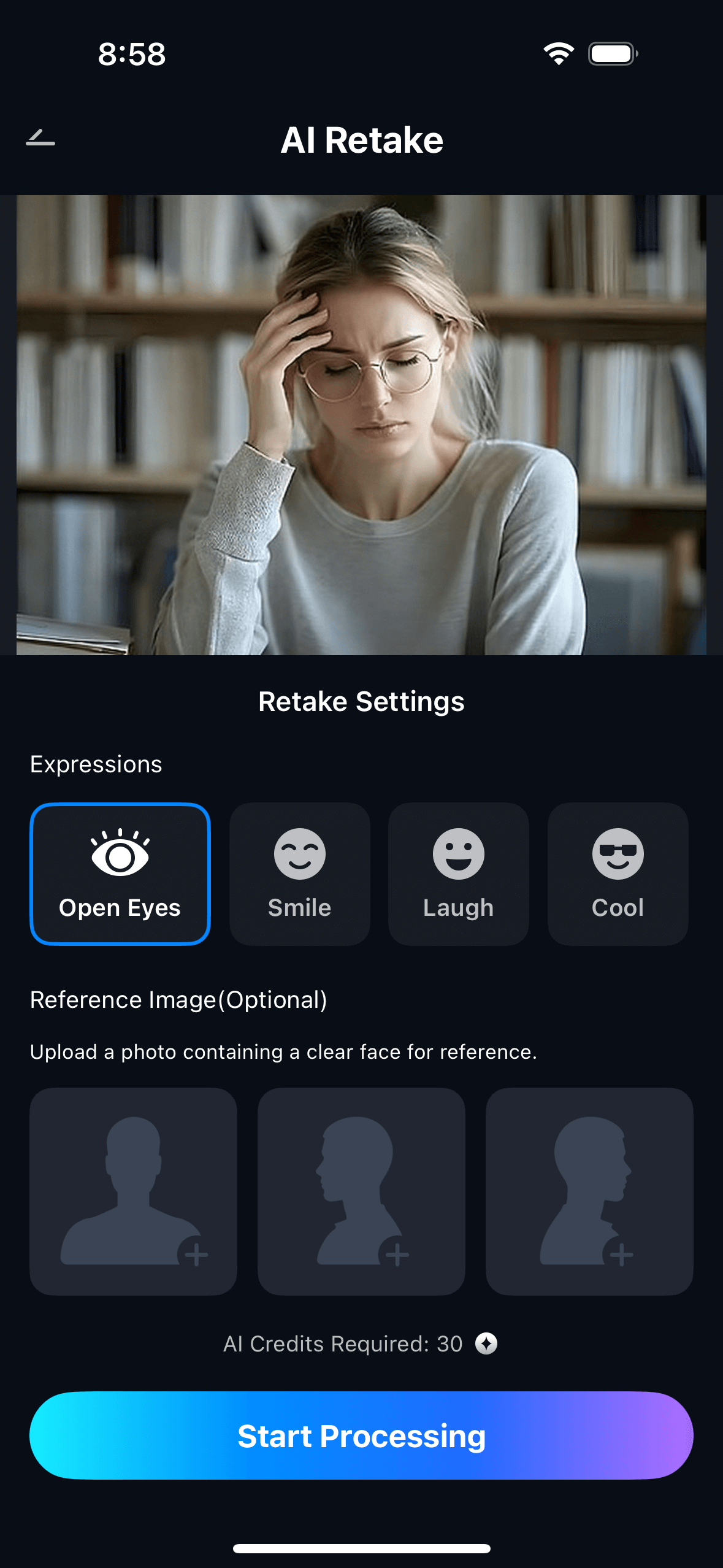
Step 1. Upload Your Pet Photo & Select Pet Photo Blemish Repair
- Open the AI Retake feature from the Relumi homepage.
- Upload the pet photo you want to clean up — a candid shot with stray fur, a post-play photo with mud, a close-up portrait with food marks near the muzzle, or any photo where the moment is right but the coat has visible imperfections.
- From the AI Retake menu, tap Pet Photo Blemish Repair to activate the feature.
- Use the Intensity slider to set the correction level — start at 50% for moderate cleanup and adjust based on how many imperfections the photo has.
Step 2. Start AI Retake Processing
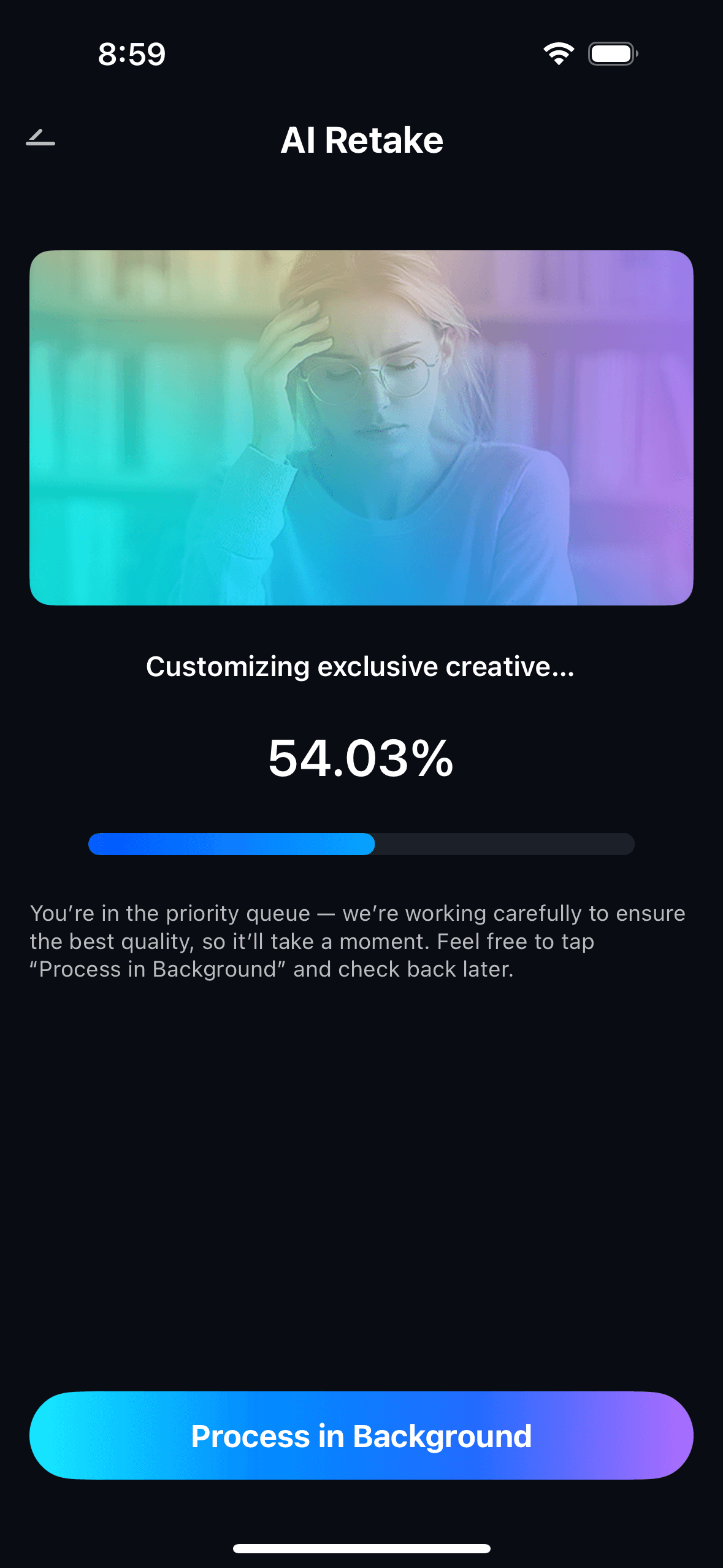
- The AI analyzes the photo, identifies the animal’s coat texture and natural color pattern, and locates imperfections — stray wisps, mud marks, food spots, matted patches — that are distinct from the natural coat.
- It maps the surrounding fur direction and texture in each affected area before making any correction, so each removed blemish is replaced with a seamless match to the nearby coat.
- Processing runs automatically — no manual brush selection, no zone-by-zone cleanup. One tap handles the full photo.

Step 3. Preview, Compare & Save
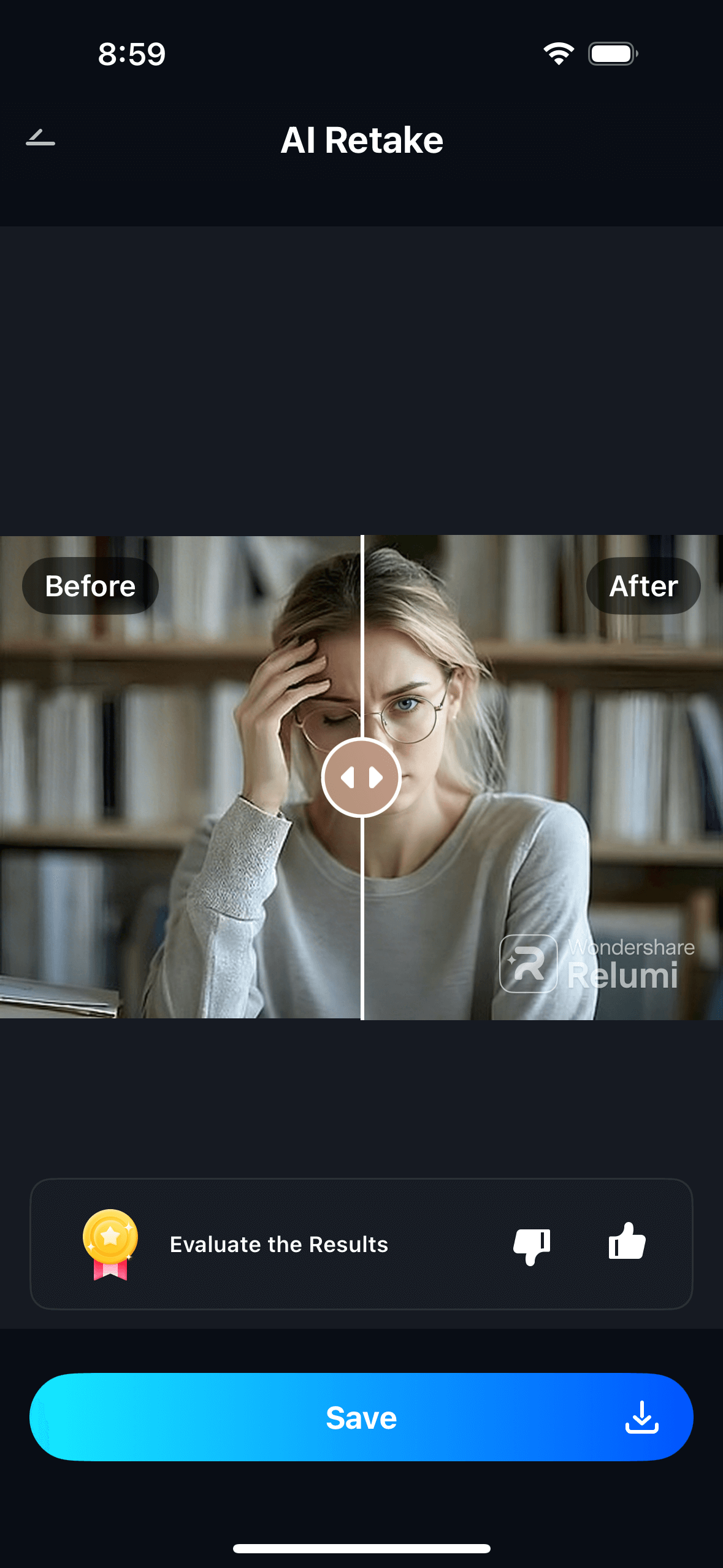
- Use the before/after toggle to compare the original and the corrected version side by side — checking that the imperfections are gone and the coat still looks natural, not over-processed.
- Adjust the intensity slider if needed — higher settings for heavily soiled or matted coats, lower settings for subtle cleanup like removing a few stray wisps or a small spot.
- Tap Save to export in full resolution, or share directly. View all repaired pet photos in My Creations.

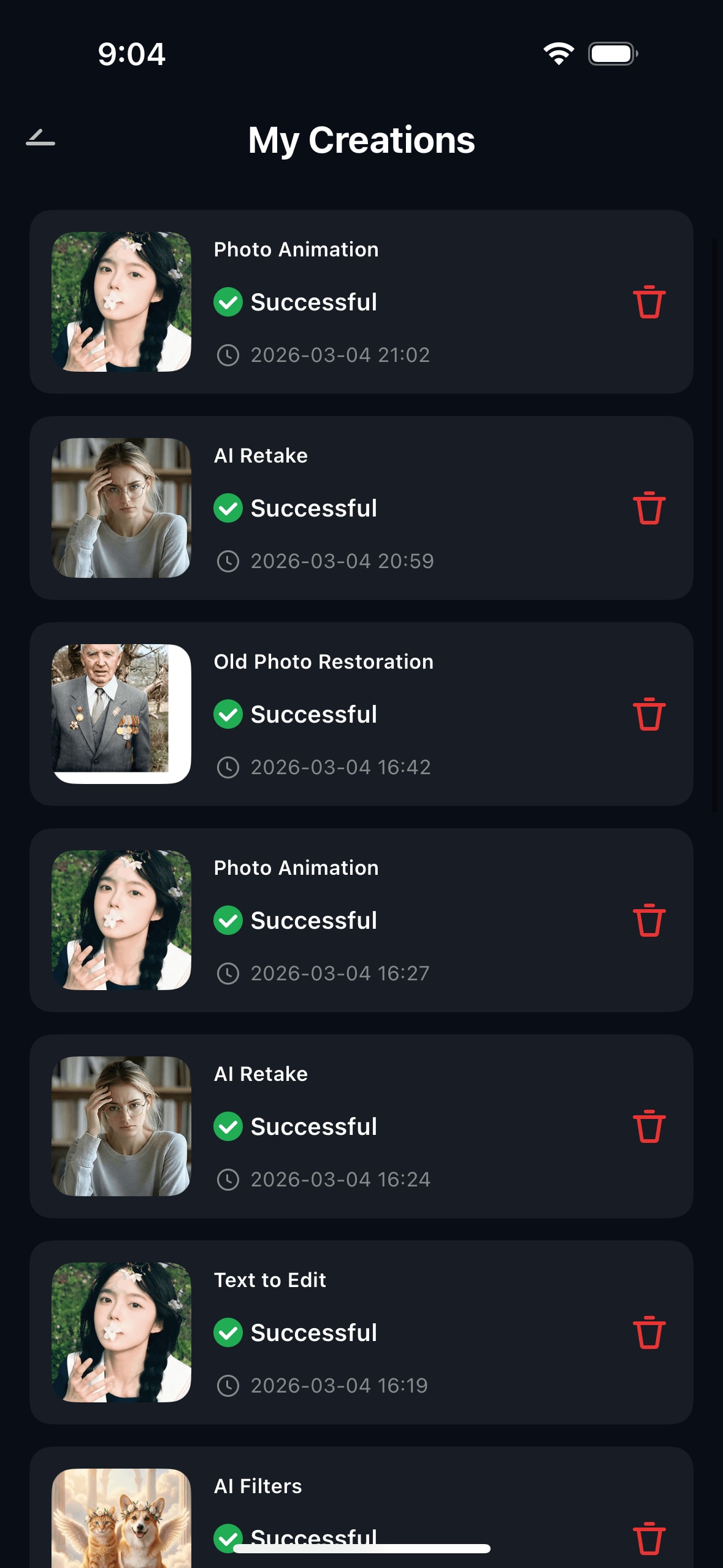
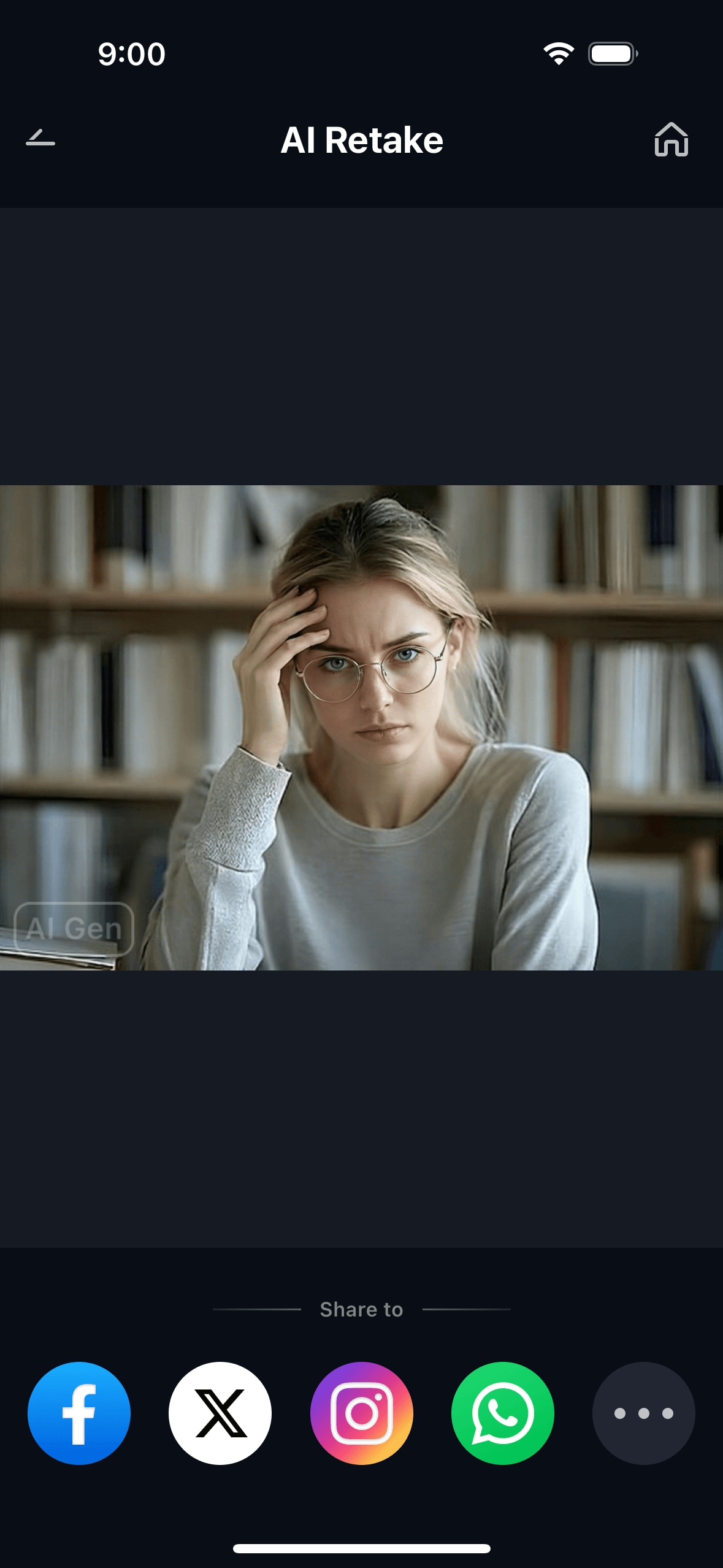
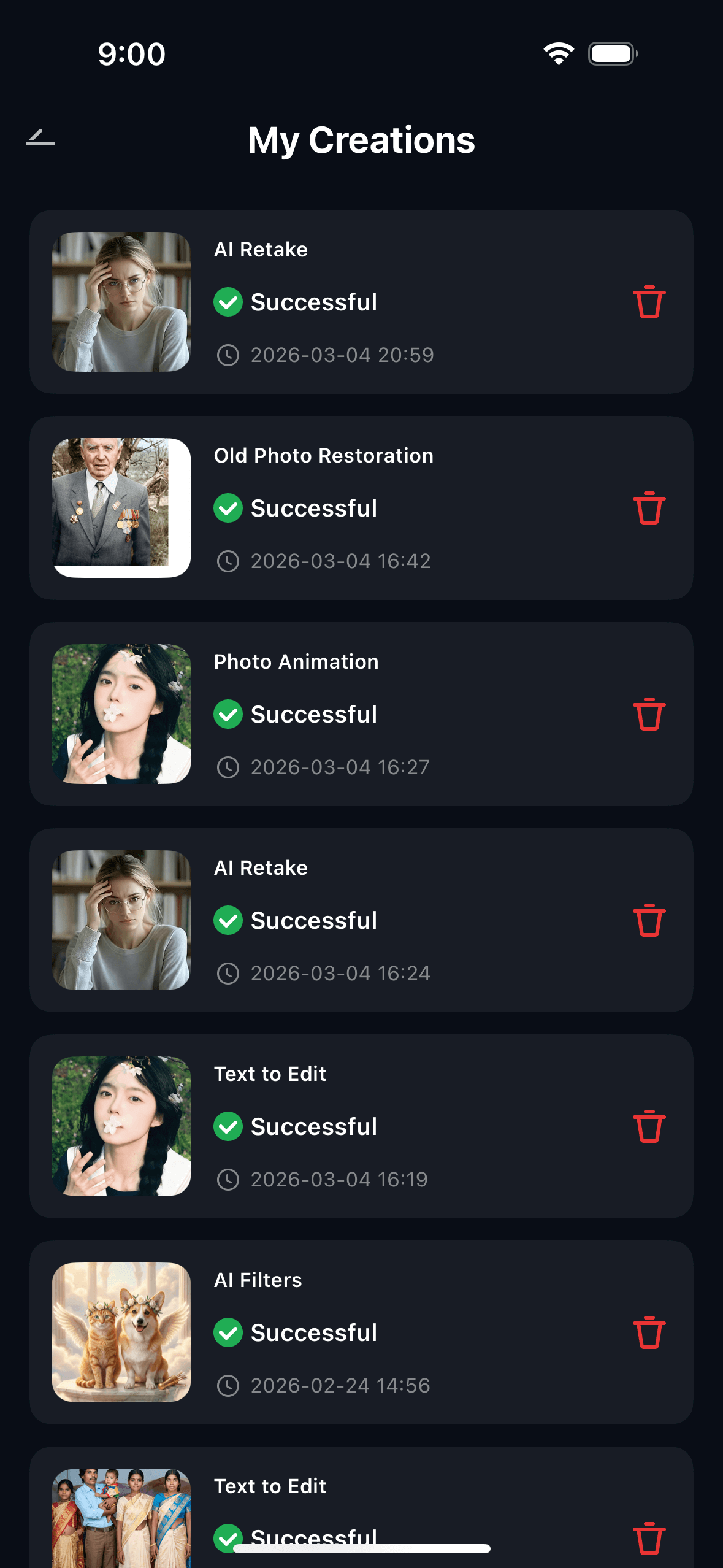
The result is a pet portrait that shows the moment you captured — the expression, the light, the personality — without the stray fur and incidental dirt that happened to be there at the same time. The pet looks like itself: natural, real, and clean.
Part 3: Three Situations Where Pet Photo Blemish Repair Makes the Difference
These are the three most common real-world scenarios where you have a pet photo that’s worth keeping — but the fur or coat has visible imperfections that the camera captured faithfully.
🐾 1. The Perfect Expression, the Imperfect Fur — Everyday Candid Shots
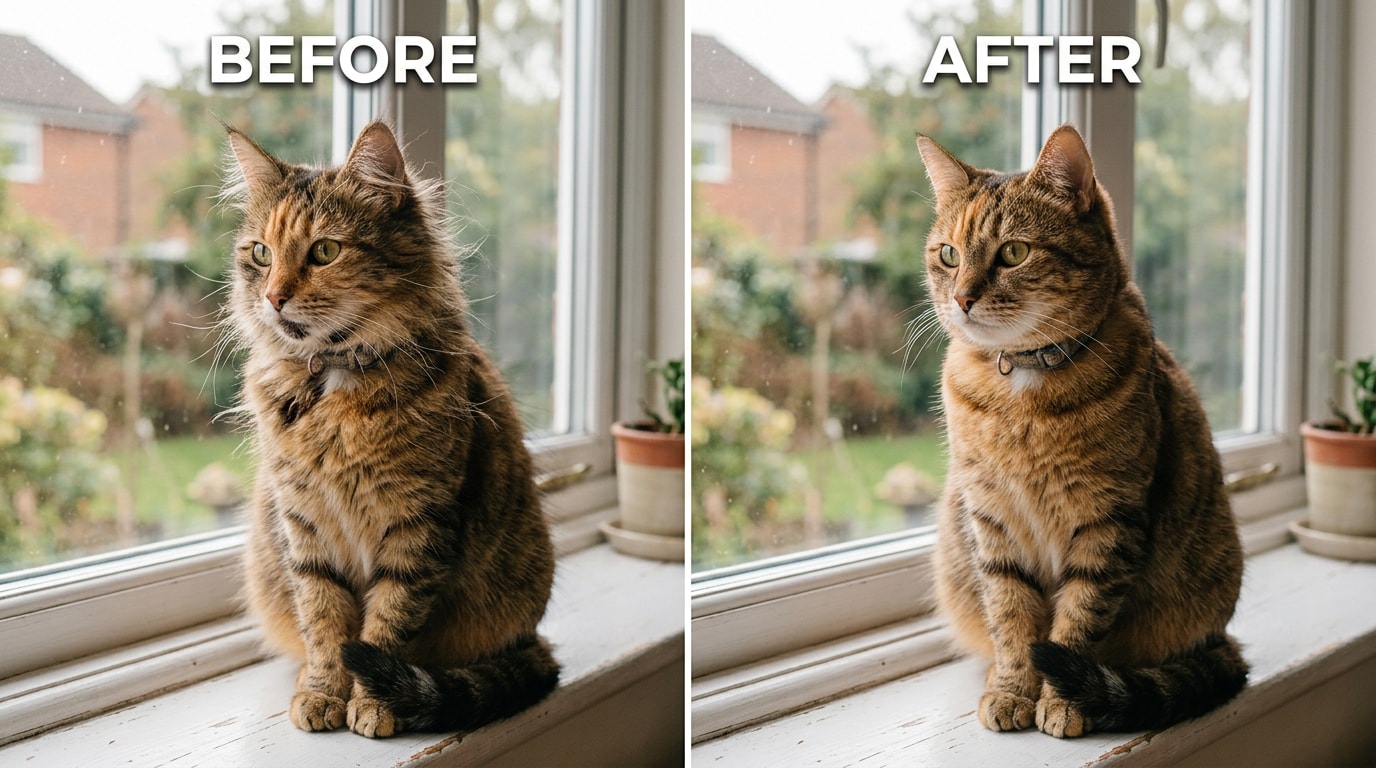
This is the most common situation. You’re not on a photo shoot. You’re just home. Your cat climbs onto the windowsill and catches the morning light in exactly the right way — eyes clear, posture relaxed, the kind of photo that actually captures who they are. You grab your phone and shoot. The expression is perfect. And then you look at the photo closely and see the fur around the face — stray wisps catching the light, a small food stain near the chin from breakfast, a loose bit of fur that doesn’t look like it belongs to the smooth coat in the photo.
The fur “looking weird” on an otherwise brilliant shot is a technical artifact of how phone cameras process fine, high-contrast detail like individual fur strands — not a failure of the photo itself. The underlying photo is good. The imperfections in the coat were real and present at the moment the photo was taken. Relumi’s Pet Photo Blemish Repair removes the stray wisps, the chin stain, and the loose tufts while preserving the coat direction and texture across the whole image — so the photo looks like the cat cleaned itself right before sitting down on that windowsill.
🐕 2. After Outdoor Play — Mud, Dirt, and Happy Chaos
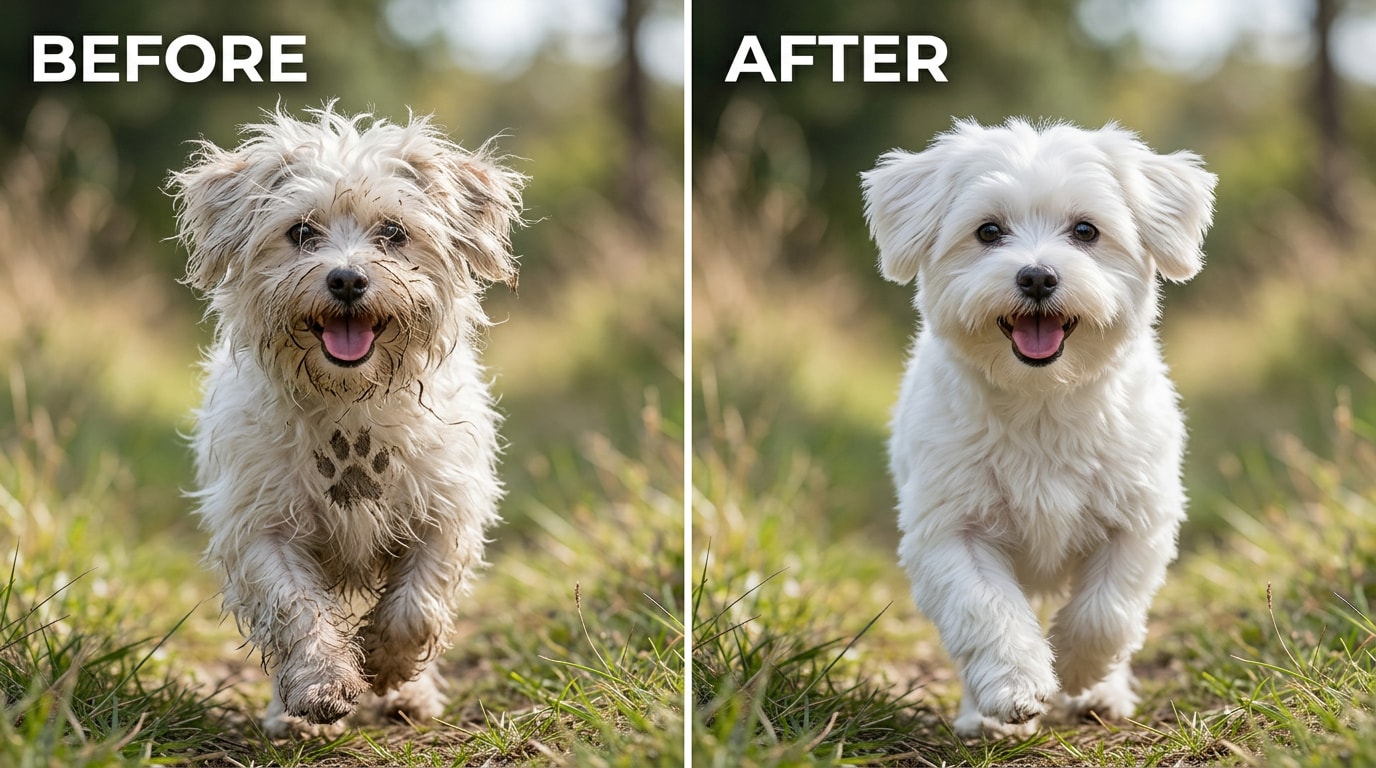
Outdoor play produces the best dog photos and the messiest ones at the same time. A dog at full speed in a park, catching a frisbee, splashing in a creek, rolling in the grass — these are exactly the moments worth photographing. They’re also the moments when the dog has mud on its muzzle from the last puddle it ran through, dirt on the chest from where it dropped to the ground to sniff something, and disheveled ear fur from the wind and running.
That’s the exact situation Relumi’s mud and dirt correction handles. The AI distinguishes between “mud on white fur” (foreign material that should be removed) and “the natural coloring of the white fur” (which should stay exactly as it is). On white, cream, or pale-coated dogs, this distinction is particularly important — a generic blemish removal tool might lift the mud marks but also shift the overall tone of the coat. Relumi’s fur-aware correction removes the dirt and leaves the coat color exactly as it was.
🕯️ 3. The Photos You Keep Forever — Elderly Pets and Last Memories
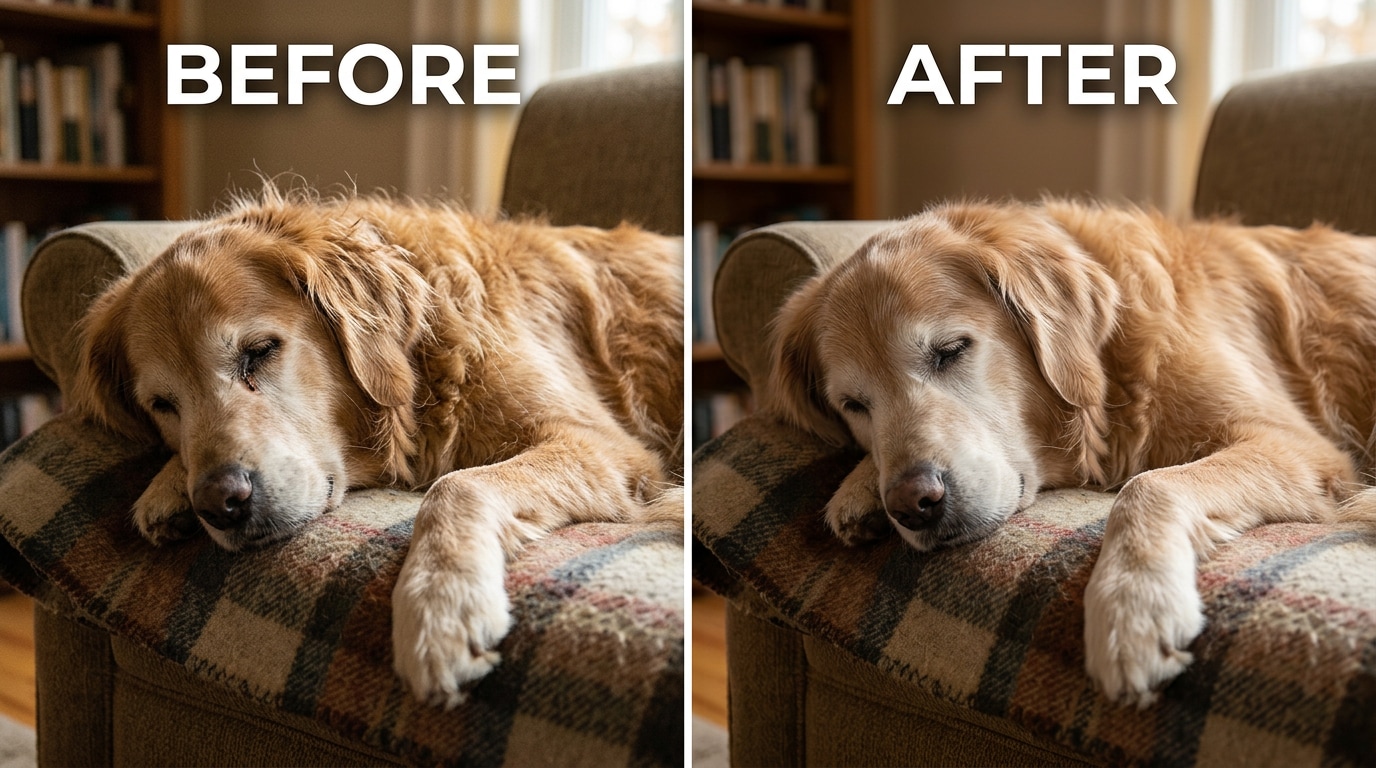
Some pet photos carry a weight that goes beyond documentation. A photo taken in the last months of a pet’s life, or the last photo taken before they passed away, becomes something irreplaceable. These photos often have the quality problems that come with photographing an older animal — fur that’s slightly less uniform, small age-related marks near the eyes or muzzle, coat that’s thinner or more irregular than it was at the animal’s peak. None of this changes how much the photo means. But the imperfections can make a photo feel harder to share, print, or frame.
This is one of the most genuine use cases for pet photo repair — not aesthetic perfection, but making a treasured photo into something you can actually display. Relumi’s correction removes the small crusty spots, the stray age-related fur irregularities, and the minor coat imperfections around the face — gently, at whatever intensity level you choose — while keeping the fundamental character of the animal exactly as it was. The photo still shows your pet. It just shows them as they really were, not as they appeared on that particular day under those specific conditions.
Conclusion
Pets don’t cooperate with photography. They move when you focus, look away when the light is perfect, and accumulate mud and stray fur without any awareness of or concern for your plans to take a nice photo. When you finally get the shot — the one with the right expression, the right light, the right moment — it often comes with a side of messy fur and incidental dirt.
Relumi AI Retake Pet Photo Blemish Repair gives you that photo without the imperfections. It doesn’t over-smooth. It doesn’t blur the coat or remove the natural texture that makes fur look real. It identifies the specific blemishes — the stray wisps, the mud marks, the food spots, the matted patches — and removes them while preserving everything else exactly as it was. The result is a photo of your pet on their best fur day. Even if the day you actually took the photo was a muddy, chaotic, wonderful mess.
Free to use on iOS and Android. Upload the photo. Tap Pet Photo Blemish Repair. The before/after toggle shows the difference before you save.
FAQ
-
Will it change my pet’s natural fur markings or coloring?
No. The AI distinguishes between the natural coat pattern and markings (which it preserves exactly) and blemishes that are foreign to the coat — mud, food spots, stray debris, and temporary marks. On a dog with a spotted or multi-colored coat, a mud mark will be removed but the natural spots stay exactly as they are. The correction targets only what doesn’t belong on the coat. -
Can it fix a really heavily soiled coat, or only minor imperfections?
Both, though the approach is different. For minor imperfections — a few stray wisps, a small food spot — set the intensity low (30–50%) for a subtle, natural result. For a heavily soiled coat — significant mud coverage, widespread matting from a wet coat — set the intensity higher (65–80%) and use the before/after toggle to check the result. Very heavy, widespread soiling produces the best results when the coat underneath is still clearly visible (the AI needs to see the coat structure to reconstruct it in the corrected areas). -
Does it work on all types of fur — long-haired, short-haired, curly?
Yes. The AI reads the coat type from the photo and adjusts its correction approach accordingly. Short-haired breeds (smooth coats with visible skin tone beneath) respond well to mud and spot removal. Long-haired breeds respond well to stray wisp removal and matting correction. Curly or wire-haired coats respond well to debris removal and cleanup of the coat silhouette. In all cases, the correction is based on the specific coat texture visible in the photo rather than a one-size-fits-all approach. -
Can it fix photos of other animals — cats, rabbits, birds?
Yes. The feature works on any animal with a visible coat, fur, or feathers. Cats respond particularly well — stray fur wisps and face-area food marks are the most common feline blemish. Rabbits with soiled fur patches or stray hay in the coat can also be corrected. Birds present slightly different challenges since feather structure is different from fur, but the basic blemish removal (debris, small marks) works on bird photos too. -
Will the corrected photo look natural, or obvious that it was edited?
At moderate intensity settings, the correction is designed to be invisible. The AI preserves natural fur texture — the individual strand definition, the natural coat sheen, the depth variation in longer fur — so the result doesn’t have the over-smoothed, plastic look of a beauty filter applied to an animal. The pet still looks like a real animal with real fur. It just looks clean. If you go to very high intensity, the result may look slightly processed in coats with fine, complex texture. The before/after toggle lets you judge the result before saving. -
Is Pet Photo Blemish Repair free to use?
Yes. The feature is available on Relumi’s free tier for both iOS and Android. You can repair any pet photo and export the result in full resolution without a watermark. No subscription or payment is required to use the core feature.



