
 TL;DR:
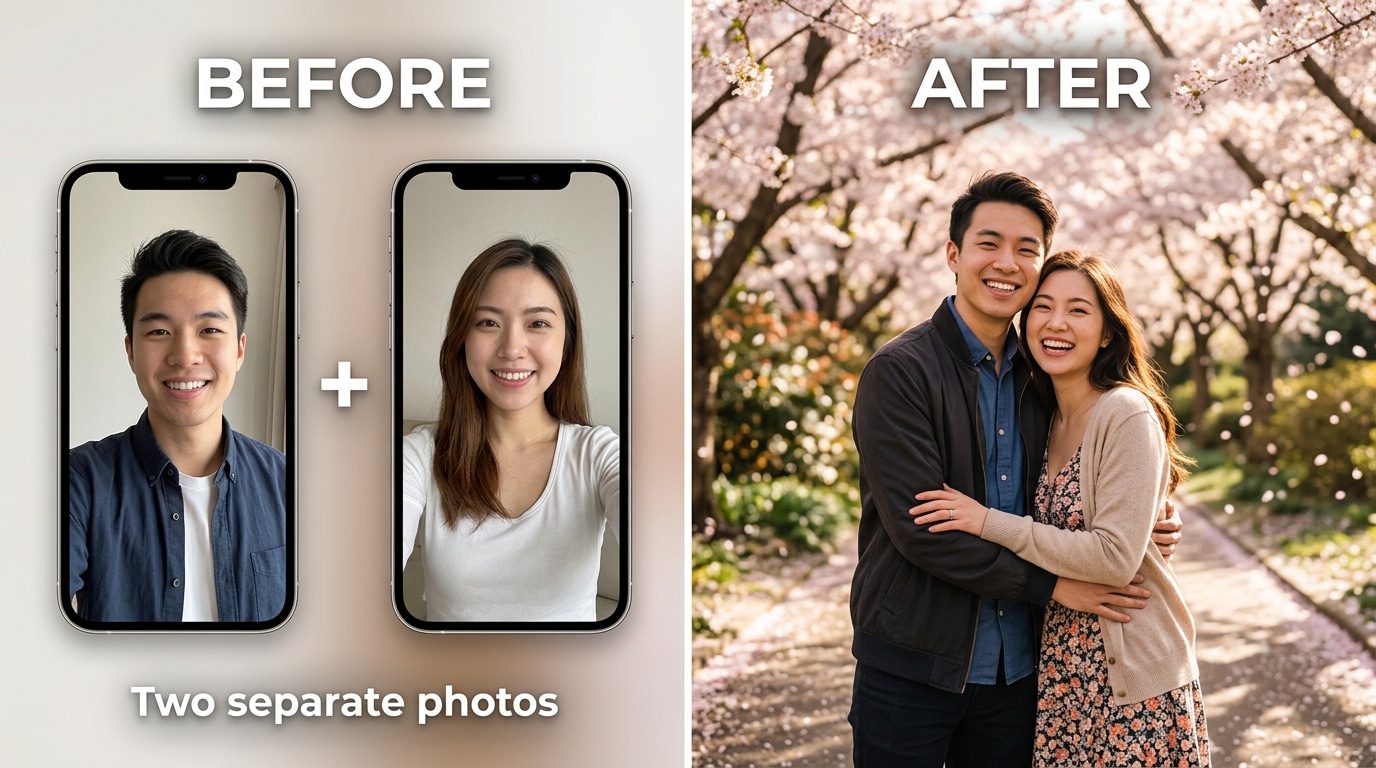
Relumi Combine Photo generates realistic, unified photos of two people together from separate portraits by synthesizing an entirely new scene rather than awkwardly pasting cropped images.
● Requires two clear, roughly forward-facing portraits without heavy obscuration like sunglasses or extreme shadows, but the original lighting, scale, and backgrounds do not need to match.
● Overcomes the limitations of general AI and basic compositing by using the input photos as direct identity anchors to accurately preserve both specific faces, while a custom text prompt dictates the shared environment.
● Available on iOS and Android via a free tier that permits users to generate and save the final composite images in full resolution without watermarks or a mandatory subscription.
Ask AI for a summary
 ChatGPT
 Perplexity
 Gemini
 Claude
 Grok
Grok
That post has been rewritten dozens of times across Reddit — different usernames, different cities, same situation. Two people, two separate selfies, no photo of them together. Maybe they’re long distance and haven’t met in person yet. Maybe they missed the shot at an event. Maybe the only photos they have are from video call screenshots. Whatever the reason, the question is always the same: is there an app that can make it look like we’re actually standing next to each other?
The short answer is that most apps that claim to do this produce results that “never look even remotely real.” The lighting doesn’t match. The scale is off. One person looks like they’ve been awkwardly pasted into the other’s photo. Relumi Combine Photo takes a different approach: it generates a brand-new, unified scene from both portraits — consistent lighting, matched scale, natural backgrounds — so the result looks like a real photo taken together, not a cutout stuck onto someone else’s picture.
In this article
Part 1: Why “Just Use AI” Isn’t As Simple As It Sounds
The desire to put two people into one photo is extremely common. The tools to do it well are not. People posting on Reddit about this consistently hit the same wall: they try three or four apps, none of them work properly, and they give up frustrated.
The most common failure is simple compositing — cropping one person out of their photo and placing them onto the other person’s background. This approach falls apart immediately because the lighting never matches. One person was photographed indoors under warm light; the other was outside on a cloudy day. Put them together and the result looks exactly like what it is: two separate photos stuck together.
ChatGPT and similar general-purpose tools struggle for a different reason. They can generate faces that look like a person, but they don’t reliably maintain identity across a generation. The result may look vaguely like one partner while barely resembling the other. As one user put it after trying ChatGPT:
Another user who had spent days trying different tools summarized the situation plainly:
That last sentence is the exact brief: preserve both people’s faces, place them next to each other, make it look real. It’s a surprisingly specific technical requirement, and it’s what Relumi Combine Photo is built to deliver.
Part 2: How Relumi Combine Photo Puts Two People in One Scene


Relumi AI Photo Enhancer
Combine Photo — Generate a Natural Couple or Duo Photo From Two Separate Portraits, No Photography Session Required

 Unified scene generation: Instead of pasting one person onto the other’s photo, Relumi generates an entirely new scene that places both people together with consistent lighting, matched scale, and a shared environment. The result looks like it was photographed in one take.
-
Identity preservation: Both people’s facial features are maintained in the output — the AI doesn’t generate “someone who looks like you.” It uses the actual faces from your input portraits, so the result looks like the specific two people you uploaded.
-
Scene description control: Add a text prompt to describe where you want the photo to be set — a specific city, a season, a mood, an occasion. The AI synthesizes a background that fits both the prompt and the people, rather than dropping them onto a random backdrop.
The key difference between Relumi and a basic compositing tool is that Relumi doesn’t combine your photos — it generates a new one. When you upload two portraits and describe a scene, the AI synthesizes a unified image from scratch: same light source, same environment, same visual logic. Both people look like they’re actually standing in that space together, because the image was built around them rather than assembled from pieces. Identity is preserved because the model is anchored to your input portraits, not generating new faces from a style prompt. The result is a photo that could plausibly have been taken by someone holding a camera at the right moment.
How to Use Relumi Combine Photo — AI Couple & Duo Photo on iPhone
Step 1. Open Combine Photo & Upload Both Portraits
Open Relumi, tap Combine Photo on the home screen, then select the AI Couple & Duo Photo mode. Upload one clear portrait photo of each person from your camera roll.

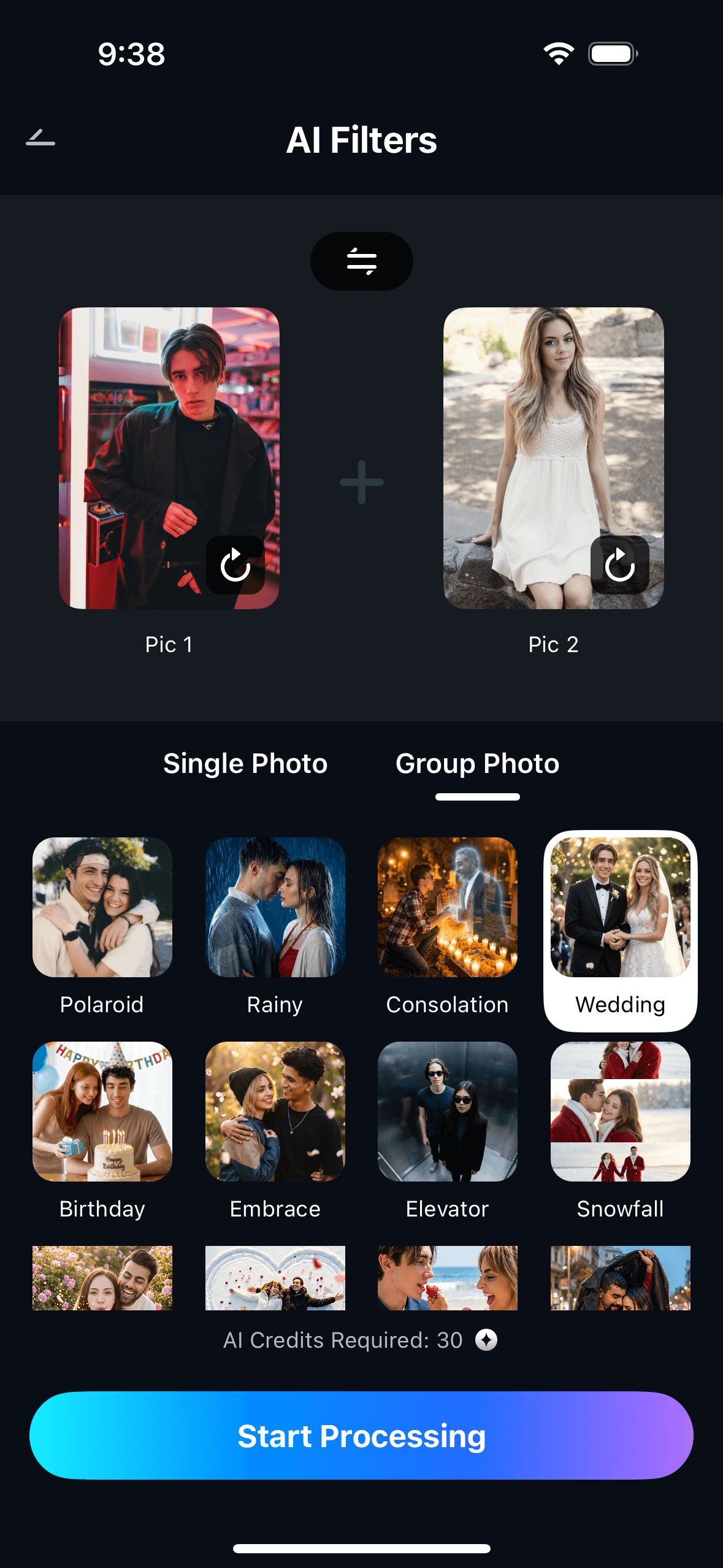
Step 2. Describe the Scene & Start Processing
Type a short scene description — for example: “standing together at a cherry blossom park, golden hour” or “couple selfie at a rooftop cafe in the city.” Tap Start Processing and the AI generates a unified photo in seconds.
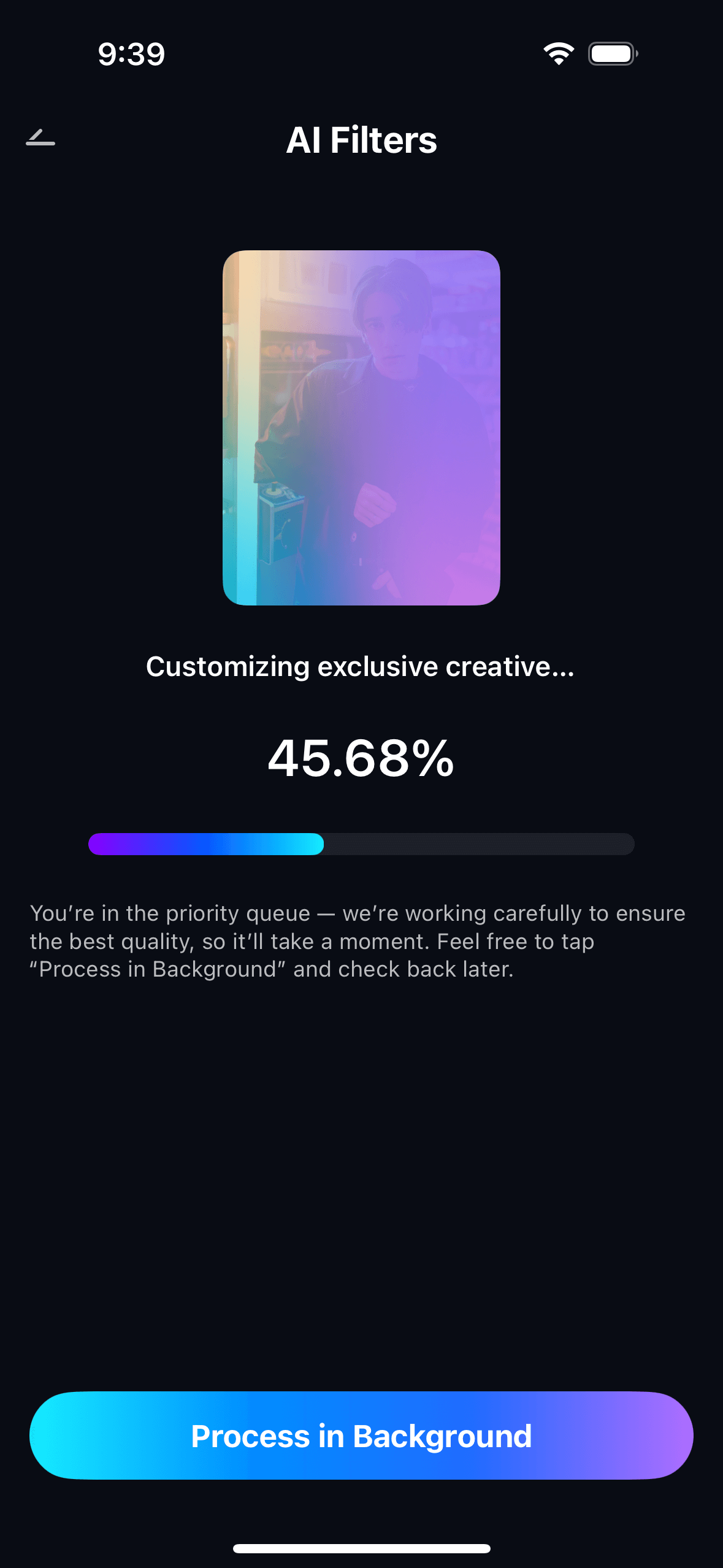
Step 3. Preview, Save & View Your Creations
Preview the generated couple photo. Tap Save to export to your photo gallery. You may see a prompt to earn AI credits after saving. All generated photos are accessible in My Creations.
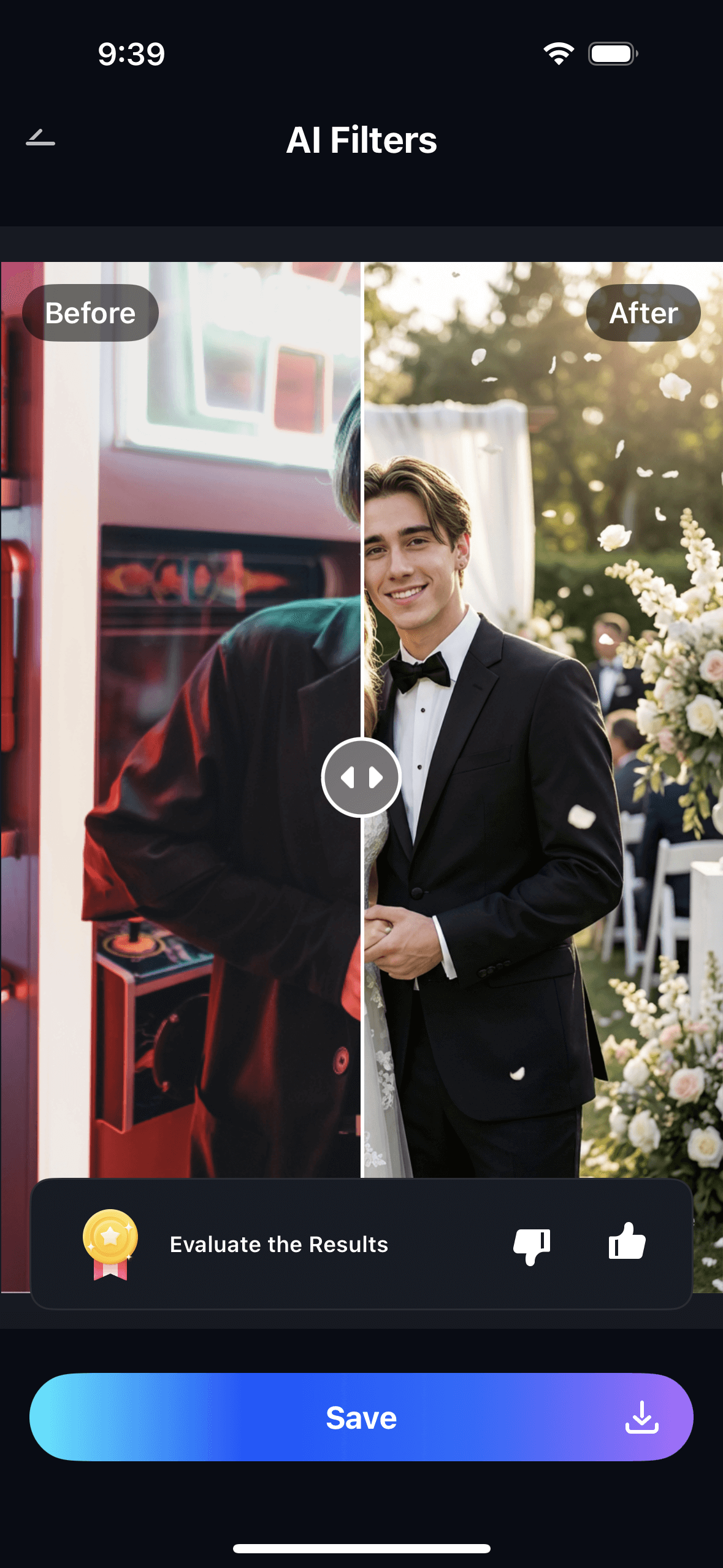
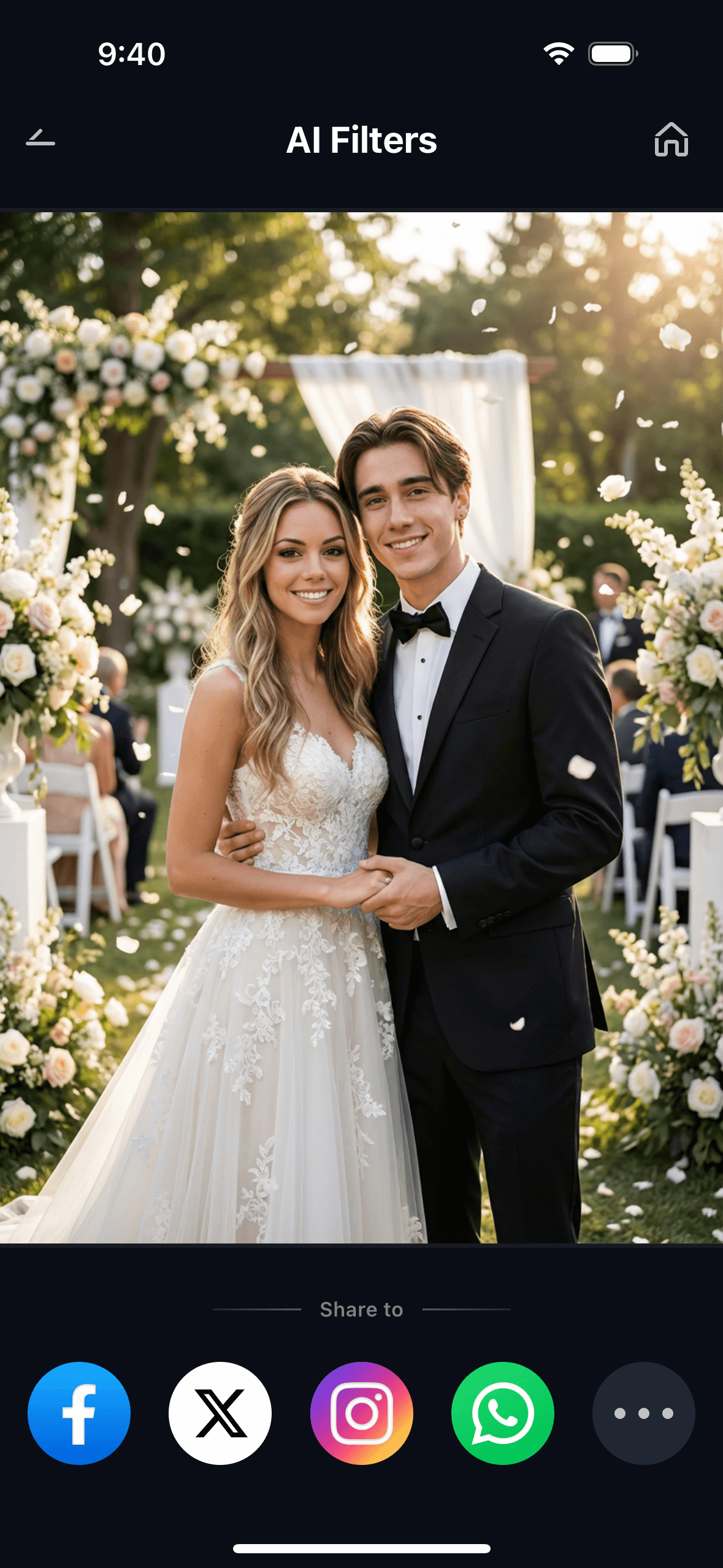
The scene description is where the real creative control lives. A prompt like “walking together on a rainy street in Tokyo, reflections on the pavement” produces a very different result from “sitting together at a beach cafe at sunset.” You can run the same two portraits multiple times with different scene prompts and build up a collection of “photos together” that span different moods, locations, and occasions.
Part 3: Three Situations Where This Actually Gets Used
AI couple photo generation isn’t one use case — it solves a few distinct problems, and the emotional context behind each is different enough to be worth unpacking.
💕 1. Long-Distance Couples — A Photo Together Before the Next Visit
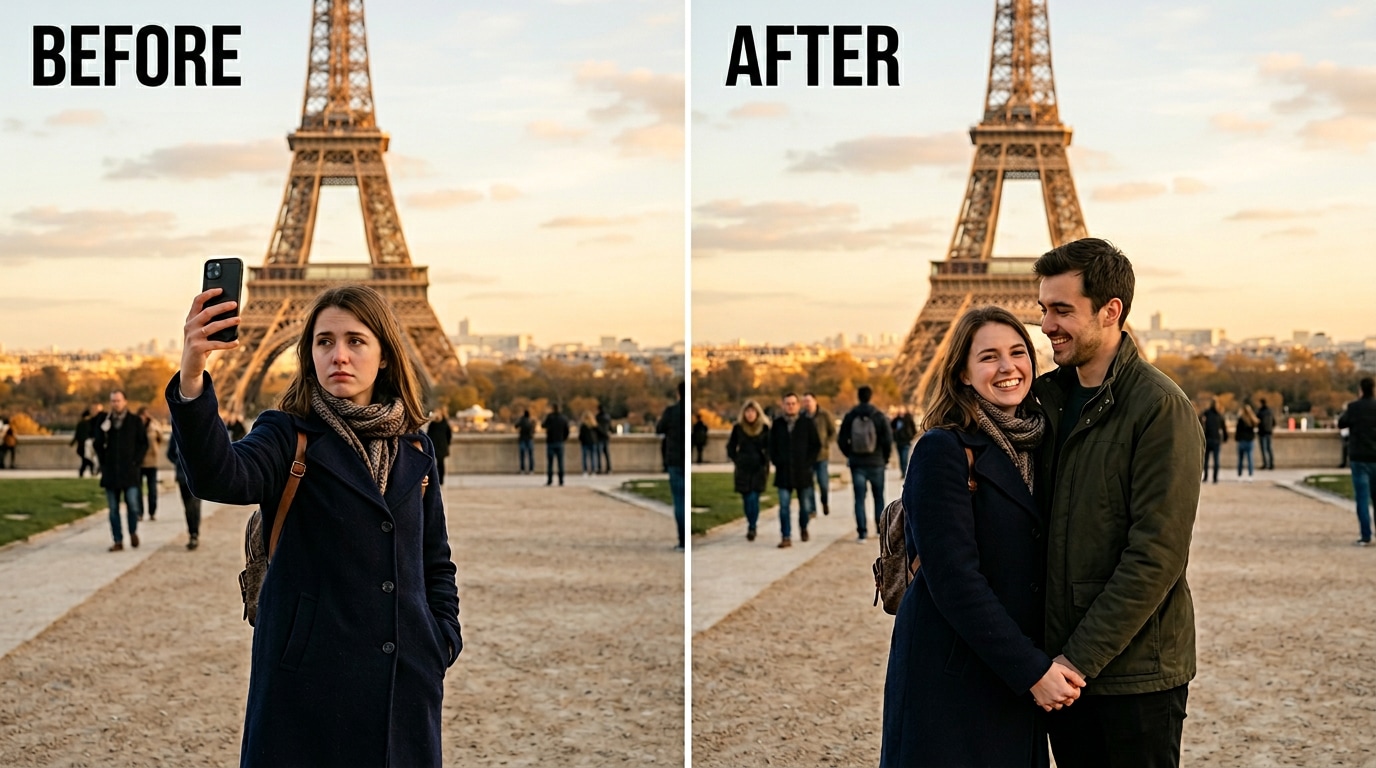
This is the most common scenario in the Reddit threads. Two people who are in a relationship but separated by distance — different cities, different countries, different time zones. They might have a handful of photos from the last time they were in the same place. They want something that looks like a real photo of them together, somewhere neither of them has been yet, for a trip they’re planning or a place they want to go.
Relumi lets you generate a photo together in a specific place — a city you’re planning to visit, a restaurant you want to go to, a season you’re waiting to experience together. Long-distance couples have been doing this with whatever tools they could find; Relumi gives them one that produces results that actually look like the two specific people in the photos, not a generic couple standing in a vaguely related setting.
One r/LongDistance post showed AI-generated couple photos that looked strikingly realistic — the comment section was full of people asking what tool was used, because the faces actually looked like the couple. The emotional use of this is obvious: it’s a way to visualize the future before it arrives, and to have a picture that captures something real about the relationship even when geography makes the physical version impossible right now.
🎅 2. Missed Moments — Retaking the Shot That Never Happened
Not all missing couple photos are about distance. Sometimes both people were at the same event, the same wedding, the same party — but they never got a proper photo together. Someone left early. The photographer caught everyone except this pair. The one photo that exists from that occasion has someone else in the background, the lighting was wrong, or it was taken on a low-quality camera and barely shows their faces.
The Combine Photo scene description prompt is what makes this use case work. You know the context — it was an outdoor summer wedding, or a birthday dinner at a specific kind of restaurant. You can describe that scene and generate a photo that looks like it belongs to that memory, with both people in it looking the way they looked at the time. The result isn’t a replacement for the real photo; it’s a visual placeholder for a moment that should have been captured and wasn’t.
This also works for anniversary posts, social media throwbacks, and gifts. A couple who has been together for five years but somehow has very few good photos together can use this to fill in the visual record — date night scenes, travel moments, casual everyday settings — all generated from their current portraits.
🎉 3. Friends in Different Cities — One Group Photo, No Travel Required
The same capability that works for couples works for any small group of people who want a photo together but aren’t in the same place. Friend groups that have scattered to different cities. Colleagues who only ever met over video calls. Siblings spread across multiple countries. The desire to have a visual record of people who matter to you, in the same frame, doesn’t require that they be in the same physical space anymore.
The scene prompt gives you creative control over where and how the group photo happens. A birthday celebration setting, a New Year’s countdown, a vacation destination that the group has been talking about visiting together — describe it, and the AI places everyone in that scene with consistent lighting and natural positioning. The output looks like a real group photo taken by someone at the event, not like separate portraits layered on top of a background.
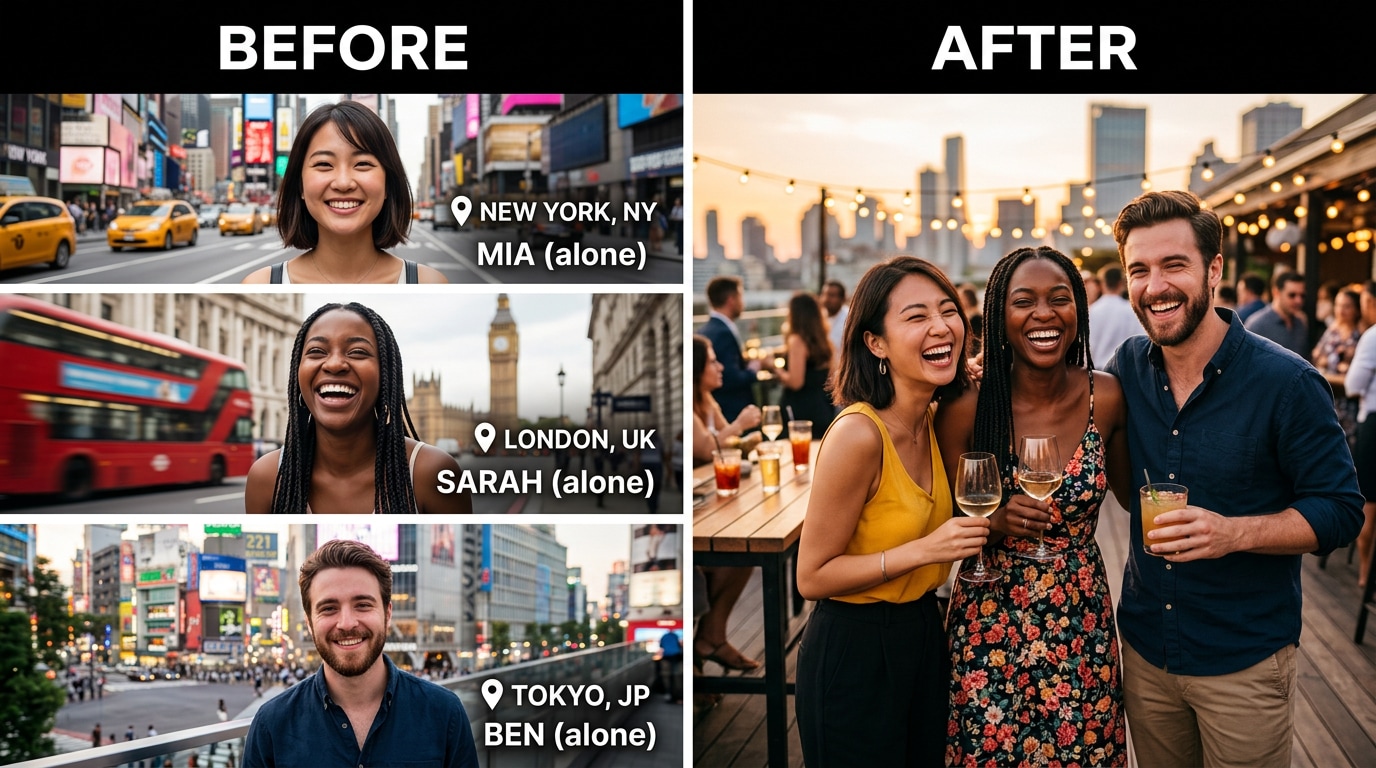
Because Relumi exports at full resolution without a watermark on the free tier, the output is clean enough to share directly — in a group chat, on social media, or as a printed gift. It doesn’t need to be explained as an AI photo if it looks like a real one. And when it does look real, it has the effect of any good photo: it captures a relationship, a moment, a feeling — even if the photograph itself is synthetic.
Conclusion
The problem of “no good photo of us together” is one that a lot of people have and very few tools solve properly. Basic compositing tools produce visible cutout edges and mismatched lighting. General AI image generators maintain faces inconsistently and give you a limited number of attempts. The apps that specifically market themselves for this use case tend to produce outputs that look like stock photos rather than photos of the actual people who uploaded them.
Relumi Combine Photo generates a new unified scene that places both people together with consistent lighting and a shared environment. Both faces are preserved from the input portraits — the output looks like the specific people you uploaded, not someone who resembles them. A text prompt lets you set where and how the photo happens. The result is exportable in full resolution without a watermark, on the free tier, on iOS and Android.
Two portraits, one scene description, one photo that looks like it was taken together. That’s the whole process.
FAQ
-
Will the output actually look like the two specific people I uploaded, or just a generic couple?
Relumi uses your input portraits as the identity anchor for both people in the output — it’s not generating a stylized couple based on general prompts. The faces in the result are derived from the specific photos you uploaded, so the output looks like the two actual people rather than a generic AI-generated couple. This is the key difference from using a general image generator with a text prompt. -
Do both photos need to have been taken in the same conditions?
No. The two input photos don’t need to match in lighting, background, scale, or image quality. Relumi normalizes both inputs and generates a new unified scene from scratch — so one photo taken indoors and one taken outside on a different day will still produce a result where both people look like they belong in the same environment. -
How specific can the scene description be?
Reasonably specific. Prompts like “walking together in a Tokyo street at night with neon lights” or “sitting at a restaurant table with candles, warm light” give the AI clear direction and typically produce results that match the intended mood and setting. The more specific your description, the more control you have over the output. You can run the same two portraits with different prompts to generate a collection of photos across different scenes and occasions. -
Is this the same as a face swap?
No. A face swap takes one person’s face and places it onto another person’s body or photo. Combine Photo generates a brand-new scene that includes both people together — there’s no source photo being modified and no faces being transplanted. Both people appear naturally in a new, synthesized environment. -
What photos work best as inputs?
Clear, reasonably well-lit portraits where the face is visible and roughly forward-facing give the best results. Selfies work fine. The photos don’t need to be professional or high-resolution. Avoid inputs where the face is heavily obscured by sunglasses, extreme shadows, or very sharp angles — the AI extracts identity from visible facial features, so the more visible the face, the more accurately it’s represented in the output. -
Is Combine Photo free to use?
Yes. The AI Couple & Duo Photo feature is available on Relumi’s free tier for iOS and Android. You can upload photos, describe the scene, generate the result, and save in full resolution without a watermark — all for free. No subscription is required to use the core feature.



