
 TL;DR:
You can create a short video of your dog or cat making a toasting gesture by applying the "Cheers" preset to a front-facing photo in the Relumi app.
● The animation requires a well-lit image where the pet's face and front paws are clearly visible, though the AI generates the raising gesture even without a glass or bowl in the picture.
● The tool processes the movement in seconds and supports multi-pet photos, but it may yield less predictable results on animals with anatomies that differ from dogs and cats.
Ask AI for a summary
 ChatGPT
 Perplexity
 Gemini
 Claude
 Grok
Grok
The internet loves pets, and it loves humor. What if you could combine the two in a way that's never been seen before? Imagine a photo of your dog, sitting at the dinner table, a bowl of water in front of them. Now imagine that dog "raising" that bowl in a toast. It's ridiculous, hilarious, and absolutely guaranteed to get likes and shares.
Relumi's "Cheers" feature isn't just for humans. It works on pets too. By animating a clear photo of your furry friend, you can make them look like they're joining in on the happy hour fun. It's a guaranteed way to create unique, shareable content that will make everyone smile.
In this article
Part 1: The Quest for Unique Pet Content
On subreddits like r/dogs and r/funny, pet owners are constantly searching for new ways to feature their animals online. The market is saturated with cute static photos. To stand out, you need something truly original and unexpected .
AI animation offers that "something different." The idea of a dog "toasting" or a cat raising a glass (or bowl) is inherently funny and attention-grabbing. It gives pets a new form of "behavior" that owners can use to create original, hilarious content.
Part 2: How to Create a Hilarious Pet Happy Hour Video


Relumi AI Photo Animation
Bring old photos to life with AI-powered animation.

 Preset motion styles — Wave, Dance, Clap, Cheers & more
-
Works on old, faded, and black-and-white photos
-
No editing skills required — generate in seconds
-
One tap turns any still image into a moving memory.
Creating your pet's viral moment is simple.
Step 1: Get a Clear, Front-Facing Photo of Your Pet
Choose a photo where your pet's face and front paws (or the area where paws would be) are clearly visible. A photo of them sitting at a table or next to a bowl is ideal. Good lighting is key.

Step 2: Upload to Relumi and Apply the "Cheers" Preset
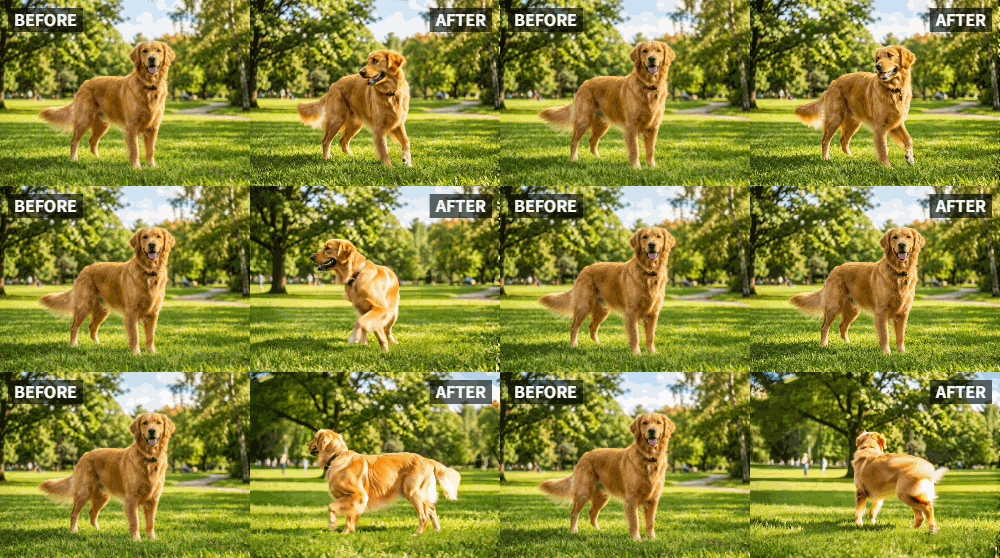
Open the Relumi app, go to Photo Animation, and select the "Cheers" preset. You'll be amazed as the AI generates a short video of your pet raising their paw or moving in a way that looks like they're lifting a glass in a toast.

Step 3: Share Your Pet's Happy Hour Video
Export the clip and prepare for the likes to roll in.
- Social Media Post: Share it on Instagram, TikTok, or Facebook with a caption like "Who's ready for happy hour?" or "When you realize it's Friday."
- Group Chat Humor: Drop it in your group chat for guaranteed laughs.
- Pet Influencer Content: If your pet has its own account, this is the kind of unique content that drives follower growth .

Part 3: Creative Pet Ideas Using the Cheers Feature
This idea can be used in many funny ways.
- Pet Holiday Toasts: Animate your pet toasting for Thanksgiving, New Year's Eve, or any holiday where humans traditionally raise a glass.
- Pet Birthday Parties: Create a video where your dog "toasts" to their own birthday with a bowl of treats.
- "Cheers" with Pet Friends: If you have a photo of two pets together, animate them both toasting to their friendship.
- Pet and Owner Duo: Animate a photo of you and your pet together, both toasting for a hilarious "best friends" video.
Conclusion
Pets bring joy to our lives, and sharing that joy is part of the fun. With Relumi's "Cheers" feature, you can create hilarious, unique videos that showcase your pet's personality in a whole new way. Get ready for the likes, shares, and comments to pour in as your pet becomes the life of the digital happy hour.
Frequently Asked Questions
-
Will the cheers animation work on all types of pets?
It works best on pets with clear front limbs, like dogs and cats. It may produce less predictable results on animals with very different anatomies, but experimentation is always fun. -
My pet's photo doesn't show a glass or bowl. Will it still work?
The "Cheers" preset is looking for the gesture of raising. Even without an object, the AI will generate a "raising" motion that looks like a cheerful toast. -
Can I make a multi-pet photo cheers?
Yes! If you have a great photo of two or more pets together, Relumi can detect and animate all of them. -
How long does the pet animation take?
Just a few seconds, the same as for human photos.



